

Scraping a site often starts smoothly. The first few requests are successful, the data is accurate, and everything is on track. Then your scraper stops. Suddenly, your requests return 403 Forbidden errors, display an “Access Denied” page, or hang until they time out.
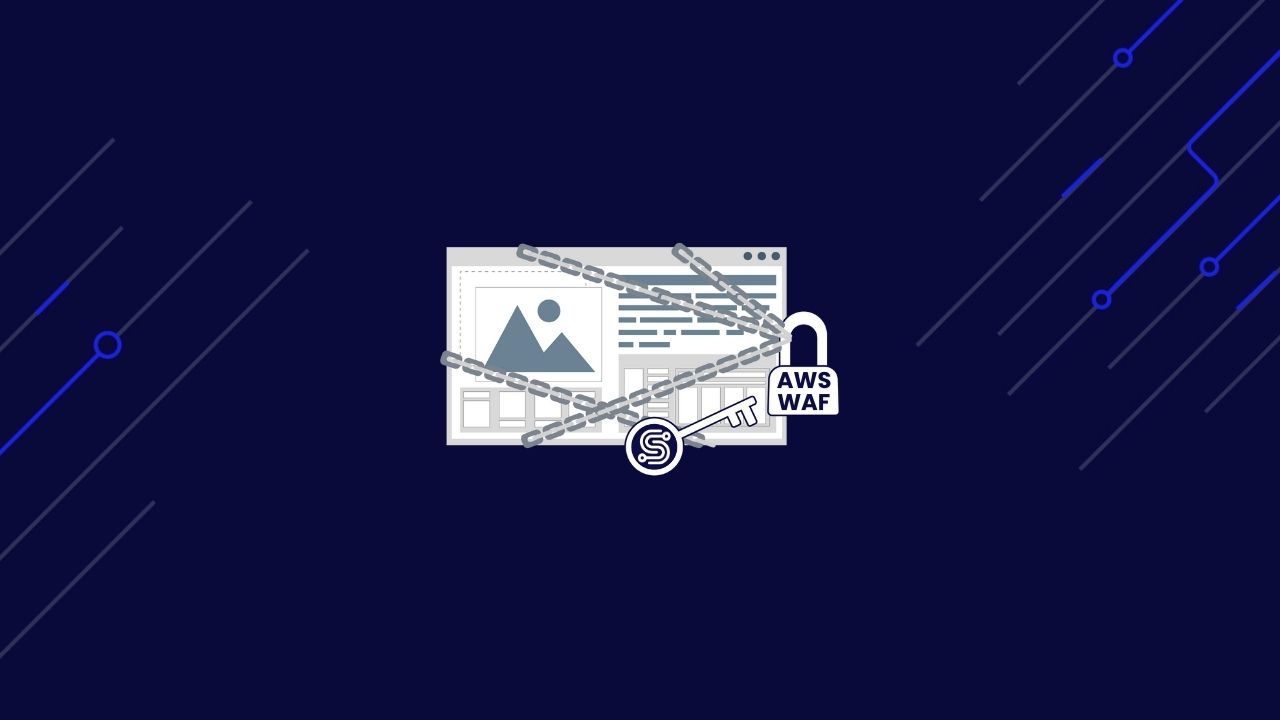
When this happens, it is often because a web application firewall, such as AWS WAF, protects the site. These systems are designed to identify traffic that appears to be automated. They can block datacenter IP ranges, limit the number of requests you send in a given time, and even verify that your request headers and TLS handshake match those of a typical browser.
The result is the same: your scraper stops working.
But this does not have to be the end of the process. With the right combination of clean IP addresses, proper headers, and carefully timed requests, you can keep your scrapers running smoothly. ScraperAPI takes care of these details for you, so you can spend less time fighting blocks and more time collecting data.
In this guide, we will explore how to bypass AWS WAF blocks using ScraperAPI and demonstrate how to build scrapers that remain online and reliable.
Ready? Let’s get started!
TL;DR
If you only need the high-level takeaway, here it is: ScraperAPI takes care of the complex parts of bypassing AWS WAF automatically. You don’t need to manage proxies, rotate headers, or maintain sessions yourself. The API handles it in the background and delivers the page you asked for.
Here’s what that looks like in practice after testing against an AWS WAF–protected site like OLX Group:
| Metric | Without ScraperAPI | With ScraperAPI |
| Success Rate | ~20% (most requests blocked with 403/Access Denied) | 99% successful responses |
| Average Response Time | Inconsistent, often delayed, or throttled | Stable, usually between 3 and 5 seconds |
| Content Received | Block pages or incomplete HTML | Full rendered HTML/Markdown with correct tokens and cookies |
| Setup Required | Proxy pool, header rotation, session handling, and management | Single API call with optional flags(render=true) |
With these results, the trade-off is clear: instead of building and maintaining a custom anti-bot system, you can call ScraperAPI once and keep your scraper online.
Why AWS WAF Blocks Requests
AWS WAF is powerful because it is flexible. It is not a single rule that you can work around once and forget about. Instead, it is a set of tools that site owners combine to filter traffic before it reaches their application.
Here are the main ways AWS WAF catches scrapers:
- IP Reputation: If your scraper uses IPs from known datacenters, they can be blocked before the first request is even processed. Site owners can block entire ranges or entire networks with a single rule.
- Rate Limiting: Bursts of requests from the same client quickly trigger throttling. This results in 429 Too Many Requests responses or long delays between requests.
- Custom Rules: AWS WAF enables site owners to create rules that match specific patterns, such as unusual headers, inconsistent geolocations, or repeated failed login attempts.
- Request Signature Analysis: Each request carries a unique signature made up of its headers, order, and handshake details. If this signature does not resemble a genuine browser’s, it can be flagged.
When these protections are layered together, they can make scraping difficult. The goal is not just to process a single request, but to maintain consistent access over time. In the next section, we will examine how ScraperAPI addresses this challenge and automatically handles these defenses.
The Engineering Approach: Bypass AWS WAF with ScraperAPI
Bypassing AWS WAF is about sending the right requests. If your scraper is blocked, it usually means the site has determined that your traffic does not appear to be from a real user.
To get past these blocks, you need to solve several problems at once:
- Your IP must look trustworthy.
- Your headers and TLS handshake must match what a browser sends, including header order and accepted ciphers.
- Your requests must follow a natural pace to avoid rate limits and burst detection.
- Your session cookies and tokens must persist so the site sees a consistent browsing session.
Building all of this yourself takes time and constant maintenance. ScraperAPI solves it with a single API call. It rotates through clean IPs, attaches realistic headers, paces requests to avoid throttling, and even renders JavaScript when necessary.
Prerequisites
Before you write any code, make sure you have:
- A ScraperAPI key:
Go to ScraperAPI’s signup page and create a free account. You get 5,000 requests to test this out. - A development environment:
- For Python, ensure that you have the
requestslibrary installed. Runpip install requestsif needed. - For Node.js, install
axioswithnpm install axios. - For cURL, you only need a terminal.
- For Python, ensure that you have the
- A target URL:
For this example, we will use https://www.olxgroup.com/. You can replace this with any AWS WAF-protected site you want to test.
Implementation Example
You can use any of the following examples. Each one will send a request through ScraperAPI and return a Markdown version of the page that you can inspect.
Python Example
Create a file named bypass_waf.py and add the following code:
import requests

API_KEY = "YOUR_SCRAPERAPI_KEY"
TARGET_URL = "https://www.olxgroup.com/"

payload = {
    "api_key": API_KEY,
    "output_format": "markdown",
    "url": TARGET_URL,
    "render": "true",  # Enable JavaScript rendering
}

# This simple API call handles all of AWS WAF challenges for you.
response = requests.get("http://api.scraperapi.com/", params=payload)

print(f"Status code: {response.status_code}")
markdown_data = response.text
print(markdown_data[:500])  # Show a preview of the first 500 characters
Run it with:
python bypass_waf.py
You should see a 200 status code followed by a clean Markdown version of the OLX Group homepage.
Node.js Example
Create a file called bypassWaf.js and add the following:
const axios = require("axios");

const API_KEY = "YOUR_SCRAPERAPI_KEY";
const TARGET_URL = "https://www.olxgroup.com/";

const payload = {
  api_key: API_KEY,
  output_format: "markdown",
  url: TARGET_URL,
  render: "true", // Enable JavaScript rendering
};

// This simple API call handles all of AWS WAF challenges for you.
axios.get("http://api.scraperapi.com/", { params: payload })
  .then(response => {
    console.log("Status code:", response.status);
    console.log(response.data.slice(0, 500)); // Preview first 500 characters
  })
  .catch(error => {
    console.error("Request failed:", error.message);
  });
Run it with:
node bypassWaf.js
If the request succeeds, you will see the first part of the homepage returned as Markdown.
cURL Example
For a quick test, you can run this in your terminal:
curl "http://api.scraperapi.com/?api_key=YOUR_SCRAPERAPI_KEY&url=https://www.olxgroup.com/&output_format=markdown&render=true"
This is a good way to confirm your API key is working before moving on to more complex code.
Validating the Result
When everything is working, you should see:
- A
200 OKstatus code, confirming that the request was successful. - Markdown output containing homepage content, navigation links, or headings.
Example preview:
[ ](https://www.olxgroup.com "OLX Group")

* [About us](https://www.olxgroup.com/about-us/)
   * [Newsroom](https://www.olxgroup.com/about-us/newsroom/)
* [Brands](https://www.olxgroup.com/brands/)
* [Locations](https://www.olxgroup.com/locations/)
* [Impact](https://www.olxgroup.com/impact/)
   * [Impact Report Series](https://www.olxgroup.com/impact/impact-report-series/)
[ Careers ](https://careers.olxgroup.com/)
Every day, we use technology to work on solving real-world problems.
[TRUNCATED]
If you still see a block page or get a 403 error:
- Add
"premium": "true"or"ultra_premium": "true"to the payload to activate premium residential and mobile IPs, and to enable advanced bypass mechanisms. - Slow down your requests by adding a short delay between them.
- Double-check that your API key is correct and that you have not used up your free requests.
Once you are consistently getting real page content, you are ready to use this in your production scraper.
Technical Deep Dive: How ScraperAPI Bypasses AWS WAF
At this point, you know how to run the call. The question is why it works. AWS WAF is layered, checking IP reputation, request fingerprints, traffic patterns, and session state. By automatically addressing each of those layers, ScraperAPI enables your scraper to function similarly to a real user. It is built to handle these defenses in the background so that your scraper doesn’t need to. Below, we’ll look at the most common ways AWS WAF blocks automated traffic and how ScraperAPI overcomes each one.
IP Rotation
AWS WAF keeps a close eye on the reputation of incoming IPs. Datacenter ranges are easy to flag, and once an IP address shows suspicious activity, the block can be applied instantly to every subsequent request. If you run your scraper from a static IP or a handful of low-quality proxies, you’ll notice blocks after only a few requests.
ScraperAPI addresses this issue with residential and mobile IP pools that mimic regular consumer traffic. When you need your session to remain consistent, it pins the same IP address to a logical session, ensuring your navigation appears continuous. Over time, it rotates across different IPs to avoid building suspicious patterns. If one IP gets blocked, ScraperAPI retries with another from the pool. This mix of rotation and stability makes it far more challenging for WAFs to identify your traffic as automated.
Header and Signature Management
AWS WAF doesn’t just stop at IP checks. It analyzes request fingerprints, the whole combination of headers, their order, and low-level TLS characteristics. Something as small as an unusual header order or a missing Accept-Language field can make your request stand out. Simply rotating User-Agent strings isn’t enough when the rest of the fingerprint doesn’t add up.
ScraperAPI automatically generates complete, browser-like signatures. Each request includes the headers you’d expect from a real browser, ordered the way browsers actually send them. Fields like Referer, Accept, and Connection use realistic values, and TLS handshakes align with genuine browser profiles. The result is a request that looks both right at the surface level but also matches the deeper fingerprinting checks that WAFs rely on to detect bots.
Rate Limiting and Request Throttling
Even if your IP addresses and headers appear perfect, AWS WAF can still block you if your traffic pattern is too aggressive. A burst of requests from the same client or repeated retries on failures can quickly hit rate limits. Typical signs include 429 Too Many Requests responses, delays, or sudden drops in success rates.
ScraperAPI smooths out traffic to avoid those triggers. Requests are paced with randomized delays, creating the kind of variation you’d expect from human browsing. When rate limits are reached, the system applies exponential backoff instead of repeatedly retrying the site. If a session continues to fail, ScraperAPI rotates to a new IP and retries with a fresh context. This method lets you run scrapers at higher volumes without setting off alarms, because it lessens burstiness and avoids retry storms.
Session Handling and JavaScript Challenges
Many protected sites issue session cookies, CSRF tokens, or JavaScript-generated tokens that are required for follow-up requests. Stateless calls fail when a state is expected.
ScraperAPI preserves session state and supports rendering. It establishes a logical session, so that cookies, tokens, and headers persist across related calls. When a page delivers tokens via JavaScript, ScraperAPI renders the page, captures the artifacts, and returns the content along with the session context. This way, subsequent requests to carry the correct state. For heavier challenge flows, premium routing and rendering options provide more resilient handling.
Together, these layers explain why the single API call above succeeds where raw requests fail. IPs appear legitimate, headers appear natural, traffic patterns remain smooth, and sessions maintain the required state.
Conclusion: Access Data Behind AWS WAF
Scraping sites protected by AWS WAF can feel like hitting a wall. Between IP reputation checks, strict request fingerprints, rate limits, and session handling, a basic scraper does not last long before it gets blocked. The difference with ScraperAPI is that these defenses are handled automatically. Just one API call takes care of clean IP rotation, browser-like headers, pacing, and session continuity, which makes sure your scraper doesn’t stop working.
With the examples in this guide, you’ve seen how to set up your environment, make requests, and validate that the output is real content instead of block pages. You also now know what’s happening behind the scenes; why AWS WAF is hard to bypass manually, and how ScraperAPI solves those challenges at scale.
Ready to try it out? Sign up for a free ScraperAPI account and use your 5,000 free requests to start scraping AWS WAF–protected sites today.
If you’d like to dive deeper into related challenges, check out our Ultimate Guide to Bypassing Anti-Bot Detection.
ScraperAPI turns block pages into real data, and now you’ve got the blueprint to put it into practice!
ScraperAPI lets you collect data from any website without interruptions or complicated workarounds.
FAQs
Can you bypass AWS WAF with just requests in Python?
Usually, no. A plain requests client can work against very lightly protected pages, but AWS WAF checks IP reputation, headers, TLS fingerprints, rate limits, and JS tokens. Sustained scraping requires IP rotation, realistic headers, session handling, and often JS rendering or proxy infrastructure.
Is it legal to bypass AWS WAF?
Accessing publicly available content is legal. The legal risk arises when you attempt to bypass protections to access private data or disregard the site’s terms of service. Keep your scraping limited to public pages to be on the safe side.
What is AWS WAF?
AWS WAF is Amazon’s web application firewall service that inspects HTTP(S) traffic and blocks requests matching configured rules. Operators use managed rule sets, custom filters, rate limiting, and fingerprinting checks to stop bots, abuse, and common web attacks before requests reach the application.
How does ScraperAPI handle AWS WAF's rules and throttling?
ScraperAPI addresses WAF protections by combining features: rotating residential and mobile IPs with session affinity, emitting browser-like headers and TLS behavior, pacing requests with jitter and backoff, preserving cookies and tokens across sessions, and rendering JavaScript when needed to capture short-lived tokens.