

When conducting academic research, Google Scholar remains one of the most comprehensive sources for scholarly articles, theses, and citations. However, extracting data from Google Scholar at scale is challenging—there is no official Google Scholar API, and the platform uses aggressive anti-scraping protections.
To overcome these limitations, many researchers and data teams rely on third-party Google Scholar APIs and web scraping tools. Tools like ScraperAPI, for example, act as a managed web scraping API that enables reliable access to Google Scholar metadata without manually handling IP bans or CAPTCHAs.
In this guide, I review the 8 best Google Scholar APIs available in 2026, comparing them based on data coverage, scraping reliability, pricing, and real-world use cases. These solutions are suited for academic researchers, data scientists, research institutions, and analytics teams looking to extract citation data, publication metadata, and author insights efficiently.
TL;DR: Top Google Scraper APIs and Who Are They For
Whether you need Google Scholar data for literature reviews, citation analysis, or competitor R&D tracking, the best API must effectively protect you from Google’s most sophisticated anti-bot measures. The list below sums up the 8 best Google Scholar APIs within this article:
- Best Overall, especially for large scale scraping: ScraperAPI.
- Best for “plug-and-play” structured JSON results: Traject Data SerpWow
- Best dedicated SERP API: Bright Data
- Best Low-cost alternative to SerpApi: Scale SERP
- Best headless-browser approach: Scrapingdog
- Best for workflows & integrations: Apify
- Best All-in-on Google Scholar support: WebScrapingAPI
- Best for free/manual use: Publish or Perish
| API Name | Starting Price | Free Trial | Best For |
| ScraperAPI | $49/mo | Yes | Large Scale scraping. Ethically and legally compliant scraping. Extremely difficult anti-bot measures. |
| Traject Data (SerpWow) | $125/mo | Yes | Fast structured JSON results & comprehensive Google endpoints (Google Search, Maps, News, etc.) |
| Bright Data | Pay-as-yo-go | Yes | High-quality structured Scholar SERP |
| Scale SERP | $66/mo | Yes | Budget structured SERP at moderate volumes |
| Scrapingdog | $40/mo | Yes | Dedicated and simplified Scholar data extraction |
| Apify | Pay-as-you-go | Yes ($5 platform credit) | Automations, exports, integrations |
| WebScrapingAPI (SERP API) | $28/mo | Yes (100 requests) | Parsed Google SERP-style responses |
| Publish or Perish | $0 | N/A | Small-scale citation analysis |
Why Use a Google Scholar API to Scrape Its Data? Research Applications and Benefits
Data from Google Scholar (scholar.google.com) can be used for a variety of purposes. Primarily around academic, research, and professional endeavors. The following are key applications of Google Scholar data:
- Review and research: find relevant papers, articles, theses, and books for academic research or projects. Compare different methodologies and theoretical frameworks from related searches.
- Academic analysis: identify emerging trends and topics in academic publications, and calculate academic metrics like the H-index and citation counts.
- Potential collaborations: identify experts and their affiliations in specific fields for potential collaborations, conferences, or peer reviews.
- Product development: professionals in R&D can extract data into tools like Google Sheets to conduct thorough research, make breakthroughs, and track their competitors’ publications in relevant scientific or technological areas.
Now that you understand the potential applications of aggregated Google Scholar data, let’s delve into the leading web scraping tools and APIs that can help you efficiently extract data from Google Scholar.
Related: Do you also often scrape Google images? Discover the 10 Best Google Image Search APIs based on their key features and prices.
How This Google Scholar APIs Comparison List is Evaluated
My ranking focuses on reliability, specifically on the quality and structure of the returned data, how well each tool scales for batch and concurrent requests, how easy they are to work with for a developer or researcher and the pricing versus value ratio. I hope it assists you in finding an option that best fits your needs and workflow.
1. ScraperAPI [Best Google Scholar APIs for Enterprise and Scheduled Scraping]
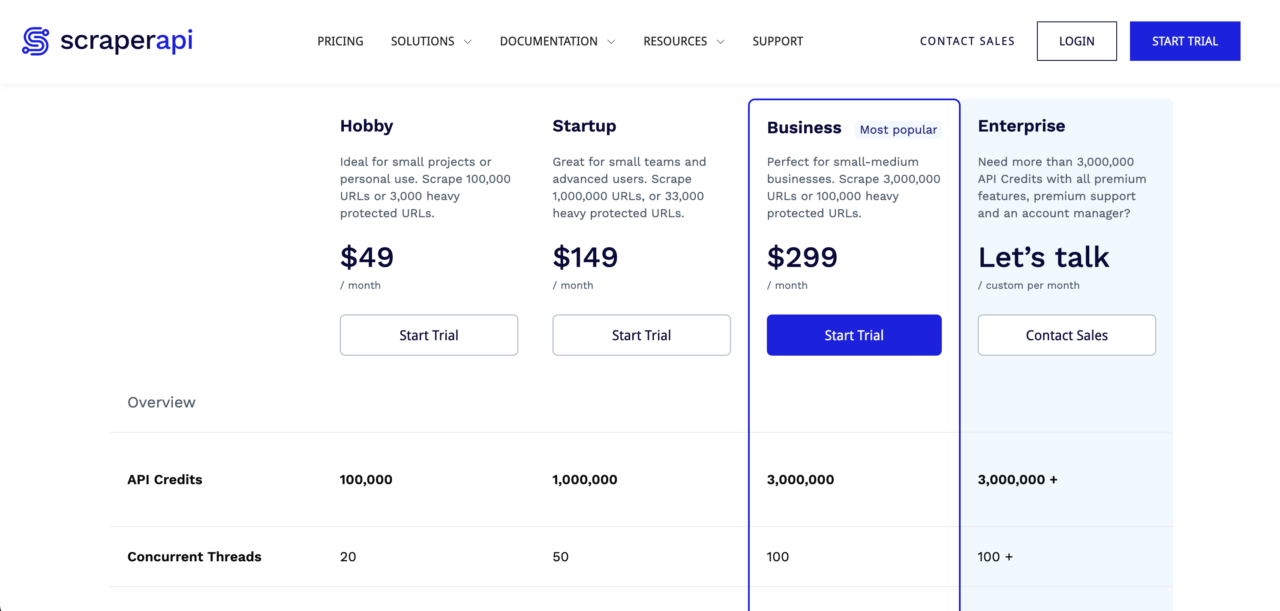
ScraperAPI is the first option on our list of best Google Scholar APIs. This proxy API simplifies large-scale web scraping, making it ideal for difficult-to-scrape websites like Google.
ScraperAPI eliminates the hassle of building and maintaining your own infrastructure. Simply send the URL you want to scrape to the API, and it will handle rotating proxies, automatic retries, CAPTCHAs, and blocks, delivering only successful organic results using its machine-learning learning algorithm. Your script then parses the required data from the HTML response.
By combining ScraperAPI with a prebuilt Google Scholar scraping library like Scholarly, you can quickly create a custom Google Scholar API tailored to your specific data needs in just a few hours. This significantly streamlines the Google Scholar scraping process.
Why You Should Choose ScraperAPI to Scrape Google Scholar Data
- Reliability: It’s highly reliable for extracting data from Google Scholar.
- Cost-effective: It’s very affordable, especially at scale. For just $49 per month, you get 100,000 API credits. Need more API credits to scrape Google Scholar data? ScraperAPI also offers plans for scraping tens of millions of pages monthly.
Overall, this combination provides a convenient and efficient solution for accessing Google Scholar data.
You can try out ScraperAPI’s very generous free trial with 5,000 free requests here.
Pros of ScraperAPI’s Google Scholar API
- By far the cheapest web scraping option on this list for those who want to reliably extract Google Scholar data for their research projects. Plus, a very generous free plan.
- Check out other web scraping APIs that ScraperAPI offers, such as this Google Search API.
Cons of ScraperAPI’s Google Scholar API
- You need a basic understanding of web scraping. But don’t worry, we’ll guide you through the process step by step. You can start from our Web Scraping Learning Hub.
Related: Unsure about the legality of web scraping? Read this ‘Is Web Scraping Legal?’ guide to understand its limitations and avoid legal issues.
2. Traject Data SerpWow [JSON-Based Google Scholar API]
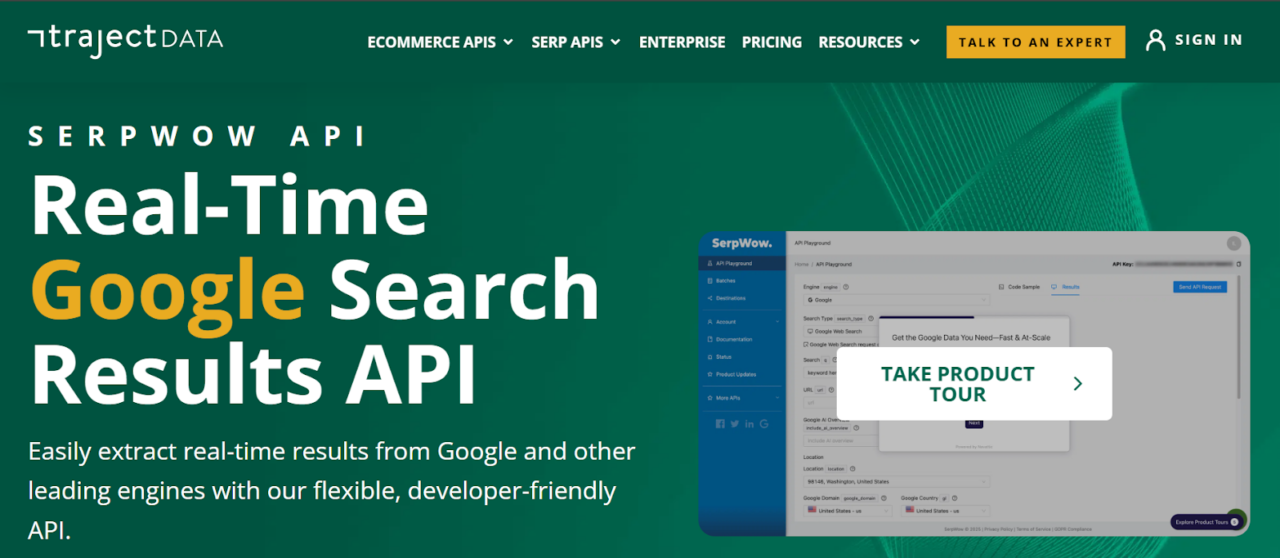
Traject Data SerpWow is another third-party Google Scholar API that lets you extract Google Scholar results as structured JSON, without building or maintaining a scraper.
Saving you the time and resources you’d otherwise spend writing brittle HTML parsers and managing proxies. Simply send your search query to the API, and it will return all Google Scholar results in JSON format (HTML/CSV options available).
For Google Scholar specifically, SerpWow exposes a “Scholar” request type where you set the search parameters as engine=google and search_type=scholar, then pass your search term in the q parameter (optionally with a location of your choice). A typical Scholar request for the query Rubifen using Python, looks like this:
</p>
<pre>import requests
import json

# set up the request parameters
params = {
  'api_key': 'demo',
  'q': 'rubifen',
  'search_type': 'scholar',
  'location': 'United+States'
}

# make the http GET request
api_result = requests.get('https://api.serpwow.com/live/search', params)

# print the JSON response
print(json.dumps(api_result.json()))</pre>
<p>
SerpWow handles everything from proxy rotation, CAPTCHA solving, to parsing, delivering a structured response containing domain name, citation counts, title, and publication info. You also get “production knobs” for granular control, allowing you to, for example, include or exclude legal documents with scholar_patents_courts and filter dates precisely using the scholar_year_min/max parameter.
Beyond just Google Scholar data, Traject Data offers a comprehensive suite of Google-focused endpoints that allows you to scrape Google Search, Maps, News, Trends, and Shopping data using the same API key and infrastructure.
Traject Data seamlessly plugs into most workflows due to its flexible output formats and multiple delivery methods that include API pull, webhook push, and destination-based delivery options like S3, GCS and Azure.
With plans starting at $120 for 10,000 API calls, SerpWow is a great option if you need a quick and easy way to extract some Google Scholar data. However, like the other API solutions on this list, it can become expensive for larger volumes of data – 250,000 API calls cost $1,200 per month.
Pros
- Returns data in JSON format and is slightly cheaper than SERP API.
- Offers specific Scholar filters for patents, case law, and citations that are difficult to replicate manually.
- Easily expand your stack with a full suite of Google endpoints (Maps, News, Trends, Shopping) under one vendor.
Cons
- It is credit-based and can be expensive for high-volume data extraction compared to raw proxy services.
3. Bright Data [Best Dedicated Google Scholar Scraper]

Pros
-
Incredible Scalability: Capable of handling millions of requests with a 99.9% success rate.
Compliance: Industry-leading focus on ethical data collection, fully compliant with GDPR and CCPA.
-
Flexible Delivery: Delivers structured data (JSON, CSV, NDJSON) directly to S3, Google Cloud, or via Webhook.
Cons
- High Barrier to Entry: While a pay-as-you-go option exists, the full-featured platform is geared toward enterprise budgets and has a steeper learning curve than simpler APIs.
4. Scale SERP [Best Low-Cost Alternative to SerpApi]
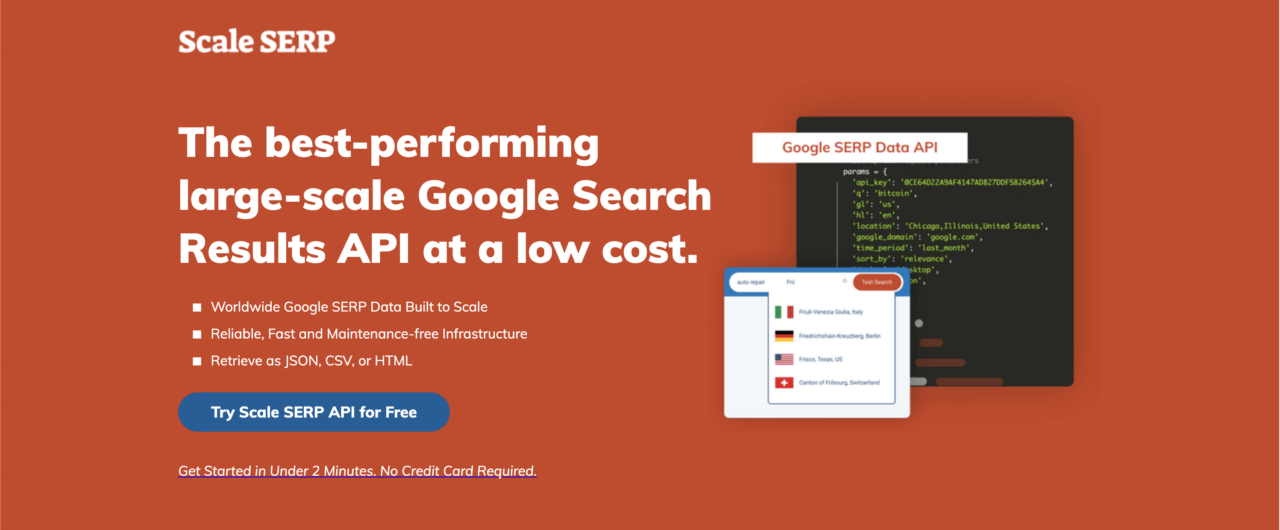
Scale SERP is another option for accessing Google Scholar data through an API. While it resembles SerpWow, Scale SERP offers a similar product at a lower cost.
Pricing plans start at $66 per month for 10,000 searches and extend to $479 per month for 250,000 searches, making Scale SERP suitable for various needs.
Like SerpWow and SERP API, Scale SERP returns data in JSON format. However, its data is less detailed, focusing on key elements like title, link, Google Scholar author, and snippet while omitting information such as the Google Scholar cite, inline_links.
The main appeal here is the price-to-volume ratio. If your project requires structured data, but you can’t justify the premium rates of competitors, Scale SERP fills that gap.
For comparison, their entry-level plan costs $66 per month for 10,000 searches. In contrast, SerpApi charges $75 per month for only 5,000 searches. This means with Scale SERP, you are effectively paying less money for double the search volume.
Here is a quick comparison table highlighting pricing differences between Scale SERP and SerpApi:
| Provider | Plan Price | Included Searches/month | Approx. $ per 1000 searches |
| Scale SERP | $66/mo (billed annually) | 10,000 | $6.60 |
| Scale SERP | $479/mo (billed annually) | 250,000 | $1.92 |
| SerpApi | $75/mo (Developer plan) | 5,000 | $15.00 |
| SerpApi | $150/mo (Production plan) | 15,000 | $10.00 |
| SerpApi | $275/mo (Big Data plan) | 30,000 | $9.17 |
At 10k/month, Scale SERP’s published rate is roughly 2.3× cheaper per 1,000 searches than SerpApi’s $75/5k tier, and it becomes even more cost-efficient at higher volumes like 250k/month.
Pros
- The cheapest dedicated structured Google Scholar SERP API on the list, but still at least three times more expensive than ScraperAPI.
Cons
- It doesn’t return as detailed data as the other APIs and isn’t customizable.
5. ScrapingDog [Headless Chrome Google Scholar Scraper]
ScrapingDog, merged with Serpdog to offer a comprehensive web scraping platform that natively includes a Google Search API. It helps you circumvent Google’s anti-bot measures by using headless Chrome to render pages and rotating proxies to prevent IP bans.
Paid plans start at $40 per month for 200,000 request credits and increase to $350 for 6,000,000 request credits. You can try the Google API for free through a one-time allocation of 1,000 request credits, before committing to a paid plan.
For higher volumes, Scrapingdog also advertises an Enterprise tier at $500+/month for 8,000,000+ request credits (contact via sales).
If you’re comparing options, you may also want to explore Scrapingdog alternatives to see which solution best matches your volume requirements and budget.
Related: What are the best Google SERP APIs? We analyze the seven best Google SERP APIs, free and paid, to help you make the right decisions.
Pros
- Reliable data scraping performance with over 90% success rate.
Cons
- While the Lite plan now supports JavaScript rendering and Google Scholar scraping, it costs 5 credits per call (compared to 1 credit for standard HTML), therefore reducing the Lite plan capacity to roughly 40,000 Google Scholar searches per month.
6. Apify [Flexible Google Scholar Extraction API]
Apify‘s Google Scholar API provides an efficient method for extracting research papers from Google Scholar and delivering them via an API. The web scraper utilizes pagination to collect Google Scholar citation results by navigating through web pages and scraping the search results.
You can download the extracted Google Scholar data in various formats (CSV, HTML, JSON, XLS) or directly send it to your application using an API Endpoint or API Client. Moreover, it enables seamless integration with popular third-party platforms, other web scrapers, and Google Search APIs.
If you’d like to explore other solutions, you can also consider an alternative to Apify to compare features, pricing, and ease of use before making your choice.
Pros
- Comprehensive documentation to guide you through platform setup, usage, and troubleshooting.
Cons
- One reviewer noted that the platform lacks automated multiple-file downloads. Users must manually download results one at a time.
7. WebScrapingAPI [All-in-One Google Scholar API]
While most competitors treat Google Scholar as a single search bar, WebScrapingAPI approaches it as a suite of three distinct engines. This design means you don’t have to force one endpoint to do everything, instead, you get specialized tools for each specific data type:
- Search Engine (
engine=google_scholar): For standard keyword searches and paper discovery. - Author Engine (
engine=google_scholar_author): Specifically optimized to scrape author profile pages and publication lists. - Citation Engine (
engine=google_scholar_cite): Dedicated to pulling citation metrics and graphs.
If your use case is complex, like mapping an entire university’s research output, this separation ensures you get consistent, structured JSON data for authors and citations without having to hack a standard search scraper to do it.
Pricing & Trial
- Starter: $28/mo for 10,000 requests (includes all Scholar engines).
- Scale: Up to $1,600/mo for 1,000,000 requests.
- Trial: Free trial available with 100 requests to test the data structure.
Pros
- Dedicated endpoints for Authors and Citations make it much easier to build complete datasets compared to general-purpose scrapers.
Cons
- Public reviews are limited and mixed (Trustpilot scores around 3.1/5), so it is highly recommended to confirm reliability against your specific workload during the free trial.
8. Publish or Perish [Free Google Scholar Citation Analysis]
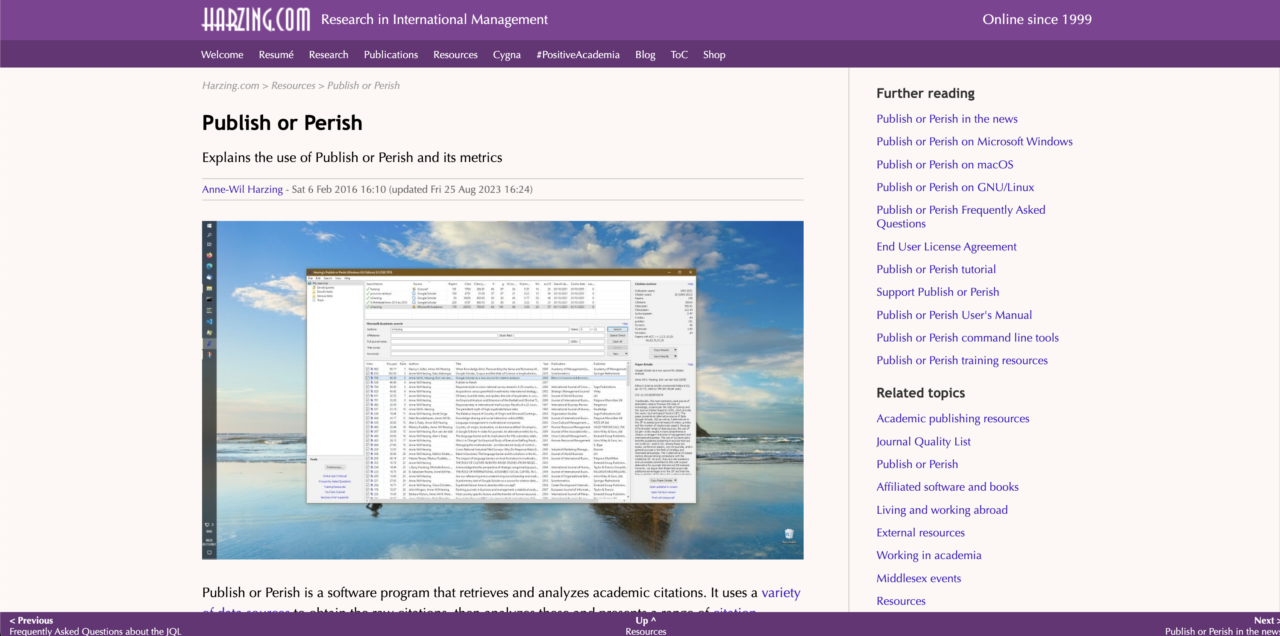
The last on our Google Scholar API list is Publish or Perish. Publish or Perish is a specialized data extraction tool designed specifically for Google Scholar, allowing you to create your own Google Scholar API.
While slightly outdated, this freeware desktop app is ideal for researchers seeking a pre-built solution for extracting small amounts of Google Scholar data.
However, it’s important to note that the software uses your IP address to make requests to Google Scholar. This can lead to your IP address being banned by Google if you extract excessive data.
For those needing to extract more than a few hundred search results from Google Scholar, it’s highly recommended to use a proxy solution like ScraperAPI.
Pros
- Completely free and easy to use.
Cons
- You run the risk of getting your IP address banned if you use it without using a proxy.
Collect Research Data Using ScraperAPI’s Google Scholar API
ScraperAPI is the best choice, especially when you need to scrape Google Scholar at scale without worrying about blocks. It automatically abstracts away the hardest parts of Scholar scraping (dynamic proxy rotation, retries, and CAPTCHA/bot-block handling) to return your data in whichever format you need; while providing native support for multiple programming languages and a suite of powerful integrations.
If you want the most seamless path to collecting structured Google Scholar results, Traject Data’s SerpWow endpoint is the better fit: it returns Scholar SERP data as JSON by default (with optional HTML/CSV output) and exposes Scholar-specific parameters like date sorting, year filters, and patents/case-law controls, while also giving you access to a broader suite of Google-focused SERP endpoints under the same provider.
I’ve presented eight of the leading Google Scholar API solutions to consider for your academic, research, and professional data needs.
I hope one of these top providers aligns with your Google Scholar scraping requirements. If you have further questions about ScraperAPI’s features and Google API collection, including Google SERP, Google News, and Google Shopping, feel free to contact us.
Test our powerful web scraping tool and robust API for free for 7 days. Sign up today!
Until next time, happy scraping!
Are you extracting Google data extensively? Explore these in-depth Google web scraping tutorials to create a reliable and efficient data aggregation tool.
- How to Scrape Google Search Results with Python (Easy Guide)
- How to Build a Google Jobs Scraper with Python and ScraperAPI
- How to Scrape Google Shopping with Python
-
Incredible Scalability: Capable of handling millions of requests with a 99.9% success rate.
-
Compliance: Industry-leading focus on ethical data collection, fully compliant with GDPR and CCPA.
-
Flexible Delivery: Delivers structured data (JSON, CSV, NDJSON) directly to S3, Google Cloud, or via Webhook.