
- TL;DR: The Top Google Image Search APIs
For a quick comparison, here’s a snapshot of the top Google Image Search API providers in the market.
| API Name | Key Features | Pricing | Ideal For |
| ScraperAPI Google API | 150M+ IPs, knowledge graphs, rankings, geotargeting, Google Endpoints | Starts at $49/month for 100,000 API credits | Small to enterprise-scale scraping |
| Traject Data | Google Images + Reverse Image Search endpoints returning structured image_results & visual_matches with rich metadata, search_refinement chips, global targeting, batch support, and JSON/CSV/HTML output |
Starts at $125/month for 10,000 searches | Enterprise teams needing large-scale, image data for SEO, brand monitoring, and image-heavy analytics |
|
BrightData Google Images API |
Reverse image search, geo-accuracy | Free trial & Pay-As-You-Go model available; subscription plans range from $499 to $1,999/month | Businesses requiring high-volume scraping |
| Google Custom Search API | Native Google integration, JSON output | Free tier: 100 queries/day; additional queries at $5 per 1,000 queries | Small to medium projects (10k daily limit) needing native Google search integration |
| DataForSEO | Knowledge graphs, rankings, raw HTML | $600 per 1M (Standard) or $2,000 per 1M (Live) | Enterprises building SEO software and needing deep SERP insights |
| Oxylabs Google Image API | Geo-targeting, batch processing (5k URLs/batch) | Free trial: up to 5,000 results; paid plans start at $49/month (results capped at 36,296) | Bulk data retrieval |
| Zenserp API | Reverse image search, JSON output | Free plan: 50 requests/month; paid plans from $49/month for 5,000 requests | Real-time scraping |
| Outscraper | User-friendly UI, no coding required | Pay-As-You-Go ($3 per 1,000 records); Free tier available | Users seeking a user-friendly, no-code solution |
| TinEye API | Image recognition, no metadata dependency | Starts at $200 for 5,000 searches (no free plan) | Reverse image search |
| Scrapingdog API | Proxy rotation, high-res image delivery | 30-day free trial with 1,000 credits; paid plans start at $40/month for 40,000 Google requests | Small to medium-scale projects |
Web Scraping vs. Google Search Image API: Why APIs Win for Collecting Google Images
Web scraping is a common alternative to using a Google Image Search API. With a DIY scraper, you must parse image URLs and metadata from the full HTML DOM, which is often unstable due to frequent SERP layout changes, JavaScript-rendered content, and anti-bot protections.
In contrast, image search APIs return structured image data—such as image URLs, thumbnails, and source pages—without requiring you to manage rate limits, CAPTCHAs, or IP-based blocking. This makes APIs significantly easier to scale for large image datasets.
| Web Scraping | API | |
| Data format | Retrieves the entire webpage’s HTML content, requiring additional parsing to extract images. | Directly returns image data in a structured format like JSON |
| Processing Complexity | Involves parsing HTML, CSS, and JavaScript to isolate image data. | Requires less parsing and processing. |
| Efficiency | Slower and more resource-intensive. | Generally faster and more efficient. |
| Risk | More prone to being blocked by websites and anti-bot measures. | Less likely to be blocked due to dedicated infrastructure. |
Best Google Image Search APIs in 2026
Let’s take a more in-depth look at the top 10 Google Image Search APIs available in 2026.
1. ScraperAPI [Most Complete Google Image Search API]
The Google Image Search API was deprecated in May 2011. Since then, developers have had to explore alternative options for incorporating image search functionality into their applications. Today, many teams rely on ScraperAPI to programmatically collect Google Image SERP data without maintaining their own proxy or retry logic.

ScraperAPI provides access to a global infrastructure, featuring over 150 million proxies across more than 100 countries. With its built-in CAPTCHA handlers and headless browsers, you no longer need to build or maintain any DIY scraping infrastructure or worry about getting blocked. You can collect millions of images at a fraction of the cost, allowing you to handle automated image dataset creation quickly at an affordable rate.
ScraperAPI balances affordability with the scalability of an enterprise Google search API, making it ideal for startups, researchers, and large enterprises. It only charges for successful requests and allows you to scale your project to millions of requests using its Async Scraper while maintaining an impressive 99% uptime on Google domains.
Why ScraperAPI is the Best Google Image Search API Providers
-
- DataPipeline
DataPipeline let’s you automate your entire scraping projects at scale using dedicated endpoints that allow you to programmatically set up, schedule, and archive projects via the API without ever logging into a dashboard. You can monitor up to 10,000 search queries per project with flexible scheduling options, including CRON – and no limit to the number of projects. Download scraped data in JSON, CSV, or send it via a webhook.
-
- LangChain Integration
The ScraperAPI-LangChain Integration enables LLMs to access real-time web data. Enabling this framework ensures your LLMs can browse live sites without getting blocked by CAPTCHAs or bot detection.
-
- Model Context Protocol (MCP) Server
ScraperAPI makes web scraping as easy as chatting with Claude. Our MCP server runs locally on your computer and bridges your LLM client directly to ScraperAPI’s infrastructure. You don’t need to configure complex scripts; just send a scraping prompt and the server, together with ScraperAPI, automatically handles JavaScript rendering and IP rotation to deliver fresh web data straight to you.
-
- AI-Driven Proxy Management
ScraperAPI uses AI to rotate your IP and headers smartly. Doing this minimizes the overuse of premium proxies, helping you save on costs since they are used only when necessary. This is in contrast to other providers who rely on expensive residential proxies to bypass Google’s strict anti-bot measures.
-
- Structured Data Endpoints (SDEs)
Structured Data Endpoints automatically parse returned HTML in-house. With this, you don’t have to build or maintain parsing logic to get readily usable data.
Note: Get structured JSON or CSV data from our available Google endpoints with a simple API call.
ScraperAPI’s SDEs can be used with both the scraping API and the Async API. Hence, with a simple request, you can manage millions of requests asynchronously without hurting their success rates, thereby speeding up large-scale projects.
Pros and Cons of ScraperAPI for Scraping Google Image
Pros ✅
-
- Easy-to-use API
- Langchain integration for agentic web scraping
- Nearly 100% success rate for Google domains
- Customizable parameters for enhanced flexibility
- MCP server
- n8n Integration
- Great support
- Great documentation
- Webhook data delivery
- Advanced geolocation
Cons ❌
-
- Additional parameters are still in development
- Lacks a dedicated endpoint for Google Image Search
ScraperAPI Pricing
You don’t need to break the bank to get started with ScraperAPI. You can sign up and receive 5,000 free API credits to test the service. Paid plans start at a competitive $49 per month.
Here’s a quick pricing overview:
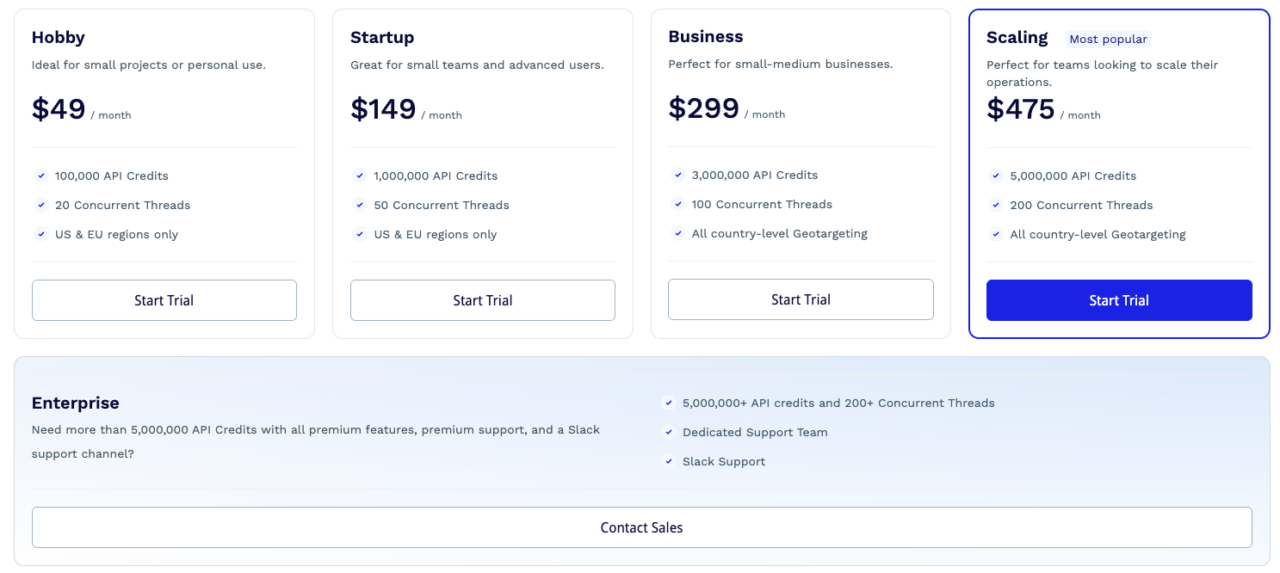
Tip: Use the dashboard’s cost calculator to track credits and optimize spending.
ScraperAPI balances affordability with enterprise-grade scalability, making it ideal for startups, researchers, and large enterprises.
2. Serp Wow by Traject Data [Best for Structured Google Image Data at Scale]
Traject Data’s SerpWow API gives you two dedicated ways to extract Google images: a Google Images endpoint (standard) and a Reverse Image Search endpoint. You can skip parsing HTML text and receive clean JSON data immediately by simply sending keywords to the images endpoint to get an image_results list or send an image URL to the reverse search endpoint to get visual_matches showing exactly where that image appears online.
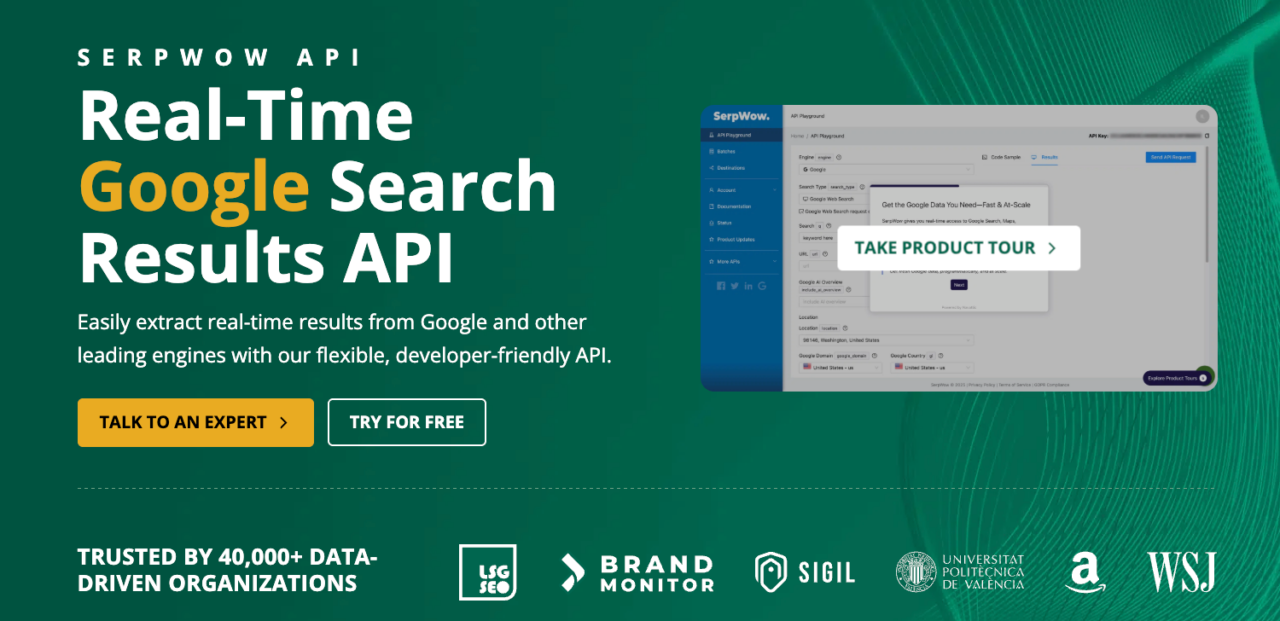
The keyword search returns an array of image_results containing metadata, including title, link, domain, width, height, image, etc. You also get a search_refinement section with Google’s suggested refinement chips (each with a title, link, and block_position) at the top of the Images SERP.
The only trade-off might be the cost. With a starting price of $125/month for 10,000 searches, it kinda prices out hobbyists’ plans. But, for organizations that need to monitor market presence or conduct rigorous local audits without infrastructure headaches, the reliability is worth the price.
Pros & Cons of Traject Data (SerpWow)
Pros ✅
- Dedicated Google Images endpoint with structured image results array (position, dimensions, URLs, brand, source metadata)
- Built-in Reverse Image Search API that returns structured visual matches for similar images across the web
- Rich metadata (domain, source page title, refinement items), ideal for analytics, or when building image-driven pipelines or features
- Same infrastructure as the broader SerpWow/Traject stack that includes global coverage, batch support, and delivery in JSON/CSV/HTML
Cons ❌
- Geared primarily towards enterprise/large-scale use
3. BrightData Google Images API [Best for City-Level Scraping]
With BrightData, you can easily obtain real-time Google image search results delivered in HTML. They also handle proxies, browsers, and CAPTCHAs, ensuring accurate result delivery with high uptime. Thanks to BrightData’s extensive proxy network, the API provides accurate image results from a wide range of locations.
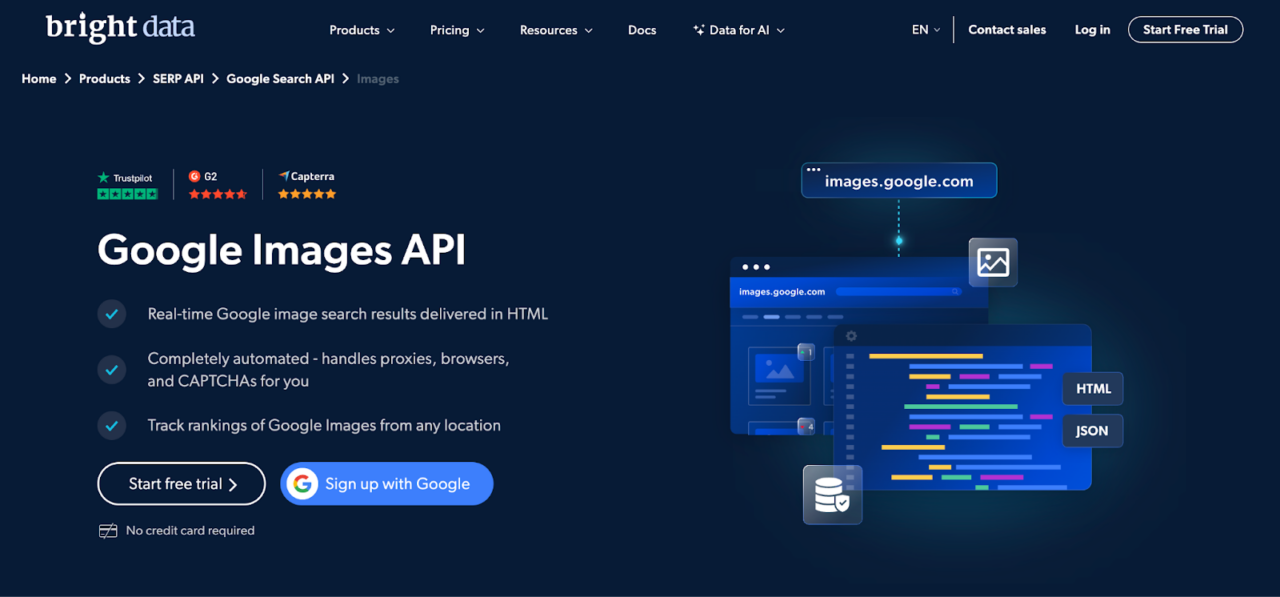
In addition, BrightData offers a Reverse Image Search API that provides real-time results for image searches, with output available in HTML or JSON. This versatility makes it easy to integrate image search capabilities into your applications.
Results can be filtered by location, language, or device type, ideal for market research requiring regional specificity. While a free trial is available, paid plans start at $499 and get as high as $1999 on their premium plans.
Pros & Cons of BrightData Google Images API
Pros ✅
- Built for volume
- High location accuracy thanks to an extensive proxy network
- Reverse image search
Cons❌
- Very expensive for small and medium scale projects
- Steep learning curve
4. Google Custom Search API [Best for Custom Search Engines]
Google offers the Custom Search JSON API, which is not a dedicated Google Images API, but can be configured to act as a Google Image Search JSON API from which you can build custom search engines for your websites or applications. This API can be used to perform various functions, and with the right configuration, it can also be used to search for images. Google offers the Custom Search JSON API… It’s important to clarify that this is not a dedicated Google Images API, but it can be configured to act as a Google Image Search JSON API to retrieve image results
However, it’s important to clarify that this is not a dedicated Google Images API, but it can be configured to retrieve image search results. The search results are returned in JSON format, making it easy to integrate into web applications and process programmatically.
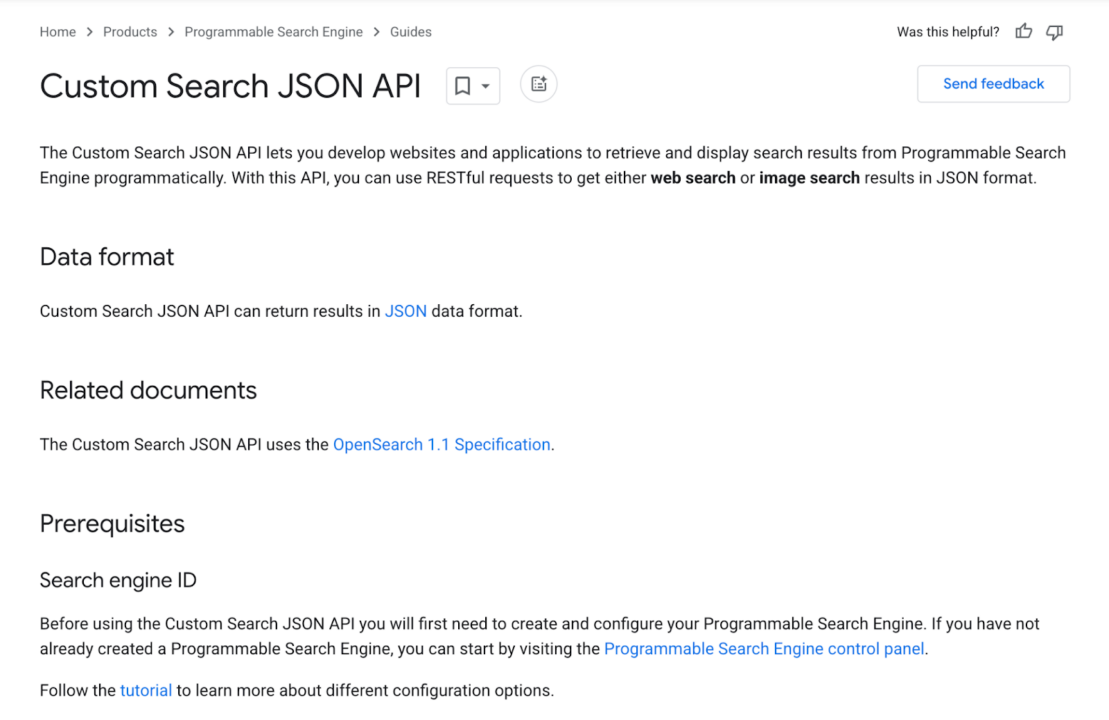
To get started, create a custom search endpoint and get your API key. Then, during the setup, ensure you select options like “search the entire web” and enable “image search“. You can then use the Custom Search JSON API. When making requests, set the “searchType” parameter to “image”. This instructs the API to return image search results.
Note: For detailed parameters and methods, refer to the API documentation.
The Custom Search JSON API is not free. This API allows up to 100 search queries per day for free. If you need more, you can sign up for billing through the API Console. Additional requests cost $5 per 1000 queries, up to a maximum of 10,000 queries per day.
Pros & Cons of Google Custom Search API
Pros ✅
-
- Native Google integration
- Offers a free tier for light usage
- Google Lens API can be used as a reverse image search API
Cons ❌
-
- Not a dedicated Google Images API
- Limited free quota (100 queries per day)
- Complex setup
- Higher costs for scaling
5. DataForSeo [Useful for SEO teams]
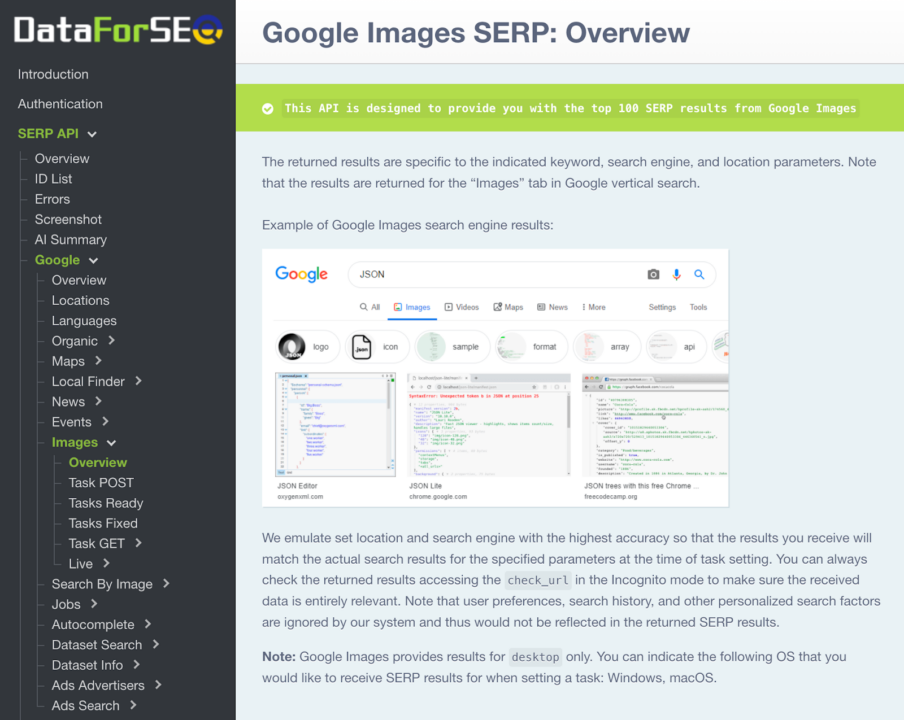
DataForSEO SERP API is a high-end solution for SERP data extraction, offering comprehensive details on image rankings for a specified keyword. With this API, you can obtain key information such as metadata, knowledge graphs, source URLs, and related search queries for images that appear in Google Image Search.
DataForSEO has two main methods to deliver SERP results:Importantly, Oxylabs’ API only provides image thumbnails, which can be limiting for many use cases. A brief conversation with their support confirmed that there’s no option to obtain high-resolution images.
- Google Images SERP Advanced endpoint: Fetches structured data (top 100 images per query) for the specified keyword, search engine, and location.
- Google Images SERP HTMLendpoint: Returns raw HTML of SERP pages for custom parsing.
The most challenging issue about DataForSEO is finding the right documents and tutorials to get started.
Although the API has all the features one might need, it can be quite difficult to figure out how they all work together. Also, the price can be hefty depending on your needs (costing up to $1,200 per 1M SERPs for the priority queue and $600 per 1M SERP results on the standard queue).
Pros & Cons of DataForSEO SERP API
Pros ✅
-
- Deep SERP insights (knowledge graphs, rankings)
- Flexible endpoints
Cons ❌
-
- Steep learning curve
- Complex pricing tiers
- High costs for priority access
6. Oxylabs Google Image Search API [Best for Enterprise scale Image Data]
Oxylabs offers ready-to-use datasets and a Google image search API. This API excels at collecting image data on a large scale, letting you fetch up to 5,000 URLs in a single batch.
Image data can be delivered via API response (JSON) or directly to cloud storage (Google Cloud Storage, Amazon S3). They also provide a free trial with up to 5,000 results, while paid plans start at $49 per month (36,296 results).
Oxylabs also provides image quality filtering through the tbs parameter. You can request large images by specifying Google image search values like isz:l directly in the query. This feature allows you to bypass standard thumbnails and collect the exact image quality your project requires.
Pros & Cons of Oxylabs Google Image Search API
Pros ✅
-
- Quality IPs
- Bulk data retrieval
- High Scalability
- Image search filter (via “tbs” parameter)
Cons❌
-
- High cost per result.
- Default parser prioritizes thumbnail images.
7. Zenserp API [Alternative to SerpWow for Small Projects]
Zenserp specializes in Google Image-based scraping, offering two APIs: Google Image Search API and Reverse Google Image Search API. It can also extract SERP data from Google Images, Videos, Maps, and Trends in real-time, returning results in JSON format.
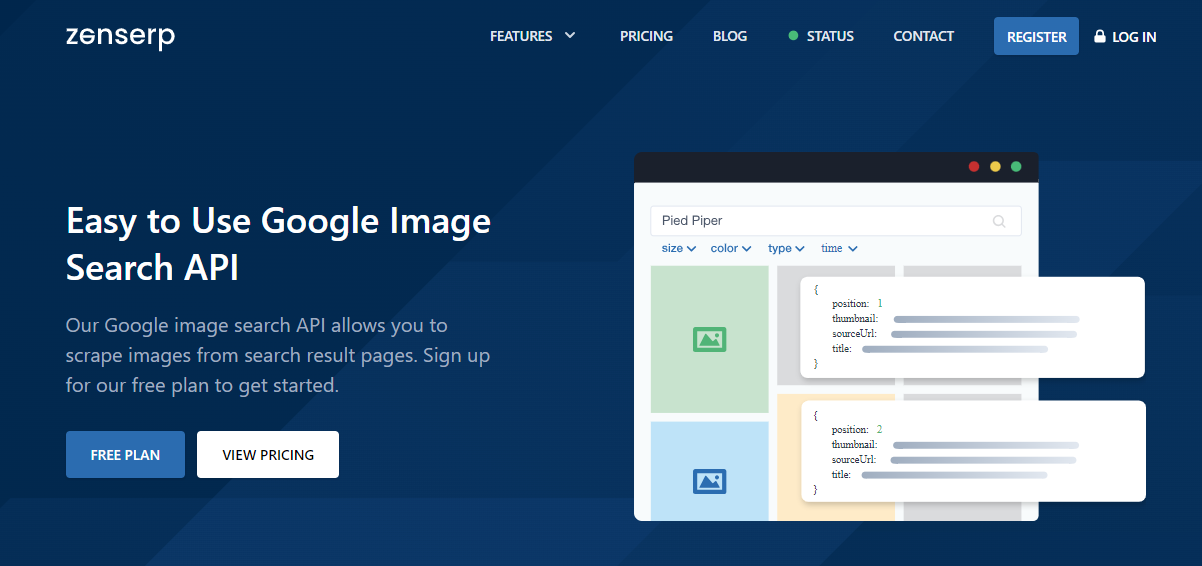
With this API, you can use search parameters similar to those of a regular Google search. Simply specify a search keyword and include your API key to perform an image search.
Additionally, Zenserp API offers a free plan forever. With this plan, developers and businesses can use this API at no charge for up to 50 searches per month. If you require more requests, their pricing starts at $49 per month for 5000 searches and goes up to $1,599 monthly for 1,000,000 searches.
Pros & Cons of Zenserp API
Pros ✅
-
- Supports both standard and reverse image search
- Free plan available (50 requests per month)
Cons ❌
-
- Costly for high-volume use
- Limited documentation for advanced features
- Very low output free tier
8. SerpAPI [Best for Small to Mid Projects]
SerpAPI provides real-time image scraping to extract images on the fly from Google Image Search pages. It handles proxies, solves CAPTCHAs, and parses rich structured data.
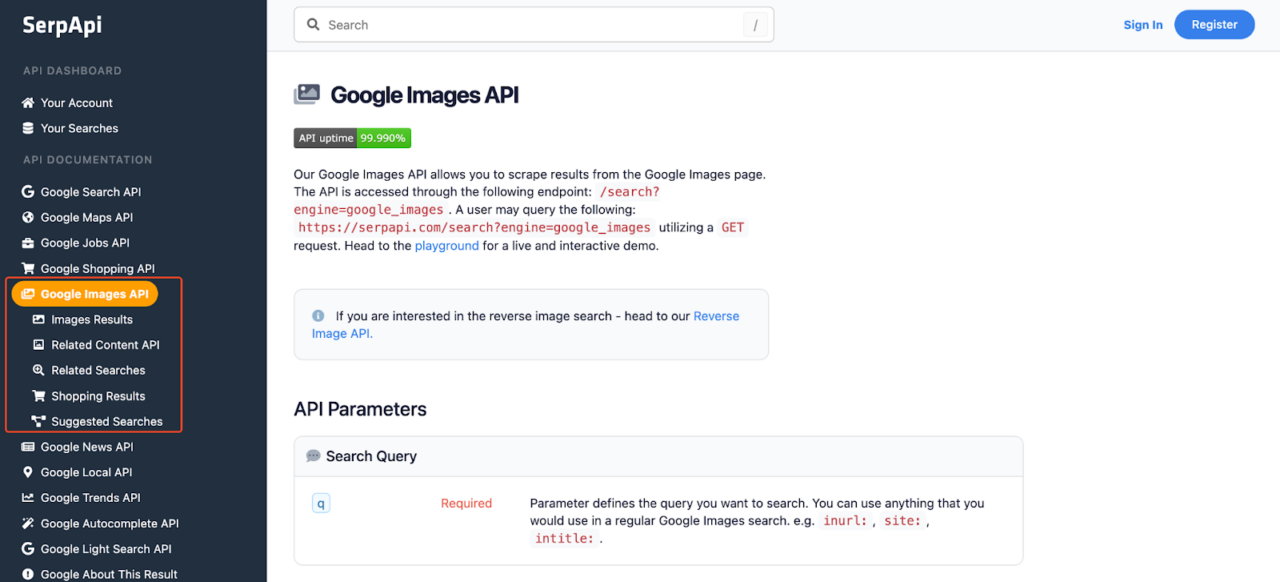
By default, this API returns JSON arrays with image metadata (URLs, dimensions, sources), but developers can also request raw HTML for custom parsing. SerpAPI is also very flexible, as its advanced filter search is perfect if you need images in batches or specific cases.
Although SerpAPI starts at a higher price point of $75 per month for 5,000 searches, it is ideal for businesses prioritizing development flexibility and precise control over their image data extraction.
Pros & Cons of SERP API
Pros ✅
- Reverse image search capabilities
- Highly customizable
- Free tier (100 searches per month)
- Extensive Documentation
Cons ❌
- Can be expensive at scale
- More coding involved
- Higher pricing and lower scraping volume compared to tools like ScraperAPI
9. Outscraper [Best No-Code Google Images Scraper]
Outscraper is an efficient no-code image scraper that employs cutting-edge technology to ensure accurate data extraction from Google Images. Its intuitive user interface makes it easy for users to set up and manage their scraping tasks without requiring any coding knowledge. This user-friendly approach is ideal for both beginners and experienced professionals.
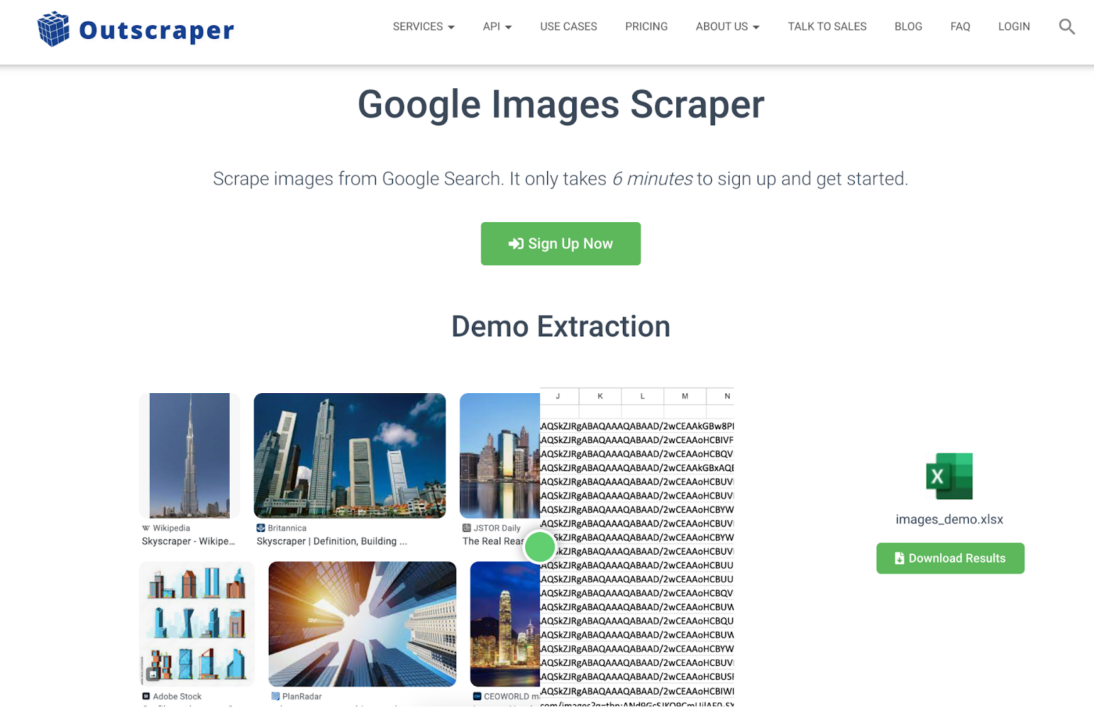
The service offers a free tier for light usage, and its medium plan guarantees approximately 13,000 results for around $50. Additionally, Outscraper provides an API for those who prefer direct integration into their applications, further enhancing its flexibility.
Pros & Cons of Outscraper
Pros ✅
-
- User-Friendly Interface
- No-code UI
- Free tier
Cons ❌
-
- Limited scalability for enterprise needs
- Higher cost per result compared to ScraperAPI.
10. TinEye API [Best for Personal Projects or Quick Copyright Verifications]
TinEye is a dedicated reverse image search API and engine. This means that you can upload an image, and TinEye will find other websites where the image is used, how it is being used, if modified versions of the image exist, and check for higher resolution versions. This can be a useful way to find out where an image came from or who is in the image.
TinEye uses image recognition technology rather than keywords, metadata, or watermarks, which can be a useful way to find out where an image came from or who is in the image.
Pricing starts at $200 for 5,000 searches, with no free tier. While costly, TinEye’s API excels in accuracy, making it ideal for copyright enforcement or verifying image authenticity in apps.
Pros & Cons of TinEye
Pros ✅
-
- High-performance
- No dependence on metadata.
Cons❌
-
- Expensive
- No free plan is offered.
11. ScrapingDog [Good Option for Small Projects]
ScrapingDog API allows you to extract data from Google Images without worrying about proxy rotation and data parsing. In addition to their dedicated API for Google Images, they also offer APIs for In addition to their dedicated API for Google Images, they also offer APIs for Google Search and a Google Lens API alternative.
With ScrapingDog, you can filter images by color, size, file type, country, date, etc., and get only images that meet your exact needs. Moreover, Scrapingdog delivers high-resolution images directly from the original source, making it an excellent choice for projects that demand quality visuals.
Scrapingdog offers a 30-day free trial with 1,000 credits, allowing you to test the service before committing. Paid plans start at $40 per month for 40,000 Google requests.
Pros & Cons of Scrapingdog API
Pros ✅
-
- Handles proxy rotation and data parsing.
- Delivers high-resolution images.
- 30-day free trial.
Cons❌
-
- Unreliable at higher scraping volumes
What Factors Should You Consider When Choosing a Google Image API?
When evaluating a Google Image search API, several factors must be considered to ensure you select the best tool for your project. Let’s break down these important considerations in detail:
-
- Accuracy and Performance: At the top of your list should be accuracy and performance. A Google Image Search API that can accurately deliver high-quality images, and the image metadata should correspond with the search engine. Also, how quickly the API can deliver results can make or break the user experience. Look for an API with a proven track record of high accuracy rates and reliable performance under various conditions.
- Scalability and Rate Limits: As your application grows, so will the demand for image data. That’s where scalability comes in. You need an API that can handle increasing volumes of images without compromising speed. Also, you need to understand the Search Image API’s maximum request limits per minute, hour, and day, as well as how exceeding these limits is handled.
-
- Ease of Integration: A good Google Image Search API will come with well-documented SDKs and libraries that make it easy to integrate into your existing systems. Whether you’re working in Python, Java, or JavaScript, the API should offer comprehensive support and clear, concise documentation that helps you get up and running quickly.
-
- Cost and Pricing Models: Budget is always a consideration, so understanding the cost structure of an API is crucial. Some APIs offer pay-as-you-go pricing, while others have subscription models or tiered pricing based on usage. Consider the long-term costs as your application scales, and be aware of any hidden fees or penalties for exceeding quotas.
- Security and Authentication: Security and privacy are non-negotiable, especially when dealing with sensitive data like photos. The API you choose should support authentication methods like API keys or OAuth and adhere to strict security regulations like GDPR.
ScraperAPI: The Best Google Image Search API
We firmly believe ScraperAPI is the best web scraping tool for collecting Google image data on an enterprise scale. Its lightweight API offers complete flexibility and includes a wide range of tools you can use to collect millions of images at a fraction of the cost, allowing you to build image datasets quickly at an affordable rate.
Quick Tutorial: Building a Python Google Image Scraper with ScraperAPI
Let’s walk through a short, practical example that extracts and downloads images for the query “Best Android phones” by fetching the Google Images HTML through ScraperAPI, extracting image URLs, then saving the image files locally.
1) Install dependencies:
```bash
pip install requests beautifulsoup4 lxml```
2) Create a file, name it google_image_scraper.py and paste the code below:
import os
import re
import mimetypes
from urllib.parse import urlencode

import requests
from bs4 import BeautifulSoup

SCRAPERAPI_KEY = "YOUR_SCRAPERAPI_KEY"
QUERY = "Best Android phones"
NUM_IMAGES = 30
OUTPUT_DIR = "andrioid_phone_images"

def guess_ext(url: str, content_type: str) -> str:
    ctype = (content_type or "").split(";")[0].strip().lower()
    if ctype.startswith("image/"):
        ext = mimetypes.guess_extension(ctype) or ""
        if ext == ".jpe":
            ext = ".jpg"
        if ext:
            return ext

    m = re.search(r"\.(jpg|jpeg|png|webp|gif)(?:\?|$)", url, flags=re.I)
    if m:
        ext = "." + m.group(1).lower()
        return ".jpg" if ext == ".jpeg" else ext

    return ".jpg"

def download_image(url: str, folder: str, idx: int) -> bool:
    try:
        with requests.get(url, stream=True, timeout=25) as r:
            r.raise_for_status()
            content_type = r.headers.get("Content-Type", "")
            if not content_type.lower().startswith("image/"):
                return False

            ext = guess_ext(url, content_type)
            path = os.path.join(folder, f"image_{idx:03d}{ext}")

            with open(path, "wb") as f:
                for chunk in r.iter_content(chunk_size=1024 * 64):
                    if chunk:
                        f.write(chunk)

        return True
    except Exception:
        return False

def build_google_images_url(query: str) -> str:
    return "https://www.google.com/search?" + urlencode({"q": query, "tbm": "isch", "hl": "en"})

def fetch_html_via_scraperapi(target_url: str) -> str:
    payload = {"api_key": SCRAPERAPI_KEY, "url": target_url, "render": "false"}
    r = requests.get("https://api.scraperapi.com/", params=payload, timeout=60)
    r.raise_for_status()
    return r.text

def extract_candidate_urls(html: str) -> list[str]:
    soup = BeautifulSoup(html, "lxml")

    scripts_text = " ".join(s.get_text(" ", strip=True) for s in soup.find_all("script"))
    urls = re.findall(
        r'https?://[^"\s]+?\.(?:jpg|jpeg|png|webp|gif)(?:\?[^"\s]*)?',
        scripts_text,
        flags=re.I,
    )

    for img in soup.select("img"):
        src = img.get("src") or img.get("data-src") or ""
        if src.startswith("http"):
            urls.append(src)

    seen = set()
    out = []
    for u in urls:
        u = u.replace("&", "&").replace("\\u0026", "&")
        if u not in seen:
            seen.add(u)
            out.append(u)

    return out

def scrape_google_images_and_download(query: str, num_images: int) -> int:
    os.makedirs(OUTPUT_DIR, exist_ok=True)

    target_url = build_google_images_url(query)
    html = fetch_html_via_scraperapi(target_url)
    urls = extract_candidate_urls(html)

    saved = 0
    for u in urls:
        if saved >= num_images:
            break
        if download_image(u, OUTPUT_DIR, saved):
            saved += 1

    return saved

def main() -> None:
    scrape_google_images_and_download(QUERY, NUM_IMAGES)

if __name__ == "__main__":
    main()
3) Replace:
SCRAPERAPI_KEY = "YOUR_SCRAPERAPI_KEY"
4) Run the code
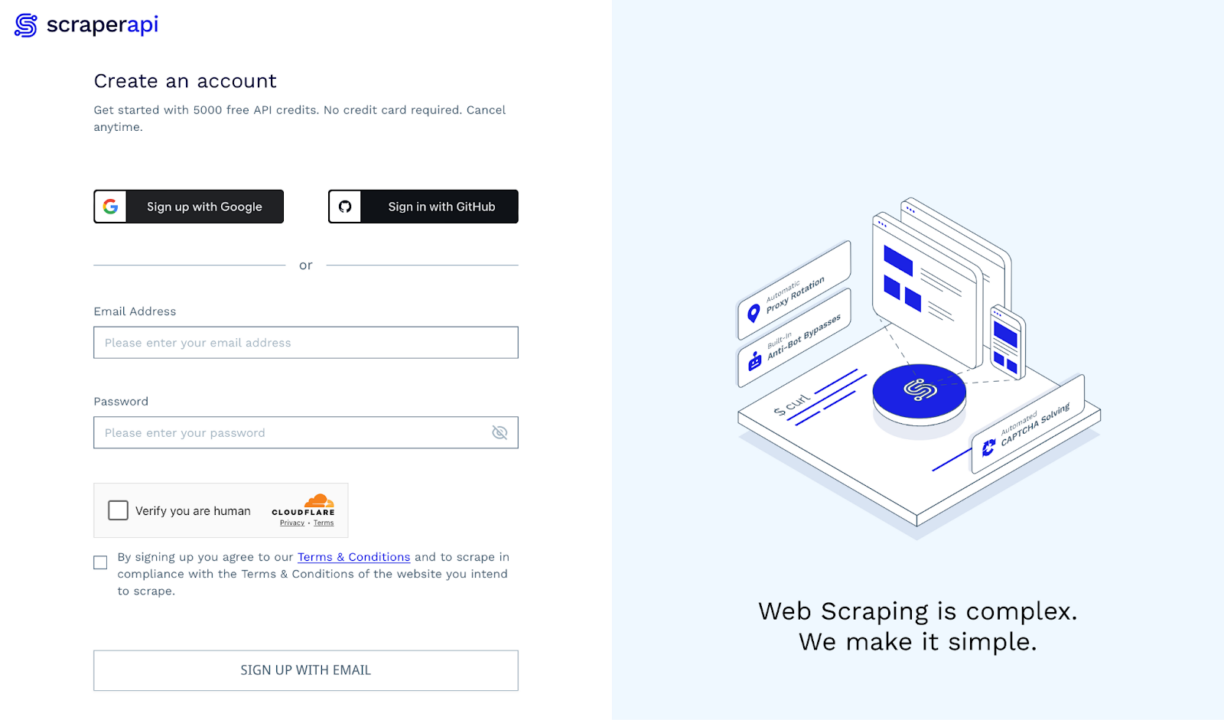
If you do not already have an account, quickly sign up for one. There’s no credit card requirement, and you get 5000 free credits for the first 7 days.
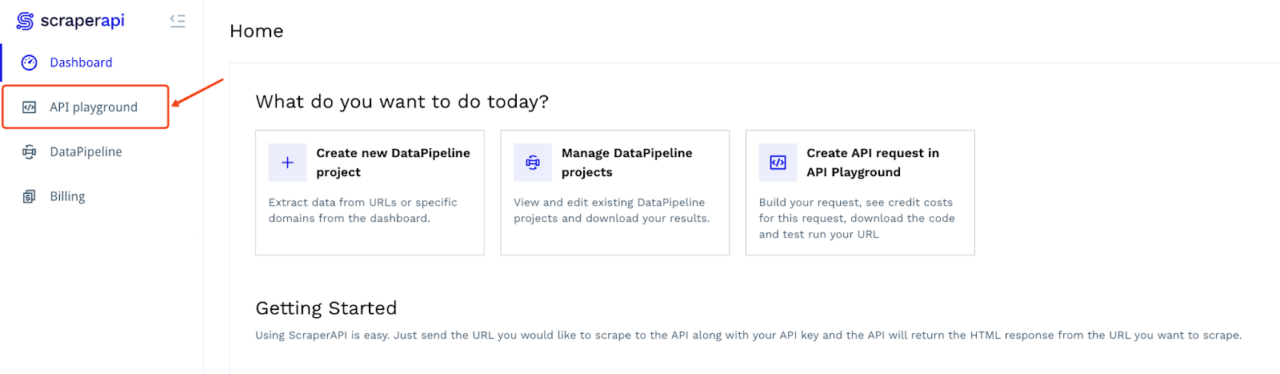
From your ScraperAPI dashboard, select API Playground to open the request builder.
Choose “API” or “Async” as your scraping method and paste your Google Image Search URL (e.g., https://www.google.com/search?q=best+android+phones&udm=2) into the Input URL field.
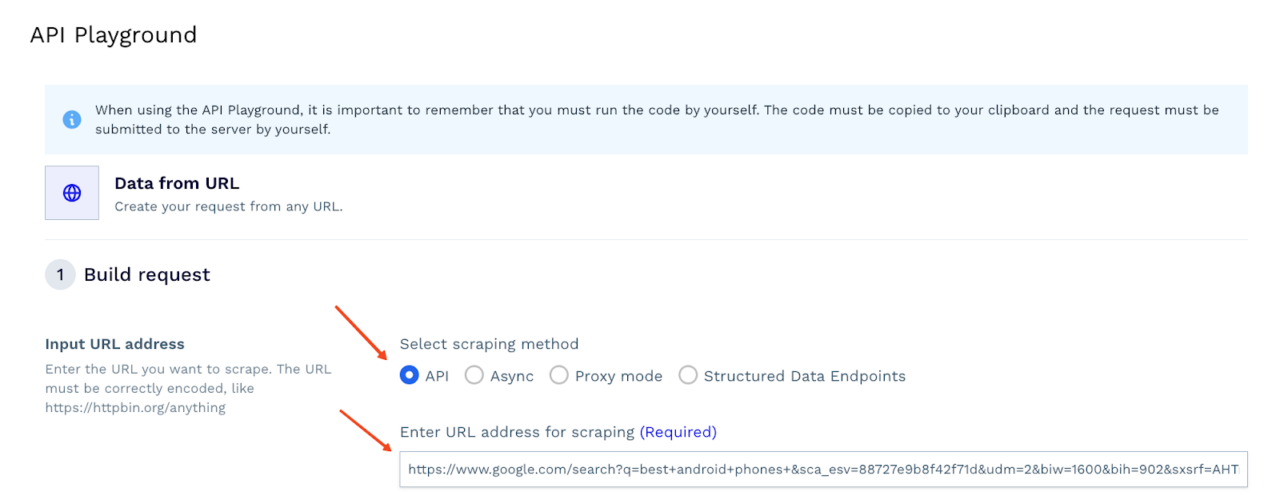
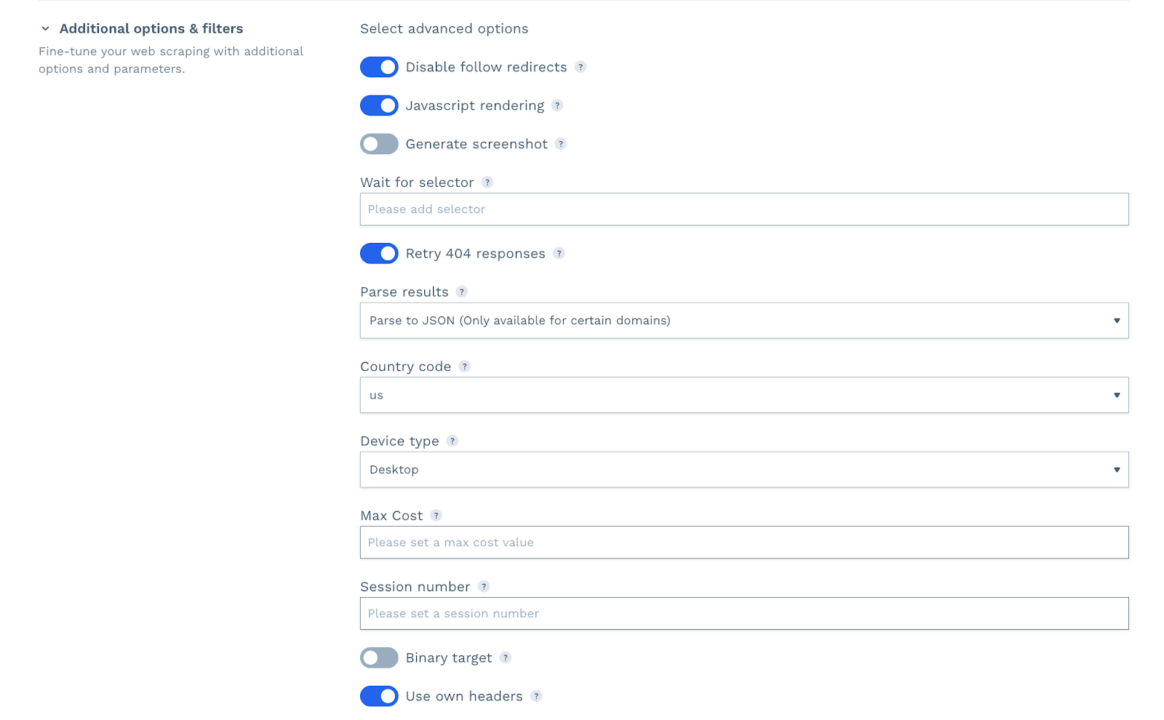
Then, set your request parameters, in our case, we enable JavaScript rendering, set a location and a device type.
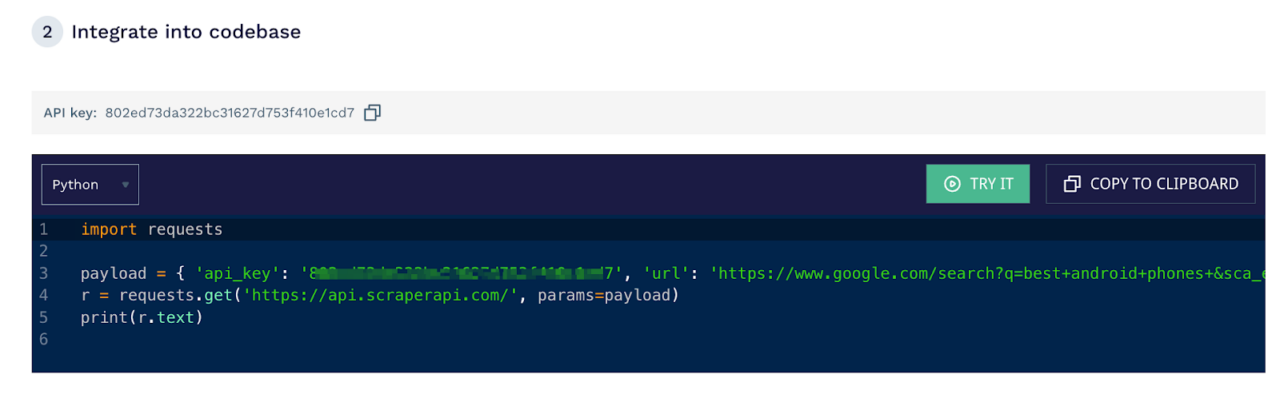
After that, scroll down to the “Integrate into codebase” section and copy the automatically generated snippet (in Python, Node.js, or your preferred language). This code snippet includes your API key and URL parameters, so you can just paste it into your application to run the request. But in our case, we will run it in our browser.
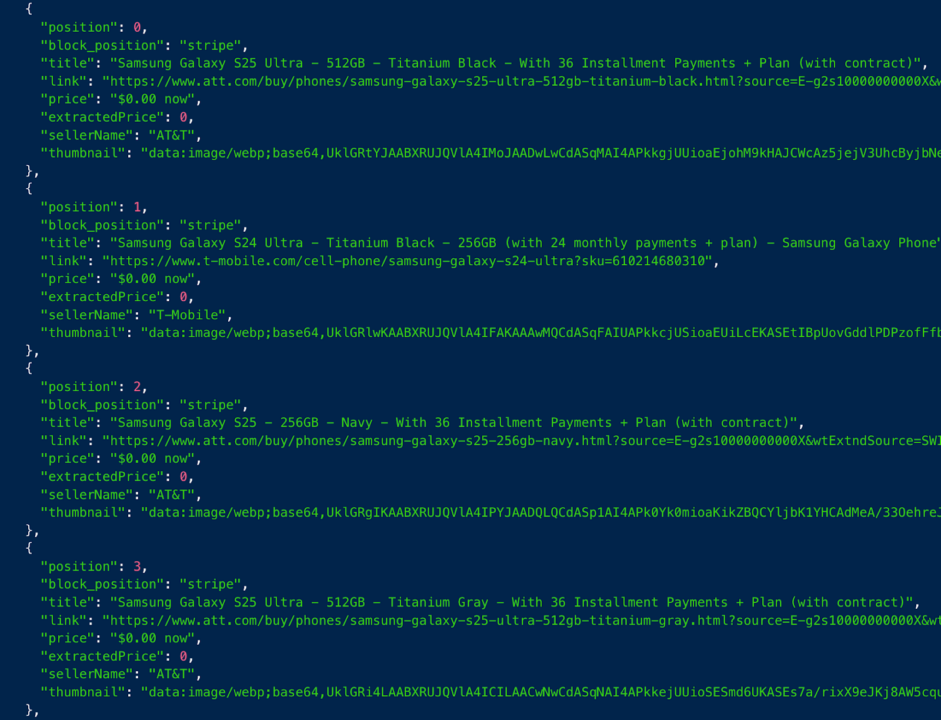
That’s it! You can now retrieve thumbnails or high-level metadata from Google Image Search in just a few clicks.
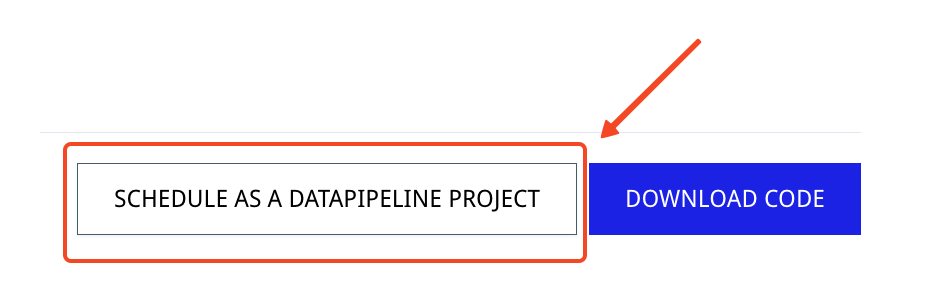
If you need to collect over 10,000 image results per run, click “Schedule as a DataPipeline Project.” This feature automates your scraping tasks without extra coding, making it perfect for large-scale data collection.
Our popular Google Endpoints also allow you to collect data from Google Search, Google Jobs, Google News, and Google Shopping in JSON format with a simple API call.
Ready to see for yourself? Sign up for ScraperAPI and discover how effortless Google Image scraping can be.
Until next time, happy scraping!
Also: Check out these comprehensive Google web scraping tutorials to help you build reliable and efficient data extraction tools.
- How to Scrape Competitors’ Google Ads Data
- How To Build A Google Trends Scraper Using PyTrends
- The 5 Best Google Scholar APIs and Proxies
- How to Build a Google Jobs Scraper with Python and ScraperAPI
- How to Scrape Google Shopping with Python
Top 3 Free Image Search API
Most Image search APIs are strictly paid services. Although, there are free alternatives if you can not afford those providers. However, most “general web” search APIs (like Google or Bing) have low daily limits on their free tiers, while “stock photo” APIs (like Unsplash) have generous limits but only search their own libraries.
Here are the top 3 free image search APIs available:
1. Google Custom Search JSON API (Best for General Web Results)
This is the official way to search Google Images programmatically. It requires a bit of setup but provides clean JSON results without scraping.
- Free Limit: 100 queries per day.
- Best For: Finding specific products, news images, or general web content.
- Setup:
- Create a Project in the Google Cloud Console.
- Enable the Custom Search API.
- Create a “Programmable Search Engine“, enable “Image search,” and set it to search the entire web.
- Get your API Key and Search Engine ID.
2. Bing Image Search API (Azure)
Bing is Microsoft’s direct competitor to Google.
- Free Limit: 1,000 transactions per month (approx. 33/day) via the Azure “Free F1” tier.
- Best For: High-quality general web results if you prefer the Microsoft ecosystem.
- Note: Requires an Azure account.
3. Unsplash API (Best for High-Quality Stock Photos)
If you don’t need web results (like specific news or products) but just need high-quality generic images, this is the best option.
- Free Limit: 50 requests per hour (Demo) / 5,000 requests per hour (Production).
- Best For: App backgrounds, blog post covers, and creative projects.
- Pros: No scraping required, extremely fast, legal to use (royalty-free).