
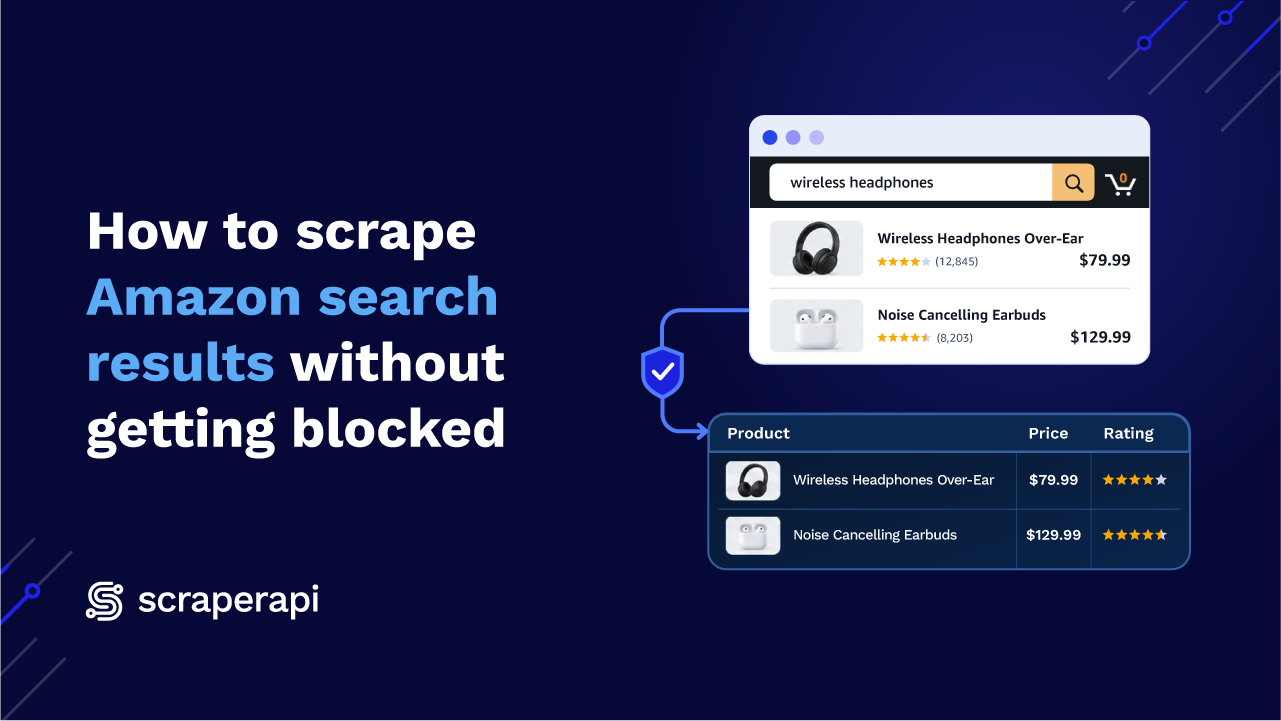
To scrape Amazon search results, request amazon.com/s?k=<query> and read the product cards on the page. A plain Python script gets a verification page instead, so you need a hardened scraper or an Amazon search API that returns the products as JSON.
This guide shows the DIY version first, where it breaks, and how ScraperAPI’s Amazon Search endpoint returns the same results as clean JSON with one request.
Key takeaways
- An Amazon search result gives you the ASIN, title, price, rating, review count, badges, and rank. That is enough to build a keyword’s product list without opening product pages.
- To scrape Amazon search results yourself, you need about 25 lines of Python. The script requests a page, selects the product cards, and then loops through pages.
- A block rarely looks like an error, so a reliable scraper checks the page content and not only the HTTP status.
- ScraperAPI’s Amazon Search endpoint also returns ranked products, including sponsored placements, as JSON or CSV for five ScraperAPI credits per request.
- ScraperAPI’s Async Scraper and DataPipeline then take the same query to thousands of keywords without a loop of your own.
- The same JSON also supports rank tracking, sponsored share, price monitoring, and ASIN lists.
What does an Amazon search results page contain?
An Amazon search results page lists products for a keyword, each with an ASIN, title, price, rating, and review count. It does not list the full description, variants, or seller list, because those live on the product page.
The fields below come from a live call to ScraperAPI’s Amazon Search endpoint for “wireless earbuds”.
| Field | What it holds |
|---|---|
position | Rank of the product on that results page |
asin | Amazon’s 10-character product ID |
name, url, image | Title, product link, and thumbnail |
price, price_string, original_price | Current price and the struck-through price |
stars, total_reviews | Average rating and review count |
has_prime, is_best_seller, is_amazon_choice, is_limited_deal | Badges shown on the card |
purchase_history_message | Text such as “10K+ bought in past month” |
When you need more than these fields, take the ASIN and follow up with our Amazon ASIN scraper guide.
How to scrape Amazon search results yourself in Python
To scrape Amazon search results with Python, use requests to fetch the search URL. Then select each product card with BeautifulSoup and read its fields.
The script below does that and also checks whether the page looks blocked before it prints anything. Searches such as scraping Amazon search results in Python usually lead to this pattern.
Keep the pause between pages, because Amazon rate-limits fast loops, and send a realistic User-Agent and Accept-Language header.
import requests
from bs4 import BeautifulSoup

HEADERS = {
    "User-Agent": "Mozilla/5.0 (Macintosh; Intel Mac OS X 10_15_7) AppleWebKit/537.36 "
                  "(KHTML, like Gecko) Chrome/124.0 Safari/537.36",
    "Accept-Language": "en-US,en;q=0.9",
}


def fetch(query, page=1):
    url = "https://www.amazon.com/s"
    return requests.get(url, params={"k": query, "page": page}, headers=HEADERS, timeout=30)


def parse(html):
    soup = BeautifulSoup(html, "html.parser")
    rows = []
    for card in soup.select('div[data-component-type="s-search-result"]'):
        title = card.select_one("h2 span")
        price = card.select_one("span.a-offscreen")
        rating = card.select_one("span.a-icon-alt")
        link = card.select_one('a[href*="/dp/"]')
        rows.append({
            "asin": card.get("data-asin"),
            "title": title.get_text(strip=True) if title else None,
            "price": price.get_text(strip=True) if price else None,
            "rating": rating.get_text(strip=True) if rating else None,
            "url": "https://www.amazon.com" + link["href"].split("?")[0] if link else None,
        })
    return rows


def looks_blocked(response, rows):
    # A block page often returns HTTP 200, so the status code alone proves nothing.
    return response.status_code != 200 or not rows or "data-asin" not in response.text


if __name__ == "__main__":
    response = fetch("wireless earbuds")
    rows = parse(response.text)
    if looks_blocked(response, rows):
        print(f"Blocked: HTTP {response.status_code}, {len(response.content):,} bytes, "
              f"{len(rows)} product cards")
    else:
        for row in rows[:3]:
            print(row)
The selectors matter more than the request. On 16 November 2026, the card selector div[data-component-type="s-search-result"] matched 16 cards on a results page we fetched through ScraperAPI.
In addition, span.a-offscreen matched the price on 15 of them. A common title selector, h2 a, matched none, so the script reads the link from a[href*="/dp/"] instead.
To collect more than one page, loop over the page parameter with a pause between requests.
import time

all_rows = []
for page in range(1, 4):
    response = fetch("wireless earbuds", page)
    rows = parse(response.text)
    if looks_blocked(response, rows):
        break
    all_rows.extend(rows)
    time.sleep(5)
Two habits save rework once the loop runs. First, de-duplicate by ASIN before counting products, because an ASIN can appear more than once on a results page.
For example, the endpoint run later in this guide returned B0H8NFRF3S at positions 1 and 5. Second, store the page number and the position together, since rank only means something with both.
For product detail pages, see our guide to scraping Amazon product pages.
Why does a DIY Amazon search scraper stop working?
A DIY scraper stops working when Amazon returns a verification page instead of results, when the markup changes, or when proxies stop rotating cleanly. The first one shows up on the first request, which is why the detection check comes before any parsing work.
We ran the script above against amazon.com/s?k=wireless+earbuds on 16 November 2026, and it printed this.
Blocked: HTTP 503, 2,671 bytes, 0 product cards
A plain curl request with a Chrome user agent behaved differently three times out of three. It returned HTTP 200 and a roughly 1.3 KB page with a meta-refresh and a verification token, but no products.
So the status code changed between tools and the result stayed the same. That is why looks_blocked checks the card count and data-asin as well as the status.
Without that check, a search-results scraper can suddenly stop working Then you cannot tell whether Amazon blocked it or a selector broke. A page with no data-asin and a size of a few kilobytes is a block.
A full page where price is None on every card is a selector problem.
Developers describe the same pattern elsewhere: plain scripts get blocked after a while. Likewise, the answers to whether Amazon is unscrapable split on proxies and the official API.
How do you get Amazon search results as JSON with ScraperAPI?
ScraperAPI’s Amazon Search endpoint takes a keyword and returns the ranked products as JSON. It is one of ScraperAPI’s Structured Data Endpoints, alongside Amazon, Google, ChatGPT, Walmart, eBay, Redfin, and more.
The Amazon search API page lists the use cases. ScraperAPI handles the blocking and parses the page into JSON fields, so you do not manage proxies, CAPTCHAs, or retries, and you do not maintain selectors.
If you prefer the raw page, ScraperAPI’s standard endpoint returns the same search URL as HTML, so you choose the format.
Send the request
Send a GET request to https://api.scraperapi.com/structured/amazon/search with your API key, the query, and the TLD.
import os
import requests

payload = {
    "api_key": os.environ["SCRAPERAPI_API_KEY"],
    "query": "wireless earbuds",
    "tld": "com",
}
response = requests.get("https://api.scraperapi.com/structured/amazon/search", params=payload, timeout=90)
data = response.json()

print(response.status_code, len(data["results"]), "results")
for item in data["results"][:5]:
    print(item["position"], item["asin"], item.get("price_string"), item.get("stars"), item["name"][:40])
Our run on 16 November 2026 printed:
200 39 results
1 B0H8NFRF3S $19.97 4.6 Wireless Earbuds, 2026 Bluetooth 5.4 Hea
2 B0DGKWQMSM $26.96 4.3 TOZO Hybrid Active Noise Cancelling in E
3 B0HJTS6LXB $19.99 4.6 Wireless Earbuds, 2026 Bluetooth 5.4 Hea
4 B0FQFB8FMG $179.99 4.4 Apple AirPods Pro 3 Wireless Earbuds wit
5 B0H8NFRF3S $19.97 4.6 Wireless Earbuds, 2026 Bluetooth 5.4 Hea
Each request costs five ScraperAPI credits. The number of results changes between requests and pages (16 to 39 in our runs), so loop over what comes back and do not assume a fixed count.
The same ASIN can appear twice, once as an organic result and once as a sponsored placement.
Read the JSON response
Each product is one object in results. This is a trimmed response from the same endpoint, with two organic products and one sponsored placement.
A sponsored result carries a sponsored-ads.amazon.com URL, so "sponsored-ads" in item["url"] separates paid placements from organic ones. The response also includes next_pages.
Paginate, sort and filter
Pass page to move through the results. position restarts at 1 on every page, so add the page number to your rows.
import os
import requests

API = "https://api.scraperapi.com/structured/amazon/search"
products = []
for page in range(1, 4):
    params = {"api_key": os.environ["SCRAPERAPI_API_KEY"], "query": "wireless earbuds", "tld": "com", "page": page}
    results = requests.get(API, params=params, timeout=90).json().get("results", [])
    if not results:
        break
    for item in results:
        item["page"] = page          # position restarts at 1 on every page
        products.append(item)

print(len(products), "products across", page, "pages")
print([(p["page"], p["position"]) for p in products[:3]], "...")
66 products across 3 pages
[(1, 1), (1, 2), (1, 3)] ...
In our test for “wireless earbuds”, pages returned results up to page 21 and nothing at page 25. The endpoint’s other parameters:
| Parameter | What it does |
|---|---|
query | The search keyword (required) |
tld | The Amazon market to read (22 markets are supported) |
country_code | The country the request comes from. Set it together with tld to read amazon.com from another country |
page | The results page |
s | Sort order, for example price-desc-rank |
i | Category refinement, for example electronics |
ref | An Amazon reference string, for example olp_f_usedAcceptable |
output_format | json (default) or csv |
ScraperAPI’s Amazon Search endpoint documentation lists every supported market.
Get CSV or another marketplace
Add output_format=csv to get a spreadsheet-ready file. The CSV returns the same columns as the JSON, plus ad columns such as is_ad and ad_asin. To read another market, change tld. A request with tld=co.uk returned 18 results with prices in pounds.
How do you scale Amazon search scraping to thousands of keywords?
To scale, send the keywords to ScraperAPI’s Async Scraper or schedule them in ScraperAPI’s DataPipeline instead of looping over requests yourself. ScraperAPI’s Async Scraper and DataPipeline both call the same Amazon Search endpoint, so the fields stay identical.
Plan the volume before you start. At five ScraperAPI credits per request, a keyword scraped to page three costs 15 ScraperAPI credits.
For example, 1,000 keywords at three pages each cost 15,000 ScraperAPI credits. Going to page 21, the deepest page we reached for “wireless earbuds”, costs 105 ScraperAPI credits per keyword.
ScraperAPI’s Async Scraper accepts a queries array in one POST request and returns a job for each keyword. You poll each job’s statusUrl until it finishes.
import os
import time
import requests

jobs = requests.post("https://async.scraperapi.com/structured/amazon/search", json={
    "apiKey": os.environ["SCRAPERAPI_API_KEY"],
    "queries": ["wireless earbuds", "drawing pencils"],
    "tld": "com",
}).json()

for job in jobs:
    while True:
        status = requests.get(job["statusUrl"]).json()
        if status["status"] == "finished":
            break
        time.sleep(5)
    print(job["query"], status["response"]["statusCode"])
wireless earbuds 200
drawing pencils 200
ScraperAPI’s DataPipeline schedules recurring projects of up to 100,000 URLs, keywords, or ASINs. Its Amazon Search template needs no code. For fire-and-forget batches, ScraperAPI’s Async Scraper delivers results to a webhook.
What can you do with Amazon search data?
Once you know how to scrape Amazon search results, the data answers questions about a keyword’s shelf. Each answer maps to a field in the JSON:
- Rank tracking: store
positionand the page number for your ASINs each day to see how a keyword’s ranking moves. - Sponsored share: count results whose URL contains
sponsored-adsto see how much of a keyword’s first page is paid. - Price monitoring: compare
pricewithoriginal_priceto spot discounts. - ASIN lists: collect the ASIN values and pass them to a product-level scraper.
ScraperAPI’s Amazon data collection page covers the other Amazon endpoints, including products, offers, and reviews.
When should you use Rainforest API by ScraperAPI instead?
Rainforest API by ScraperAPI is a separate Amazon-only product with its own account, credits, and plans. Traject Data built it, and ScraperAPI acquired Traject Data.
Use it instead of ScraperAPI’s Amazon Search endpoint when you need data beyond the search results page. That includes Buy Box ownership and seller tracking, bestsellers, deals, sponsored brands and ads, stock estimation, and ASIN to GTIN matching.
Rainforest API by ScraperAPI uses one credit per standard request. Plans start at $18 a month on annual billing for 500 credits, and a free trial covers 100 requests. Stay on ScraperAPI’s Amazon Search endpoint when ranked search results are all you need.
How to scrape Amazon search results FAQs
Is Amazon’s API free?
Amazon’s Creators API lists no usage fee, but access is not open to everyone. The API, which replaces the deprecated Product Advertising API, requires enrolment in the Amazon Associates program and at least 10 qualifying sales in the past 30 days.
How many pages of Amazon search results can you scrape?
In our test for “wireless earbuds”, ScraperAPI’s Amazon Search endpoint returned results up to page 21 and nothing at page 25. Pages held between 16 and 39 results. Check the cap for your own keywords before you plan a crawl.
How do I scrape Amazon search results to CSV?
Add output_format=csv to the ScraperAPI Amazon Search request. The response is a text/csv file with one row per product and the same fields as the JSON, including is_ad for sponsored placements.
How do I tell if Amazon blocked my scraper?
Check the page, not only the status. A page of a few kilobytes with no data-asin and no product cards is a block, even when the status is HTTP 200. A full page with empty fields is a selector problem.
Can you scrape Amazon search results with Python?
Yes. Use requests and BeautifulSoup to read the product cards, then check the card count and data-asin before you trust the page. Plain scripts often get a verification page, so for reliable runs, call ScraperAPI’s Amazon Search endpoint, which returns the products as JSON.
Does ScraperAPI’s Amazon Search endpoint return sponsored results?
Yes. The endpoint returns sponsored placements in the same results list, so you can separate them by checking for sponsored-ads in the item URL. However, the same ASIN can also appear once as an organic result and once as a sponsored one.
Run the Amazon Search request above with ScraperAPI’s 7-day trial of 5,000 API credits, which is 1,000 requests at five credits each, and a free plan of 1,000 API credits after it: Start free trial.