
ScraperAPI has acquired Traject Data
ScraperAPI’s web scraping CLI interface turns your target URL into structured data from your terminal, with rotating proxies and CAPTCHA handling built in. Pull structured data from Amazon and Google, pipe results into jq, or batch up to 50,000 URLs from a file. Feed the clean output straight to an LLM, RAG pipeline, or training set. One install, no SDK code.
No credit card required. 5,000 free API credits.
Up to 99.99% success rate
40M+ rotating proxies
50k URLs per job
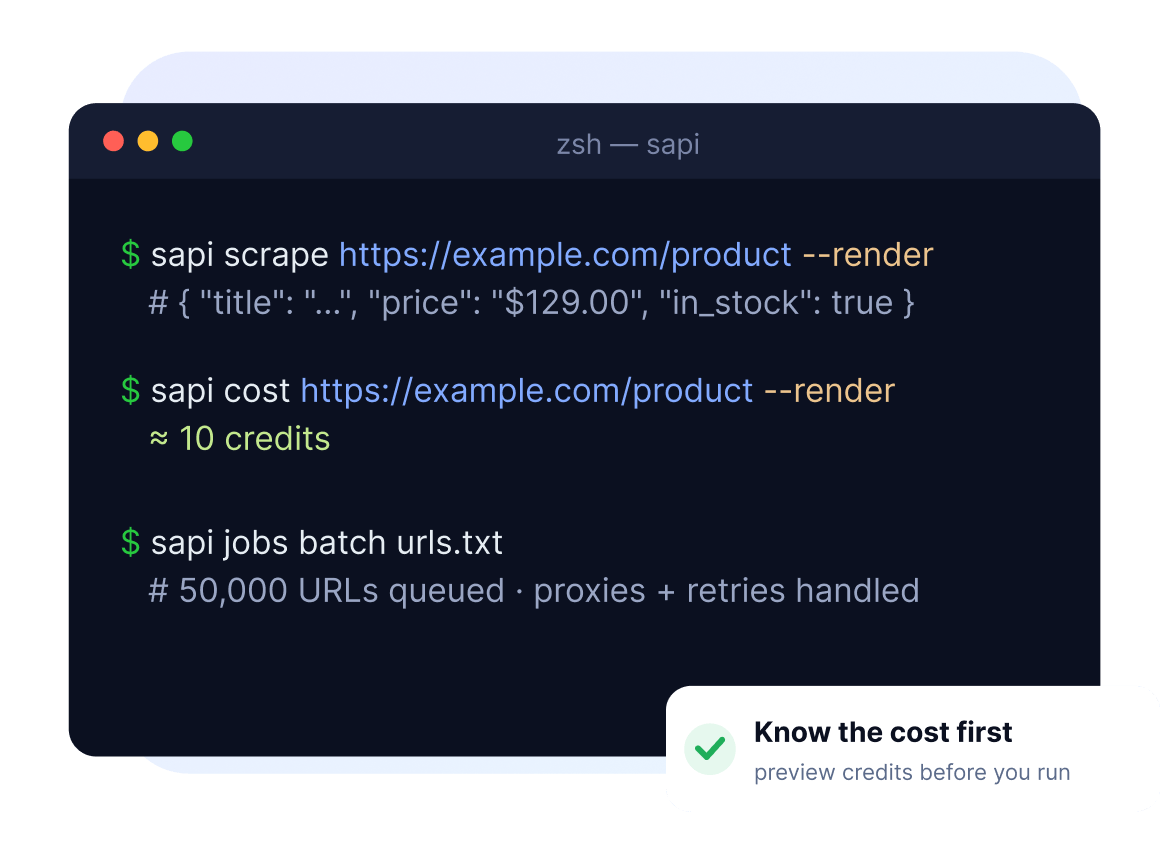
From a one-off check in your terminal to scheduled jobs in CI, sapi composes with the shell tools you already use: jq, xargs, cron, and Makefiles.

Evaluate a target in one command
Before writing a line of code, see whether your target URL blocks datacenter IPs, needs JavaScript rendering or residential proxies to get through, and what data comes back.

Scheduled web scraping in CI or cron
Drop sapi into GitHub Actions, a Makefile, or a cron job and pull live data on a schedule, with no full SDK project.

Bash scripts and shell pipelines
Pipe results straight into jq, xargs, and the rest of your shell, then export to CSV or JSON and hand clean data to the next step.

Build a dataset for AI
Scrape pages from the terminal and pipe clean markdown or structured JSON into a training set, RAG corpus, or vector store, with no parsing step in between.
See exactly what ScraperAPI gets back from your target site, and what it will cost, before you write a line of code.
One command turns your target URL into clean, structured JSON
# Live Amazon data → clean JSON → jq, in one line. No script, no parsing.
$ sapi scrape "https://www.amazon.com/dp/B0CXXXXZ8" -render -premium -autoparse | jq '{title, price, rating}'
{
  "title": "Echo Dot (5th Gen)",
  "price": "$49.99",
  "rating": 4.7
}

# Same flags, cost previewed before you scale, then fan out to 50,000 URLs in one command
$ sapi cost "https://www.amazon.com/dp/B0CXXXXZ8" -render -premium   # → 25 credits
$ sapi jobs batch urls.txt # 50k URLs · proxies + retries handledplain cURL / wget

See it get through, in one command
Run your target before writing code. See whether the site blocks datacenter IPs and whether JavaScript rendering or residential proxies are needed, without building anything.

cURL that doesn't get blocked
Up to a 99% success rate on protected sites like Amazon and Google. 40M+ rotating proxies, JavaScript rendering, and CAPTCHA handling sit behind a single flag.
Know the cost before you spend it
Preview the exact credit cost of a request, flags included, before it runs, so you can estimate production cost while you’re still evaluating.
Built for the shell
sapi composes with jq, xargs, and cron, and drops into GitHub Actions or a Makefile without a full SDK project. Export to CSV or JSON.

Pay only for what comes back
No charges for failed requests and no unpredictable bandwidth billing. You only pay for successful results.

Scales past the one-liner
Batch up to 50,000 URLs, crawl an entire site, or schedule recurring projects, all on the same account and credits, with the SDK ready when you outgrow the shell.
The CLI runs on the same web access that powers ScraperAPI’s agent integrations. Prototype a scrape in your terminal, then wire it into an agent with MCP, LangChain, or LlamaIndex, on the same account and the same credits.

MCP server
For MCP clients
Give any MCP client access to live web data. Pull Amazon and Walmart prices, SERP results, or read any public URL. Your agent gets the data, not the page.

LangChain
For Python developers
Add web access to your LangChain agents in two lines. They reach any public URL and get clean text, markdown, or structured JSON from Amazon, Google, eBay, Walmart, and Redfin. Your agent gets the data, not page.

LlamaIndex
For RAG and indexing
Add web access to your LlamaIndex agents in two lines. Pull any URL as clean text or markdown, plus structured JSON from Amazon, Google, eBay, Walmart, and Redfin, ready to chunk, embed, and load into your vector store.
Install the ScraperAPI CLI and run one command: sapi scrape "<url>". It returns raw HTML, text, markdown, or parsed JSON, with rotating proxies and CAPTCHA handling built in and JavaScript rendering one flag away.
Plain cURL sends your request straight to the target site, so it gets blocked on protected and JavaScript-heavy pages. Routing your request through ScraperAPI, you get 40M+ rotating proxies, JavaScript rendering, and CAPTCHA handling. The CLI wraps that same API into a shell-native command, so instead of hand-building request URLs you run one command with simple flags, preview the cost before you spend, and batch thousands of URLs, all without SDK code.
You can, but you have to source, rotate, and maintain the proxies yourself. The ScraperAPI CLI has 40M+ rotating proxies built in, so a single command gets a fresh IP and handles retries automatically.
Both fetch URLs from the terminal, and both get blocked by modern bot protection. For scraping, route either through ScraperAPI: with the CLI you keep a familiar command-line workflow but get the proxies, rendering, and CAPTCHA handling that plain cURL or wget don’t provide.
Run sapi cost “<url>” with the same flags you’d use to scrape. It previews the exact credit cost before the request runs, so there’s no zone setup and no unpredictable bandwidth billing.
Yes. Pipe sapi output into jq, redirect it to a file, or use jobs to write JSONL directly. It composes with xargs, cron, and the rest of your shell.
Yes. sapi is built for automation: drop it into a bash script, a cron job, a Makefile, or GitHub Actions without standing up a full SDK project.
Start with 5,000 free API credits. After that, upgrade to a paid plan, and you only pay for successful requests, with the cost of each request previewable up front.


Install the ScraperAPI CLI, run one command, and see whether it gets through your site and what it’ll cost. Before you write any code.
No credit card required. 5,000 free API credits to start.