For reliable Amazon web scraping, top-tier rotating proxy options feature expansive residential pools like Oxylabs, Bright Data, and Decodo. Teams seeking to bypass proxy infrastructure management altogether can rely on managed solutions like ScraperAPI (including Rainforest API) and Zyte, while smaller-scale operations can benefit from budget-friendly options like DataImpulse or Webshare’s free tier.
We will review twelve of the best Amazon proxy providers, evaluating their pricing structures, platform compatibility, entry costs, and free trial offerings.
Why do Amazon scrapers get blocked even with rotating proxies?
The IP address is only one signal Amazon checks, and cheap or shared IPs fail first.
If you are new to the idea, our guide to rotating proxies for web scraping covers the basics.
Free proxy lists exhibit the highest failure rates. Based on findings shared on r/ProxyEngineering comparing paid and free options, paid residential proxies successfully fetched usable Amazon search results 88.1% to 91.1% of the time, whereas free lists managed a success rate of only 12.6%.
An HTTP 200 response does not guarantee success. In that benchmark, a request was marked successful only when actual search result elements appeared on the page.
Changing the IP in the middle of a session also costs you pages. Usable pages were 93.1% with a stable exit IP and 79.8% when the IP changed in the same test, though the poster cautions that stability may not be the only cause.
The proxy is only half of the problem. Developers on r/WebScrapingInsider say Amazon changes its HTML constantly and that parsers breaking is half the battle.
How did we compare the best rotating proxies for Amazon scraping?
We judged the best Amazon proxy providers on five points:
- Amazon fit, meaning marketplaces, ZIP or city targeting, and session length.
- Billing unit and entry price.
- Trial or refund terms.
- What you still have to build yourself, such as retries and parsing.
- What the vendor says it will not serve.
| Tool | Type (as the vendor describes it) | Output | Entry price and billing unit | Free trial |
|---|---|---|---|---|
| Oxylabs | “The fastest and largest Residential Proxies network”, plus a Web Scraper API | Raw traffic; the Amazon API returns results | $6/GB (Starter, $30 a month); Amazon API from $0.50 per 1,000 results | $5 welcome credit; self-service purchases are non-refundable |
| Bright Data | Rotating residential IPs in 195 countries, with an Amazon scraper API and a Web Unlocker API | Raw traffic; the Amazon API returns records | $8/GB pay-as-you-go, from $5/GB on monthly plans; Amazon API $1.5 per 1,000 records | Free trial with no credit card; 5,000 free credits a month shared across its APIs; subscription fees are non-refundable |
| Decodo | “115M+ Ethically-Sourced IPs in 195+ Locations”, plus a Web Scraping API | Raw traffic; the API returns pages | $4/GB pay-as-you-go; API from $0.14 per 1,000 requests | 3-day trial (100 MB); 14-day money-back |
| SOAX | A “Proxy Mesh” of residential and mobile proxies on credits | Raw traffic | $5.00/GB Tier 1 on Sandbox; $3.00/GB on the $200 Builder plan | No free trial |
| Infatica | “Enterprise-grade residential proxies”, plus scraper APIs | Raw traffic; the scraper API returns JSON, CSV, or HTML | $4/GB pay-as-you-go; Web Scraper API from $0.28 per 1,000 requests | $4 for a 7-day, 1 GB trial; refunds only for an accidental double payment or service unavailability |
| IPRoyal | “Customer-first residential proxy servers”, plus Web Unblocker | Raw traffic; Web Unblocker returns pages | $7.35/GB pay-as-you-go at 1 GB; Web Unblocker $1.00 per 1,000 requests | Limited free trial at its discretion; fees non-refundable except for service defects in the first 24 hours |
| DataImpulse | First-party residential, premium residential, data centre, and mobile proxies | Raw traffic | $1/GB pay-as-you-go | No free trial; 7-day refund on the Intro plan only |
| Webshare | Flexible plans for residential, ISP, and data centre use cases | Raw traffic | $7.00/GB for rotating residential, billed monthly by plan size | 10 free proxies; no trial |
| ProxyScrape | Rotating residential IPs sourced from real devices, plus data centre, ISP, and mobile proxies | Raw traffic | $2.85/GB on the default 5 GB bundle; shared data centre from $25 a month | “Try 1GB for $1”; 3-day refund window under five conditions |
| Zyte | “One web scraping API for every website” | Page body or rendered page; optional product extraction | $0.23 per 1,000 HTTP requests for amazon.com; $2.01 browser-rendered | $5 free credit; 7-day money-back for new self-service customers who have not used it successfully |
| ScraperAPI | Web data infrastructure with a Scraping API and Structured Data Endpoints | JSON, CSV, HTML, markdown, or text | From $49 a month for 100,000 credits, or $44.10 with annual billing (10% off); Amazon costs 5 credits per request | 7-day trial with 5,000 credits, no credit card; free plan of 1,000 credits a month |
| Rainforest API | “Real-Time Amazon Product Data API”, from Traject Data, acquired by ScraperAPI | Parsed JSON or CSV | From $18 a month for 500 credits, or $66 for 10,000, with annual billing (20% off); $23 and $83 billed monthly | Free trial of 100 requests, no credit card |
1. Oxylabs: Best for large residential pools with ZIP targeting
Oxylabs sells a residential network of 175M+ IPs across 195 countries and puts its Amazon Web Scraper API in the same subscription. It fits teams that run their own scraper and want ZIP, coordinate, and ASN targeting.
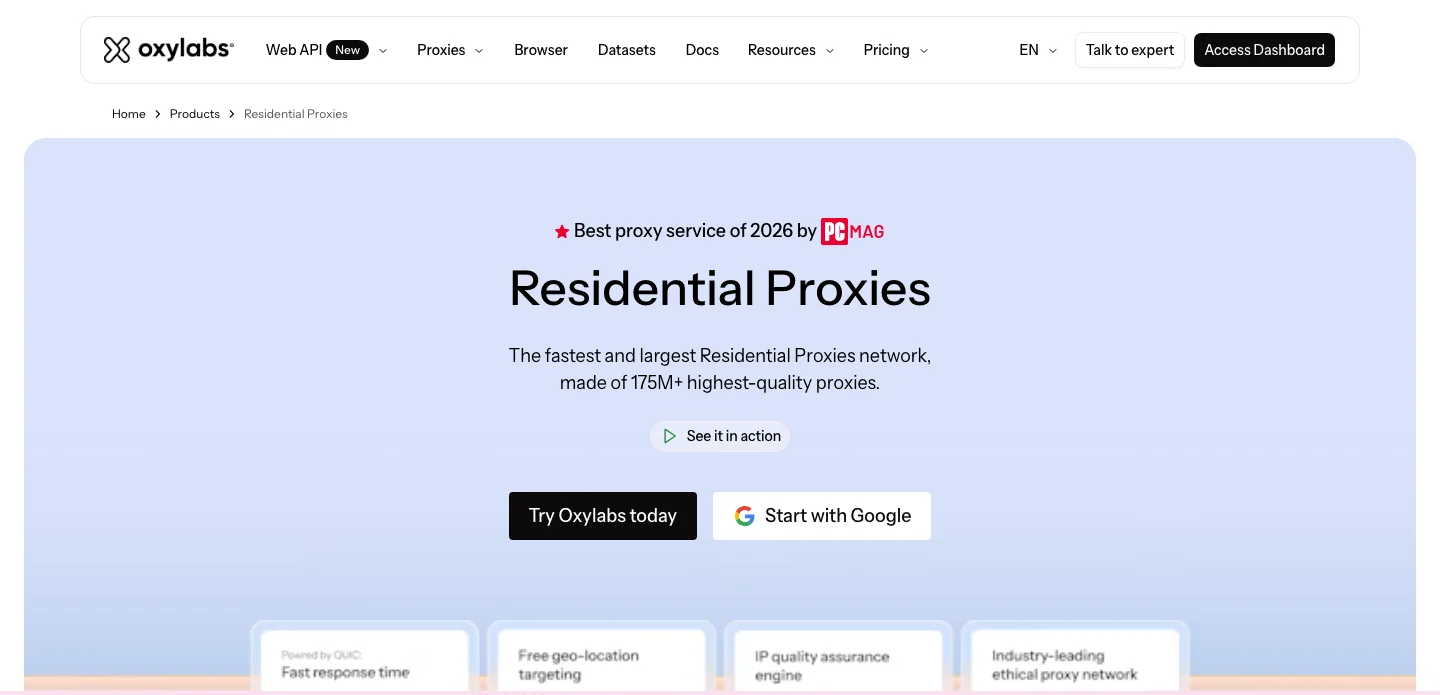
Oxylabs residential proxies page. Source: oxylabs.io/products/residential-proxy-pool
Oxylabs top features:
- 175M+ residential IPs across 195 countries.
- Filters by country, city, state, continent, ZIP code, coordinates, and ASN, with free geo-targeting.
- Sticky sessions that keep the same IP for up to 24 hours.
- Unlimited concurrent sessions over HTTP(S), HTTP3, and SOCKS5.
- A Web Scraper API for Amazon in the same subscription, billed only for successfully delivered results.
- ISP proxies from $1.5 per IP.
- Data centre proxies from $0.6 per GB.
- A $5 welcome credit that works on any product.
Oxylabs pros and cons:
| Pros | Cons |
|---|---|
| ZIP, coordinate, and ASN targeting at no extra charge. | No pay-as-you-go option |
| Proxies and the Amazon API sit under one subscription. | G2 reviewers say pricing is high for small projects. |
| Sticky sessions last up to 24 hours. | G2 reviewers describe a complex setup for authentication and configuration compared with other providers. |
Oxylabs pricing
Residential proxies are billed per GB on a monthly plan. Starter is $30 a month at $6/GB for up to 5 GB, Basic is $100 at $5/GB for up to 20 GB, and Flexible is $500 at $4/GB for up to 125 GB. Enterprise plans start at $2,500 a month, with rates down to $2.5/GB at 1,000 GB or more.
The Amazon Web Scraper API is billed per 1,000 results, from $0.50 for up to 10,000 results down to $0.25 at 10 million or more, and only successfully delivered results are charged.
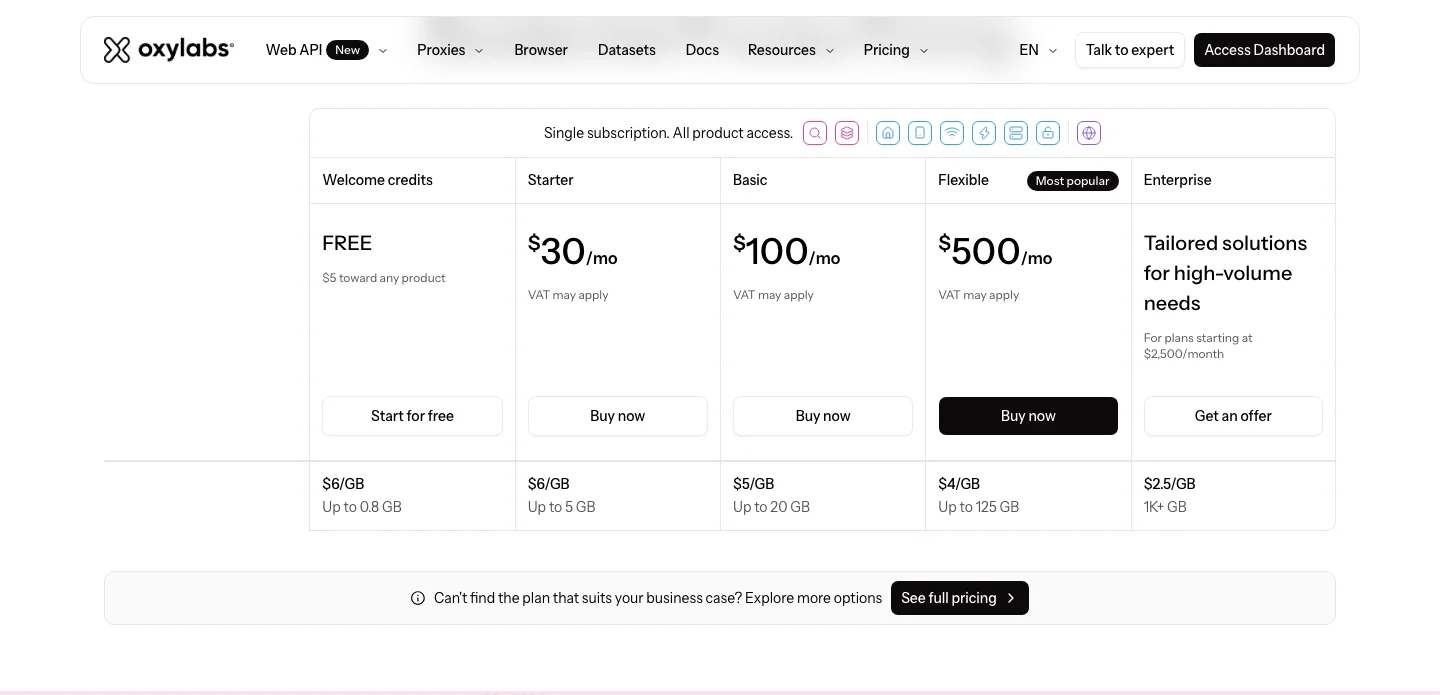
Oxylabs residential pricing page. Source: oxylabs.io/pricing/residential-proxy-pool
2. Bright Data: Best for the largest pool and free ZIP targeting
Bright Data runs a residential network of 400M+ monthly IPs across 195 countries, with an Amazon scraper API and a Web Unlocker API alongside it. It fits teams that want the biggest pool and ZIP, city, and ASN targeting without extra charges. Our Bright Data alternatives guide covers the Amazon side in more depth.
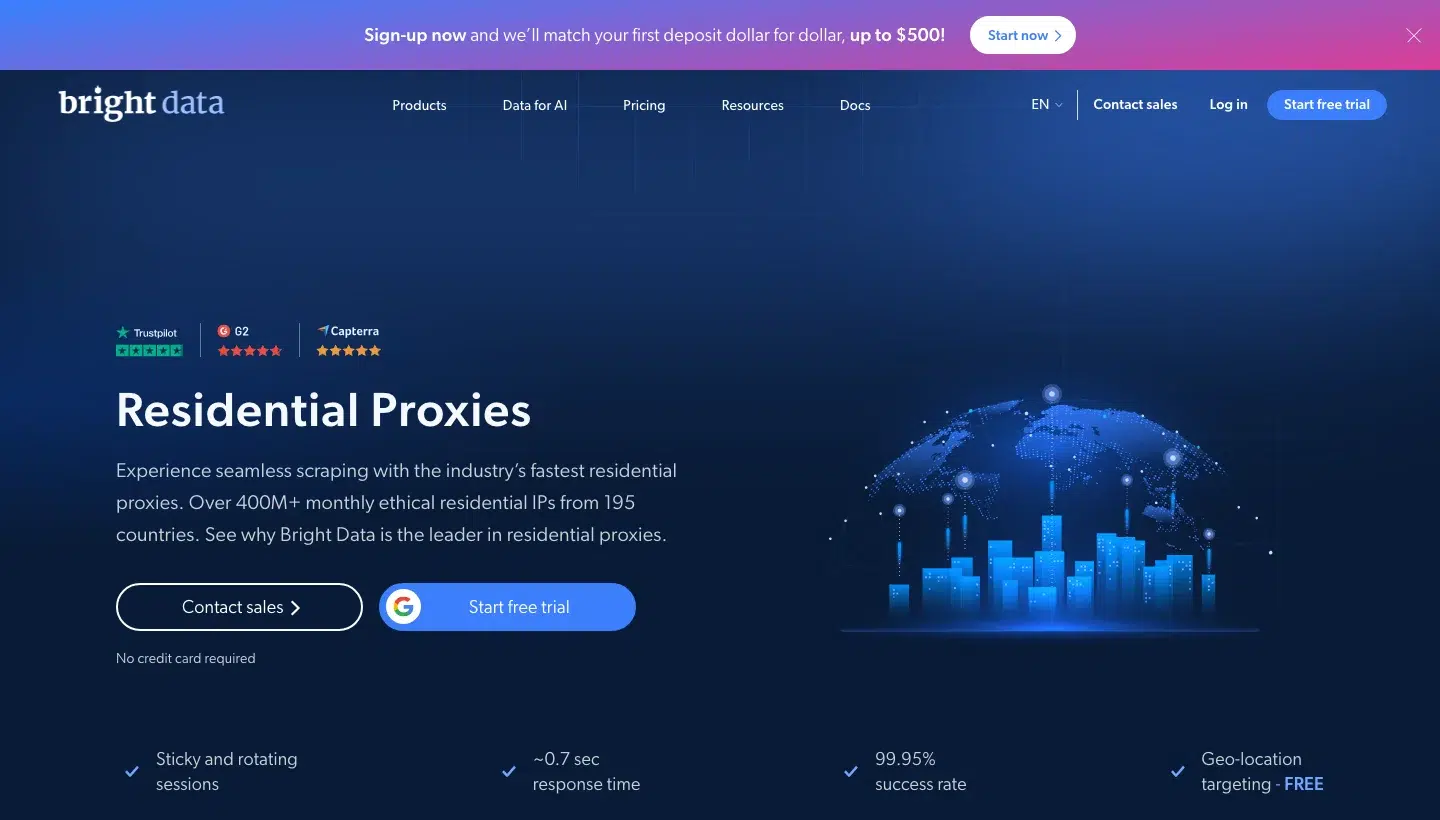
Bright Data residential proxies page. Source: brightdata.com/proxy-types/residential-proxies
Bright Data top features:
- 400M+ monthly residential IPs from 195 countries.
- Country, state, city, ZIP code, and ASN targeting at no extra charge, plus carrier targeting.
- Sticky and rotating sessions with unlimited concurrent sessions.
- An Amazon scraper API whose sample request includes a ZIP code field.
- A free tier of 5,000 credits a month, shared across the Amazon scraper API, Web Unlocker, SERP API, Scraper Studio, and Browser API.
- ISP and data centre pools of 1,300,000+ IPs each.
- A free trial with no credit card.
Bright Data pros and cons:
| Pros | Cons |
|---|---|
| Free ZIP, city, and ASN targeting. | G2 reviewers find it expensive for smaller teams and budget-conscious projects. |
| The Amazon API charges only for successfully delivered records. | G2 reviewers report a steep learning curve, citing documentation gaps and debugging complications. |
| One free tier of 5,000 credits a month across its APIs. | G2 reviewers note a limited dataset and tool range that needs custom solutions or extra tools. |
Bright Data pricing
Residential proxies are billed per GB. Pay-as-you-go is $8/GB with no commitment.
Monthly plans are 141 GB at $7/GB, 332 GB at $6/GB, and 798 GB at $5/GB.
The Amazon scraper API is $1.5 per 1,000 records pay-as-you-go, or $499 a month with 384,000 records and $1.3 per 1,000 extra, with no charge for failed deliveries. Subscription fees are non-cancelable and non-refundable, under its licence agreement.
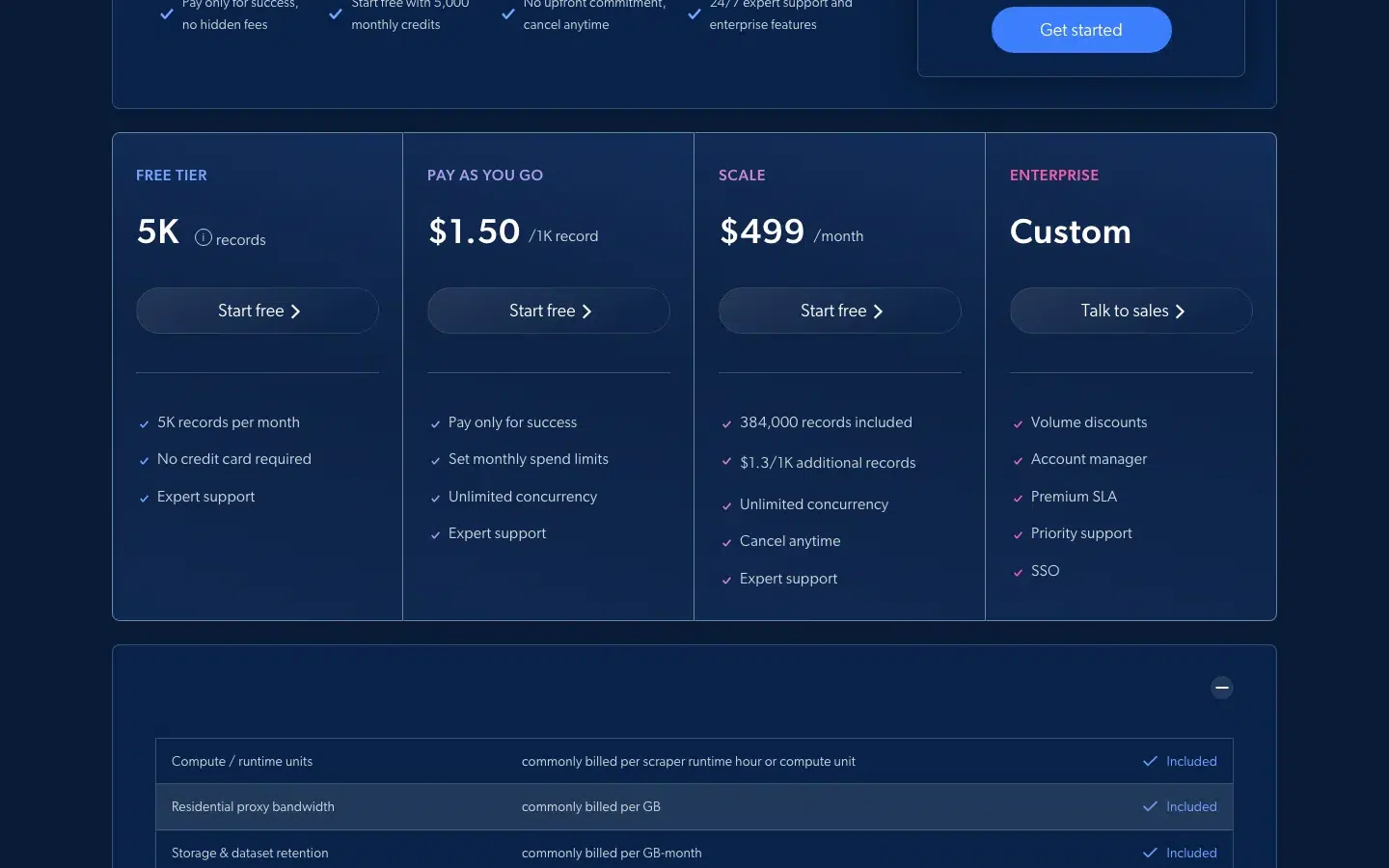
Bright Data Web Scraper API pricing page. Source: brightdata.com/pricing/web-scraper
3. Decodo: Best for mid-price residential with a trial and an Amazon API
Decodo, formerly Smartproxy, sells 115M+ residential IPs in 195+ locations plus a Web Scraping API with its own Amazon page. It suits developers who want city, state, ZIP, and ASN targeting included at a mid-range price. Our Decodo (Smartproxy) alternative page compares it with a managed option.
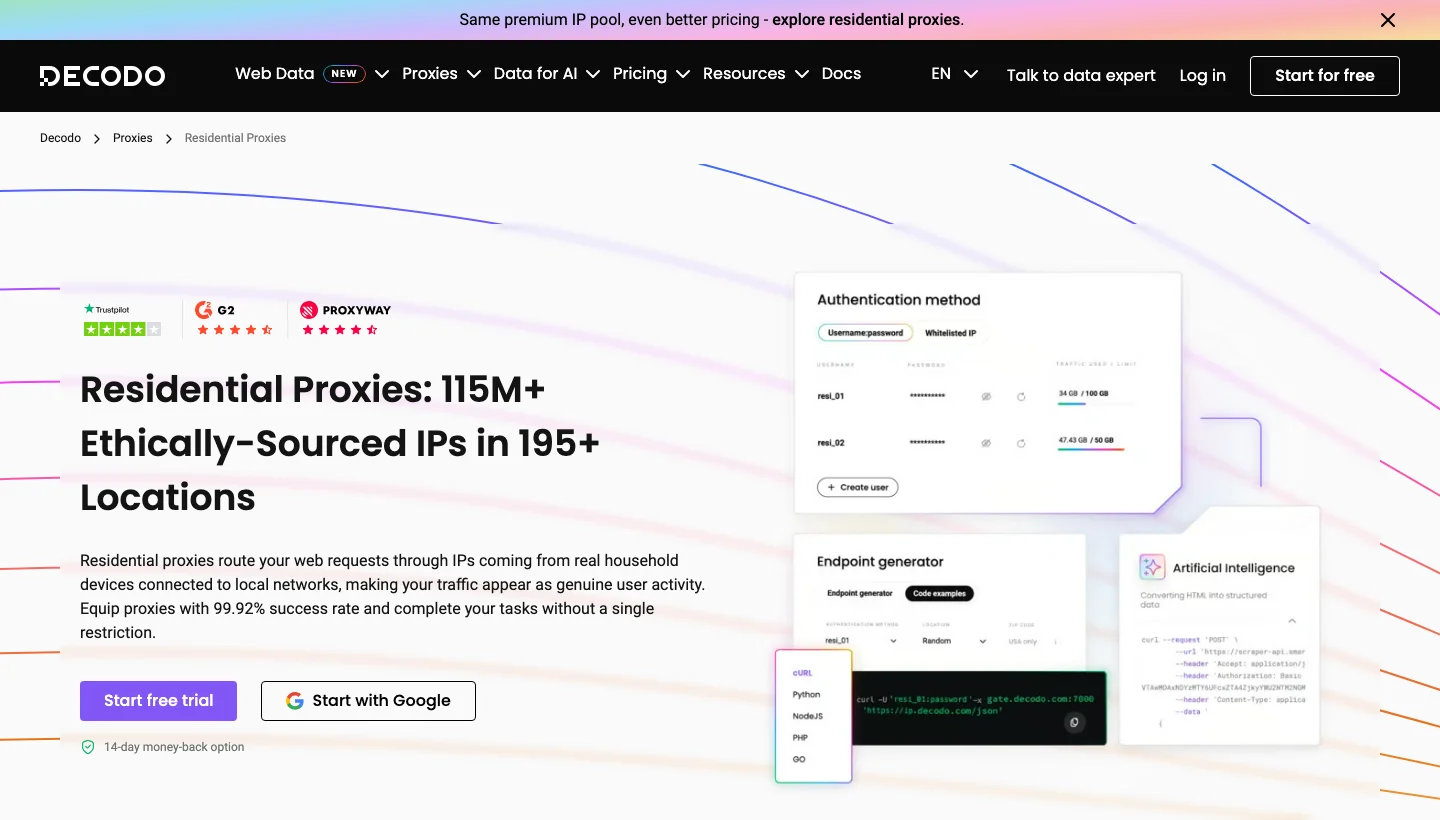
Decodo residential proxies page. Source: decodo.com/proxies/residential-proxies
Decodo top features:
- 115M+ residential IPs in 195+ locations.
- Continent, country, state, city, ZIP code, and ASN targeting included at no extra charge.
- Rotating and sticky sessions, with sticky sessions lasting from minutes to days.
- HTTP(S) and SOCKS5 support.
- A Web Scraping API with scrape, search, map, and crawl endpoints, JavaScript rendering, and 100+ templates.
- An Amazon scraper page with global geo-targeting across Amazon marketplaces.
- ISP proxies from $0.27 per shared IP.
- Data centre proxies from $0.38/GB.
Decodo pros and cons:
| Pros | Cons |
|---|---|
| Targeting down to ZIP code and ASN at no extra charge. | G2 reviewers report proxy outages that disrupt their projects. |
| A 3-day, 100 MB trial plus a 14-day money-back option. | G2 reviewers find pricing high when scaling to heavy traffic or several projects. |
| A free Web Scraping API plan with no credit card. | G2 reviewers cite limits on city-specific proxy selection and flexibility. |
Decodo pricing
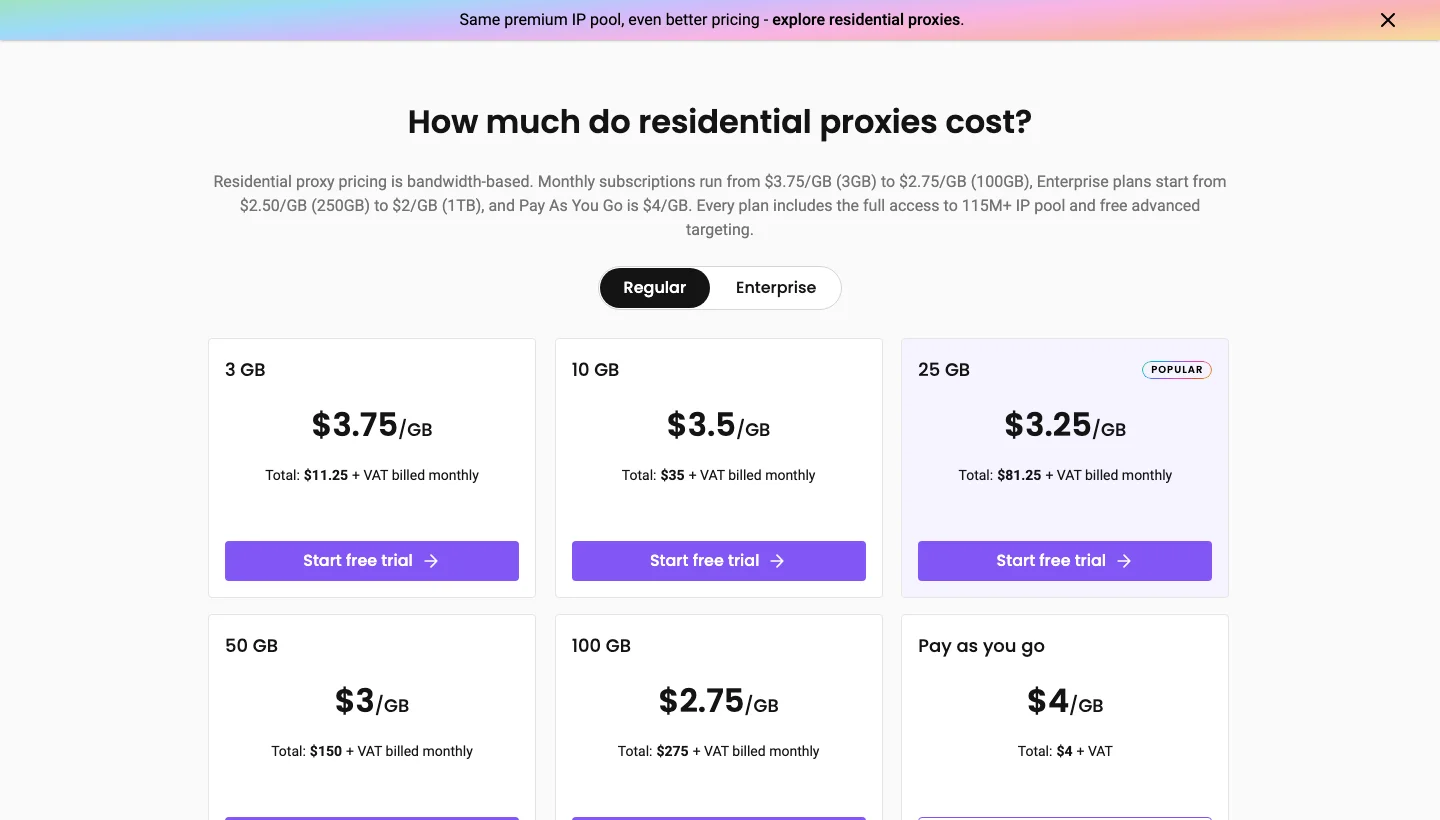
Residential proxies are billed per GB, at $4/GB pay-as-you-go with no monthly commitment, or $3.75/GB on the 3 GB monthly plan ($11.25).
The Web Scraping API is billed per request, with standard requests from $0.14 per 1,000, a free plan, and paid plans from $19 a month. The Amazon scraper page says from $0.15 per 1,000.
Decodo residential pricing. Source: decodo.com/proxies/residential-proxies
4. SOAX: Best for per-GB tiers with city and ISP targeting
SOAX sells residential and mobile proxies at one price on a prepaid credit balance, with the rate set by the geo tier of the exit IP. It suits teams that want city and ISP targeting and a free Sandbox plan to start. Our SOAX alternative page compares it with a managed option.
SOAX homepage. Source: soax.com
SOAX top features:
- Residential and mobile IPs on one price, with 12M+ unique IPs in the past 30 days across 195+ proxy locations on its homepage.
- Tier 1 pricing that includes the US.
- Country, region, city, and ISP targeting on Sandbox, Builder, and Team, with ASN and ZIP code from the Scale plan.
- Rotation per request, after a set number of requests, after a set time, or on error, or a locked node for a sticky session.
- HTTP, HTTPS, and SOCKS5 support.
- A free Sandbox plan with no subscription.
- A dedicated Amazon proxies page.
SOAX pros and cons:
| Pros | Cons |
|---|---|
| Tier 1 price falls from $5.00/GB to $3.00/GB between Sandbox and Builder. | G2 reviewers find pricing significant for heavy scraping and smaller budgets. |
| ZIP code and ASN targeting are available. | G2 reviewers report dashboard issues such as data mismatches and limited proxy statistics. |
| One clear tier table covers residential and mobile. | G2 reviewers say beginners face a learning curve with little guidance. |
SOAX pricing
Residential and mobile traffic is billed per GB in prepaid credits of about $1 each, and the rate depends on the geo tier of the exit IP.
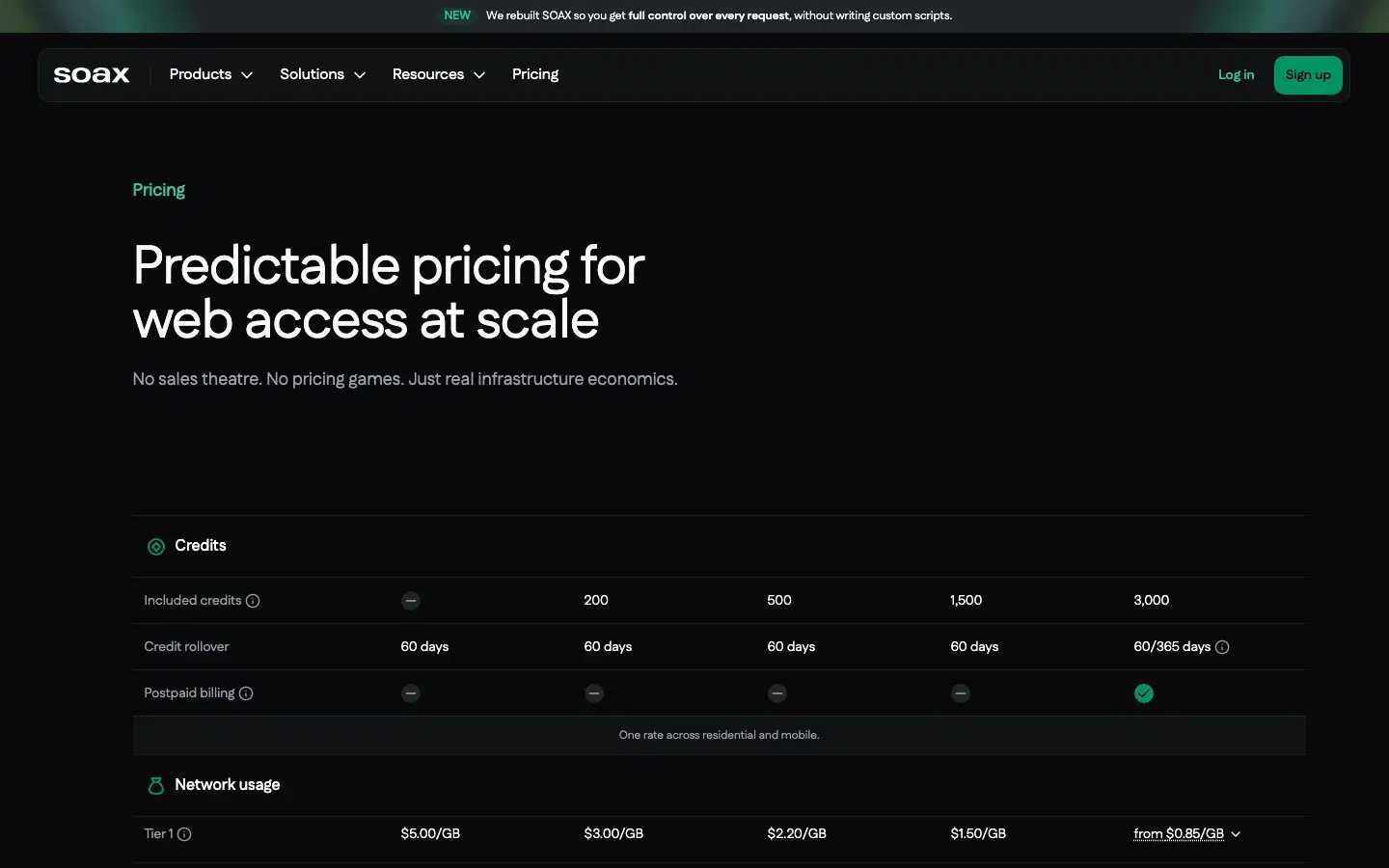
Tier 1, which includes the US, is $5.00/GB on Sandbox, $3.00 on Builder ($200 a month), $2.20 on Team ($500), $1.50 on Scale ($1,500), and from $0.85 on Enterprise ($3,000).
Payments are generally non-refundable, and the pricing FAQ says there is no free trial.
SOAX pricing page. Source: soax.com/pricing
5. Infatica: Best for residential proxies with an Amazon scraper API under one account
Infatica sells residential, ISP, mobile, and data centre proxies plus a Web Scraper API with a dedicated Amazon page. It fits teams that want proxies and a scraper API from one vendor, with ZIP and city targeting.
Infatica residential proxies page. Source: infatica.io/proxy-service/residential-proxies
Infatica top features:
- 40M+ residential IPs (45M+ on its pricing page).
- Country, city, ISP, and ZIP code targeting, as its pricing and residential pages list them.
- Rotation time selection, per request, or sticky.
- Login and password or IP-whitelist authentication, over HTTP and SOCKS5.
- Static ISP, mobile, and data centre proxies.
- A Web Scraper API with a dedicated Amazon scraper page.
- JSON, CSV, or HTML output and a country parameter on the Amazon API.
- Billing only for successful requests on the Amazon API.
Infatica pros and cons:
| Pros | Cons |
|---|---|
| ZIP and city targeting. | G2 reviewers say pricing limits accessibility for varied data needs. |
| A scraper API and proxies in one account. | A G2 reviewer notes slight latency during high-traffic periods. |
| Timed rotation control. | G2 reviewers cite the lack of an app and a learning curve for new users. |
Infatica pricing
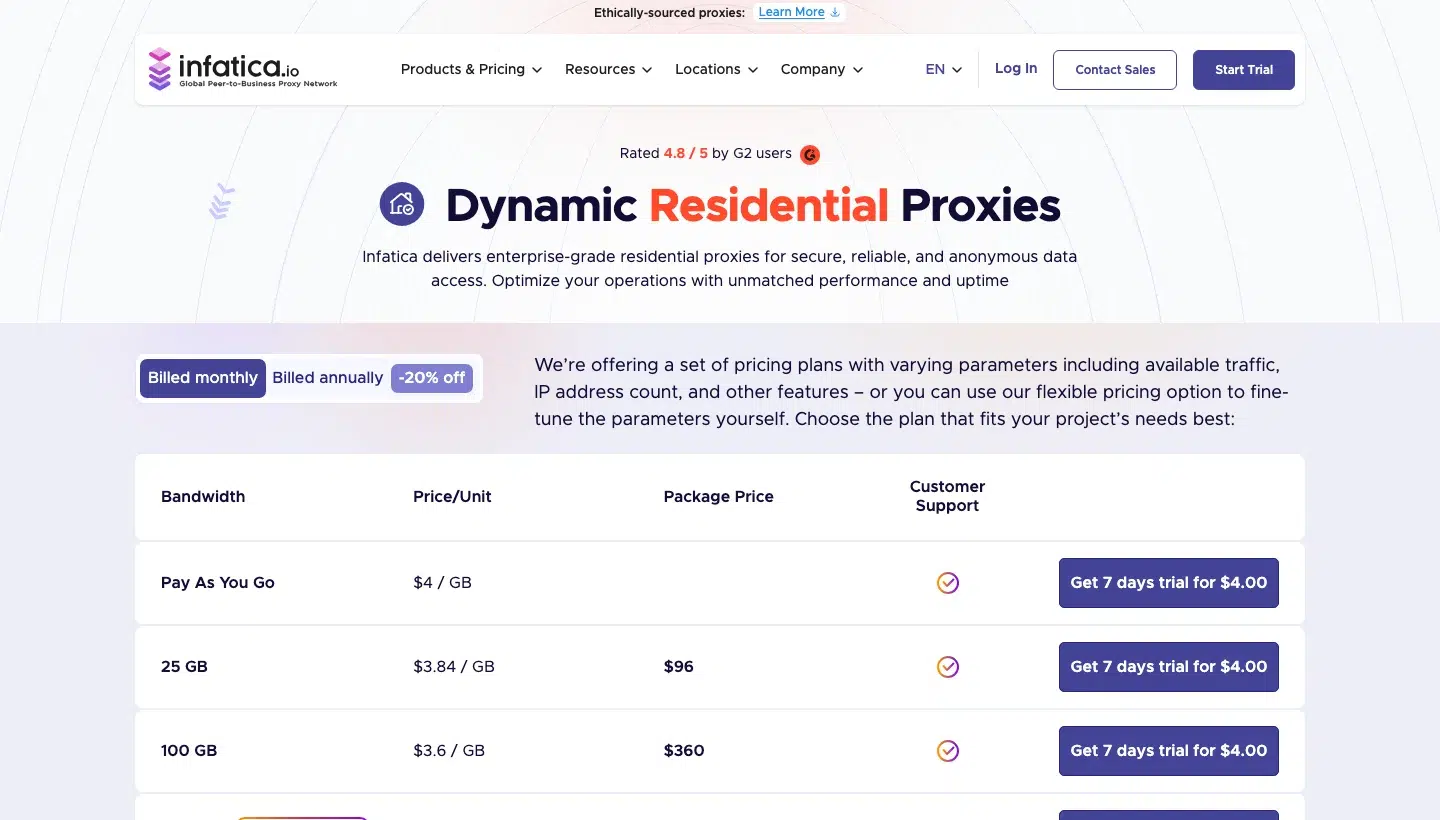
Residential proxies are billed per GB, at $4/GB pay-as-you-go, or in monthly packages from 25 GB for $96 ($3.84/GB) to 1,000 GB for $2,600 ($2.6/GB).
The trial costs $4 for seven days with 1 GB and bills automatically unless you cancel.
The Web Scraper API is billed per 1,000 requests, from $19 a month for 67,000 requests ($0.28 per 1,000) on Basic, or from $18 a month for 23,000 requests ($0.78 per 1,000) on Pro with JavaScript rendering and residential proxies.
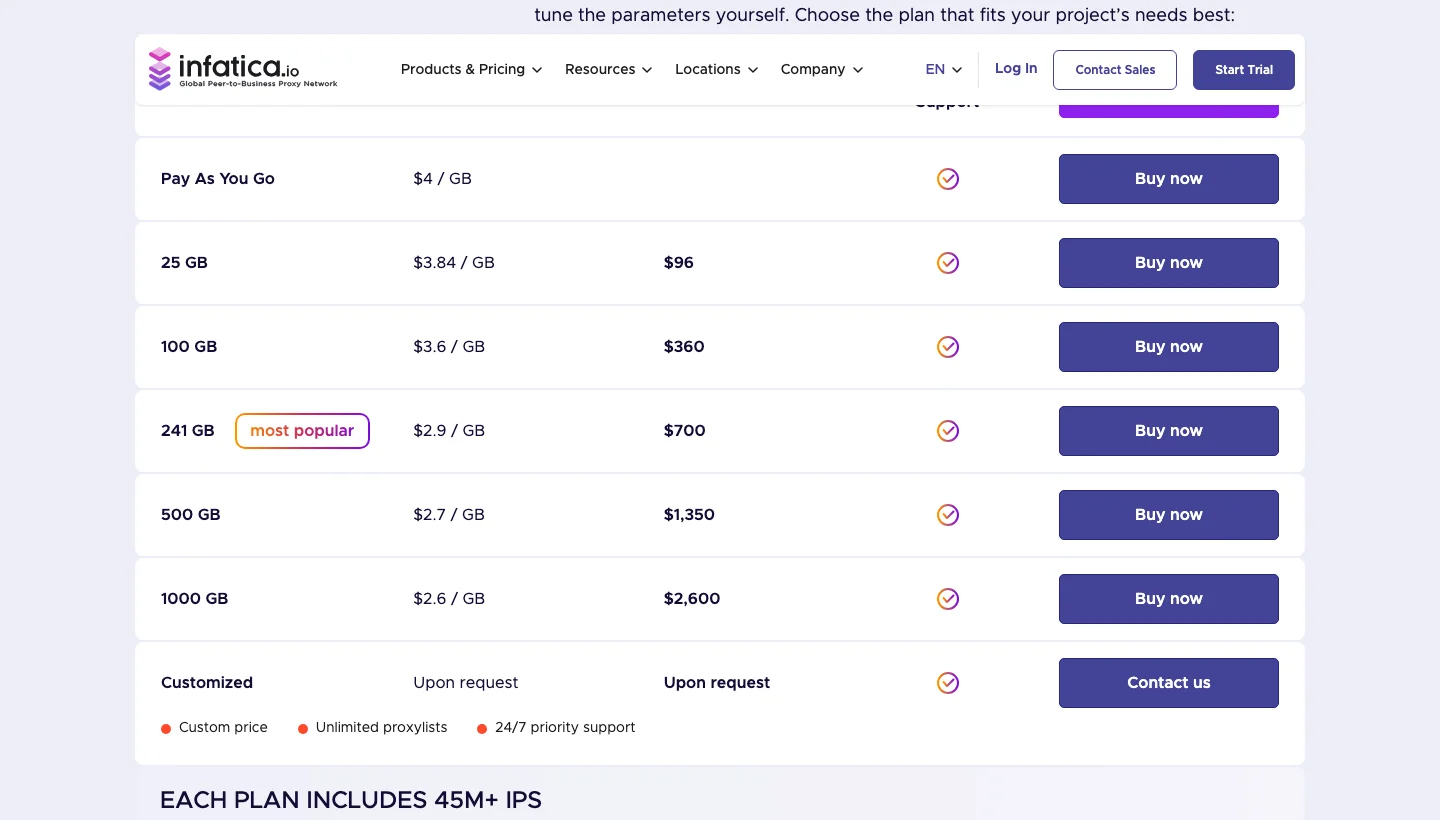
Infatica pricing page. Source: infatica.io/pricing
6. IPRoyal: Best for long sticky sessions and traffic that never expires
IPRoyal sells residential, ISP, data centre, and mobile proxies plus a Web Unblocker. It suits buyers who need the same IP for long flows, up to seven days, and who prefer per-GB traffic that does not expire.
IPRoyal residential proxies page. Source: iproyal.com/residential-proxies
IPRoyal top features:
- 64M+ residential IPs in 195+ countries.
- Rotating or sticky sessions, with the same proxy kept for up to seven days.
- Unlimited concurrent sessions over HTTP(S) and SOCKS5.
- Country, state, and city targeting included.
- Per-GB traffic that never expires.
- ISP proxies and data centre proxies leased per proxy.
- A Web Unblocker billed per 1,000 requests.
IPRoyal pros and cons:
| Pros | Cons |
|---|---|
| Sticky sessions up to seven days. | G2 reviewers raise high pricing for IPs and mobile proxies. |
| A Web Unblocker for teams that want managed requests. | G2 reviewers report occasional proxy availability issues and want more stock. |
| Traffic never expires. | G2 reviewers report slow speeds that hurt high-speed tasks. |
IPRoyal pricing
Residential proxies are billed per GB. Pay-as-you-go is $7.35/GB at 1 GB, $6.25/GB at 2 GB, $5.51/GB at 10 GB, and $1.84/GB from 10 TB.
Web Unblocker is $1.00 per 1,000 requests at 1,000 requests, down to $0.70 at 100,000.
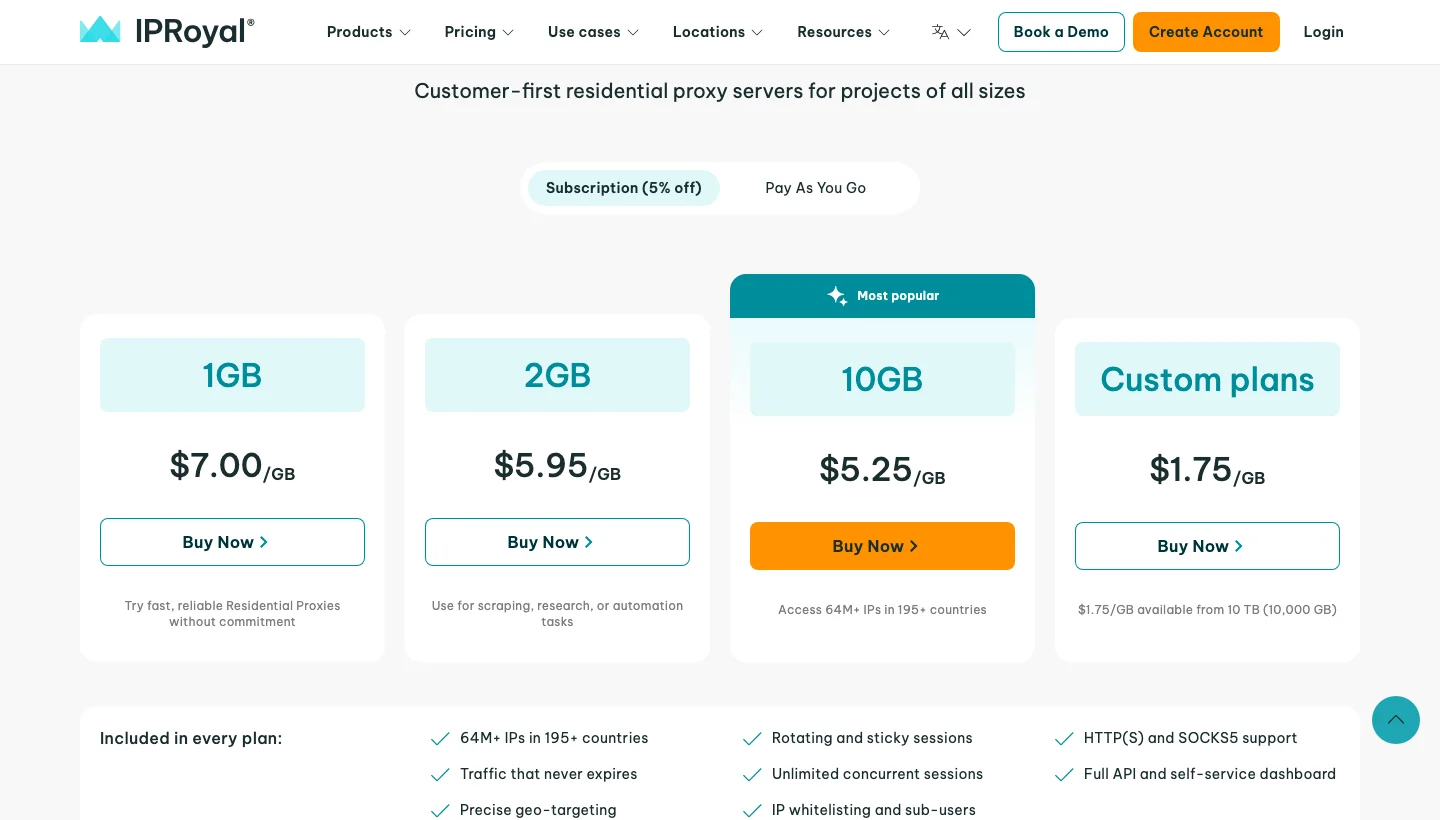
IPRoyal residential pricing. Source: iproyal.com/residential-proxies
7. DataImpulse: Best for the lowest price per GB on pay-as-you-go
DataImpulse sells first-party residential, premium residential, data centre, and mobile proxies, with pay-as-you-go residential traffic that never expires. It suits budget-conscious developers who want the lowest per-GB price and no subscription.
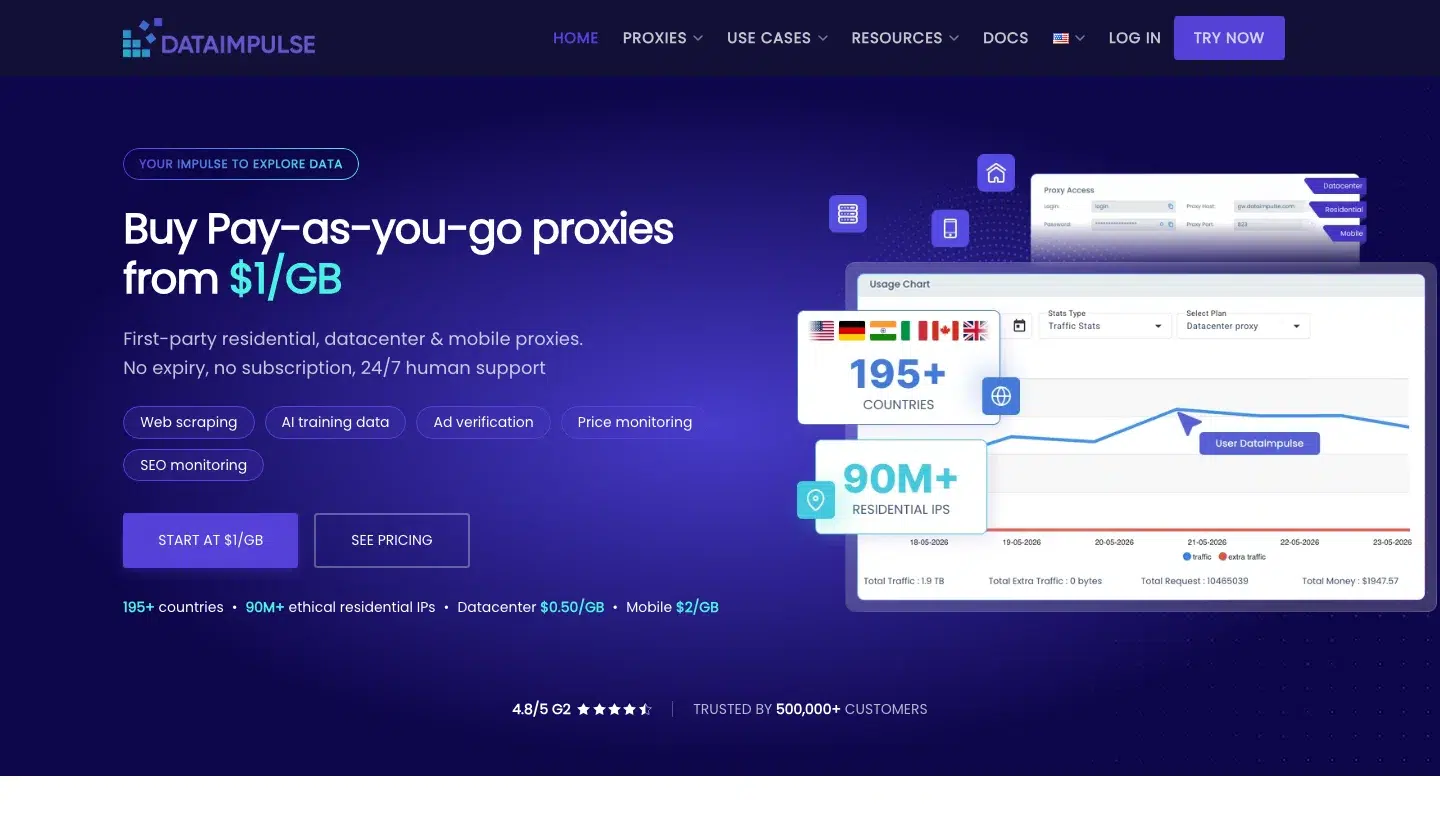
DataImpulse homepage. Source: dataimpulse.com
DataImpulse top features:
- 90M+ residential IPs in 195+ countries, as the vendor claims.
- Pay-as-you-go from $1/GB, with traffic that never expires and no monthly minimum.
- A rotating port (823 for HTTP and HTTPS, 824 for SOCKS5).
- Sticky ports with intervals up to 120 minutes, averaging 30.
- The
sessidandsessttlparameters for session control. - Free country targeting.
- Mobile proxies at $2/GB and data centre proxies at $0.50/GB.
DataImpulse pros and cons:
| Pros | Cons |
|---|---|
| The lowest per-GB price in this list. | G2 reviewers want a larger IP pool, as the current offering feels limited for casual use. |
| Flexible sticky sessions up to 120 minutes. | G2 reviewers find the dashboard overwhelming for beginners and want clearer analytics and guided onboarding. |
| Traffic never expires. | G2 reviewers want more billing flexibility and more competitive pricing for enterprise accounts. |
DataImpulse pricing
Residential proxies are billed per GB, at $1/GB pay-as-you-go. The Intro plan is $5 for 5 GB for new customers, Basic is $50 for 50 GB, and Advanced is $800 for 1 TB ($0.8/GB).
Custom plans start at 5 TB. ZIP code targeting is billed at double the standard rate, according to its docs on ZIP targeting, and its homepage calls state, city, ZIP code, and ASN targeting a small extra fee.
The refund window is seven days on the Intro plan only, and crypto payments are non-refundable under its terms.
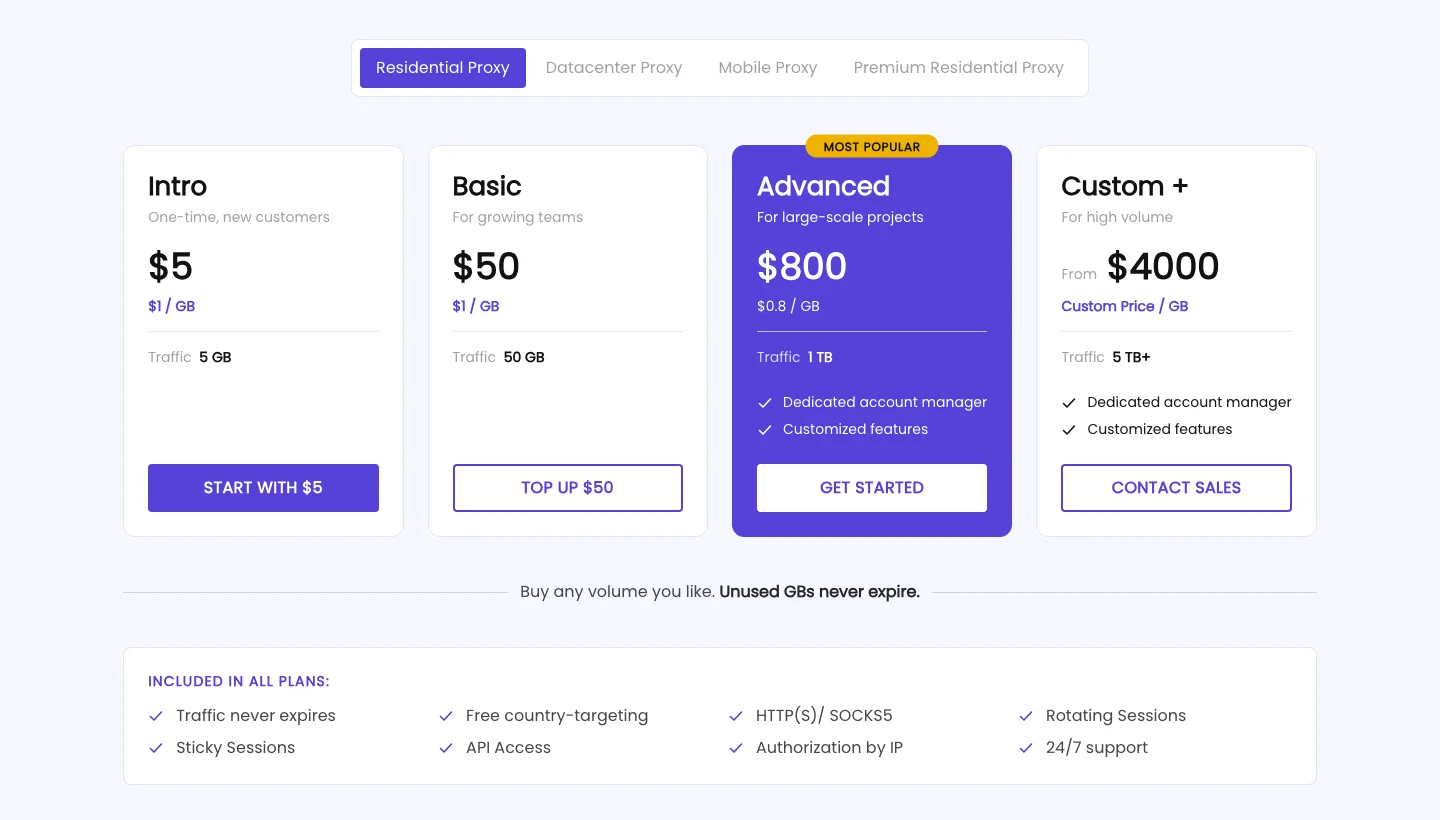
DataImpulse residential pricing. Source: dataimpulse.com/residential-proxies
8. Webshare: Best for testing with a free proxy plan
Webshare sells residential, ISP, and data centre proxies in one dashboard, with a free plan of 10 proxies. It suits hobby projects and small teams.
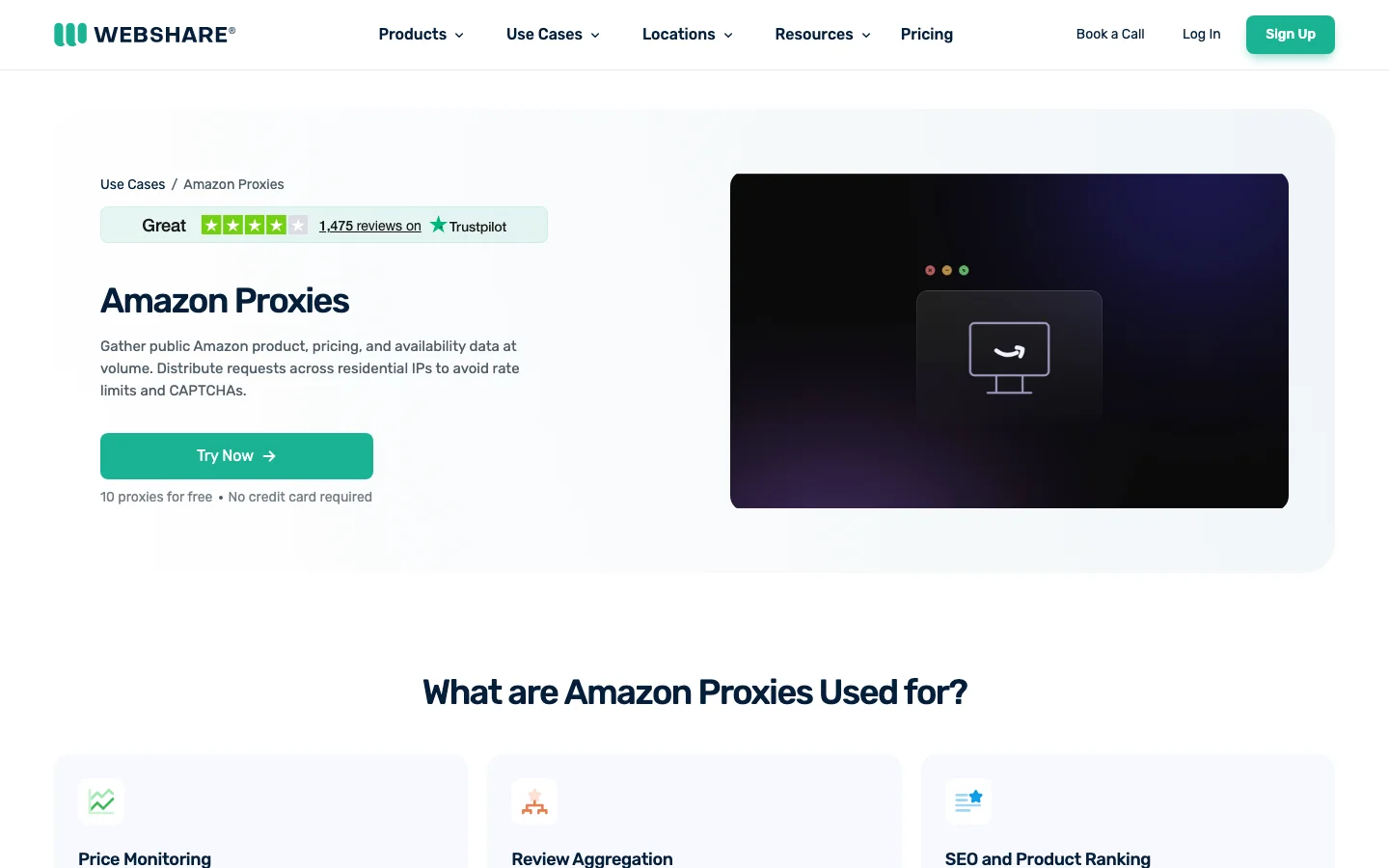
Webshare Amazon proxies page. Source: webshare.io/use-cases/amazon-proxy-server
Webshare top features:
- 80M+ rotating residential IPs in 195 countries.
- Country, city, state, ZIP code, and ASN targeting, set in the username.
- Rotating or sticky sessions, chosen in the endpoint generator.
- Data centre proxies billed per proxy, from $2.99 a month for 100.
- Static residential proxies from $0.30 per proxy.
- 10 free proxies.
- HTTP and SOCKS5 support.
- An Amazon use-case page covering price monitoring and review aggregation.
Webshare pros and cons:
| Pros | Cons |
|---|---|
| A free plan of 10 proxies. | One r/proxies user’s reputation checks flagged all eight Webshare static residential subnets as hosting or proxy IPs, though the same user rates its rotating residential pool separately. |
| Residential, ISP, and data centre proxies in one place. | A G2 reviewer finds connection speed on some residential endpoints not the fastest, which matters for latency-sensitive jobs. |
| ZIP code and ASN targeting on residential. | An r/proxies commenter expects outages once or twice a year. |
Webshare pricing
Rotating residential proxies are listed at $7.00/GB, and billing is monthly by plan size, from 1 GB to 3,000 GB.
Data centre proxies are $0.0299 per proxy at 100 proxies ($2.99 a month).
A refund is possible within two days if rotating residential usage is under 0.1 GB, under its terms.
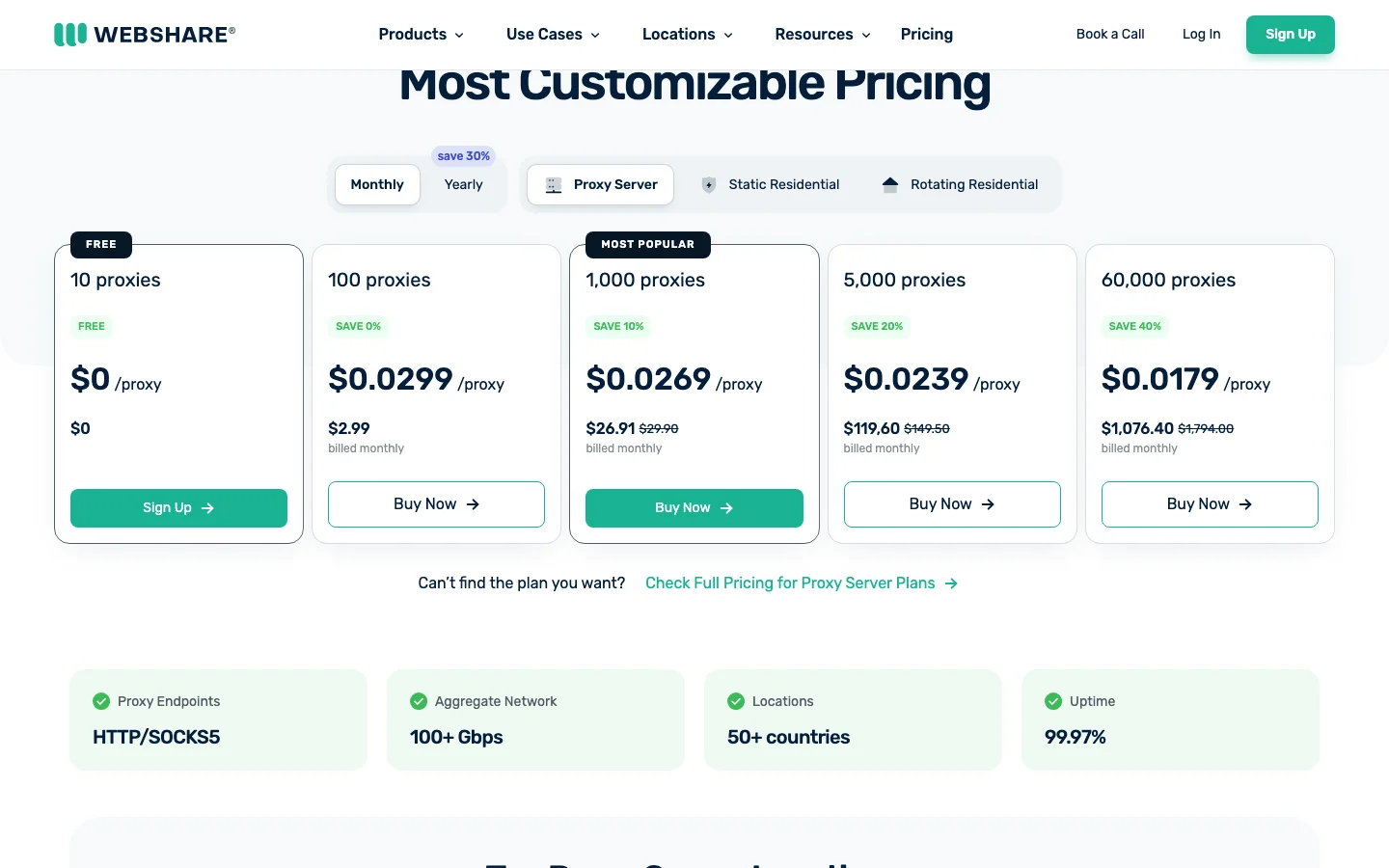
Webshare pricing page (Proxy Server tab). Source: webshare.io/pricing
9. ProxyScrape: Best for flexible bundles and fair-use unlimited data centre plans
ProxyScrape sells rotating residential IPs per GB, unlimited residential by port speed, and data centre, ISP, and mobile proxies. It suits budget buyers who want per-GB residential bundles or data centre proxies marketed with unlimited bandwidth under fair use.
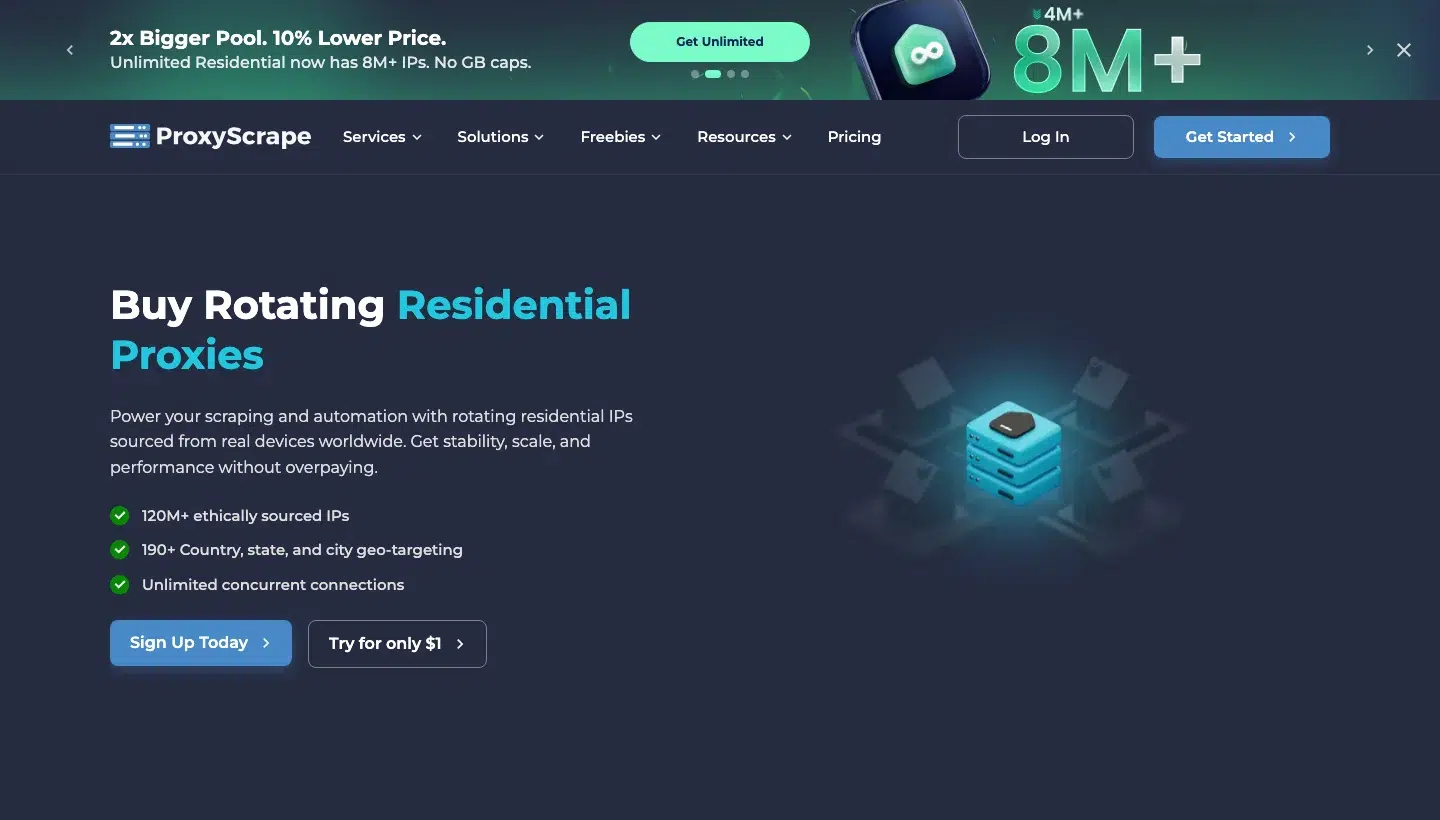
ProxyScrape rotating residential proxies page. Source: proxyscrape.com/products/residential-proxies
ProxyScrape top features:
- 120M+ residential IPs on its residential page.
- Country, state, and city targeting, plus OS, ASN, and UDP targeting.
- Rotating or sticky sessions with unlimited concurrent connections.
- HTTP and SOCKS5 support.
- Shared data centre proxies with 250 GB and 1,000 proxies for $25 a month.
- Dedicated data centre proxies at $1.90 per proxy.
- ISP proxies priced per IP.
- Unlimited residential proxies sold by port speed and duration instead of GB.
ProxyScrape pros and cons:
| Pros | Cons |
|---|---|
| Low-cost data centre plans and flexible bundle durations, including non-expiry. | No customer-reported downsides found on G2 or Reddit yet. |
| A $1 trial for 1 GB. | |
| Unlimited residential and data centre options. |
ProxyScrape pricing
Standard rotating residential proxies are billed per GB, and the default 5 GB bundle for 30 days is $14.25 ($2.85/GB), with terms of 30, 60, or 90 days or non-expiry.
Unlimited residential defaults to $266 for 200 Mbps for one day on a Germany (Falkenstein) server.
Shared data centre proxies start at $25 a month, and its fair-use policy sets the unlimited allowance at 1 TB per $5 of plan price or 10 TB, whichever is greater, with a $5-per-TB overage or throttling beyond that, under its terms.
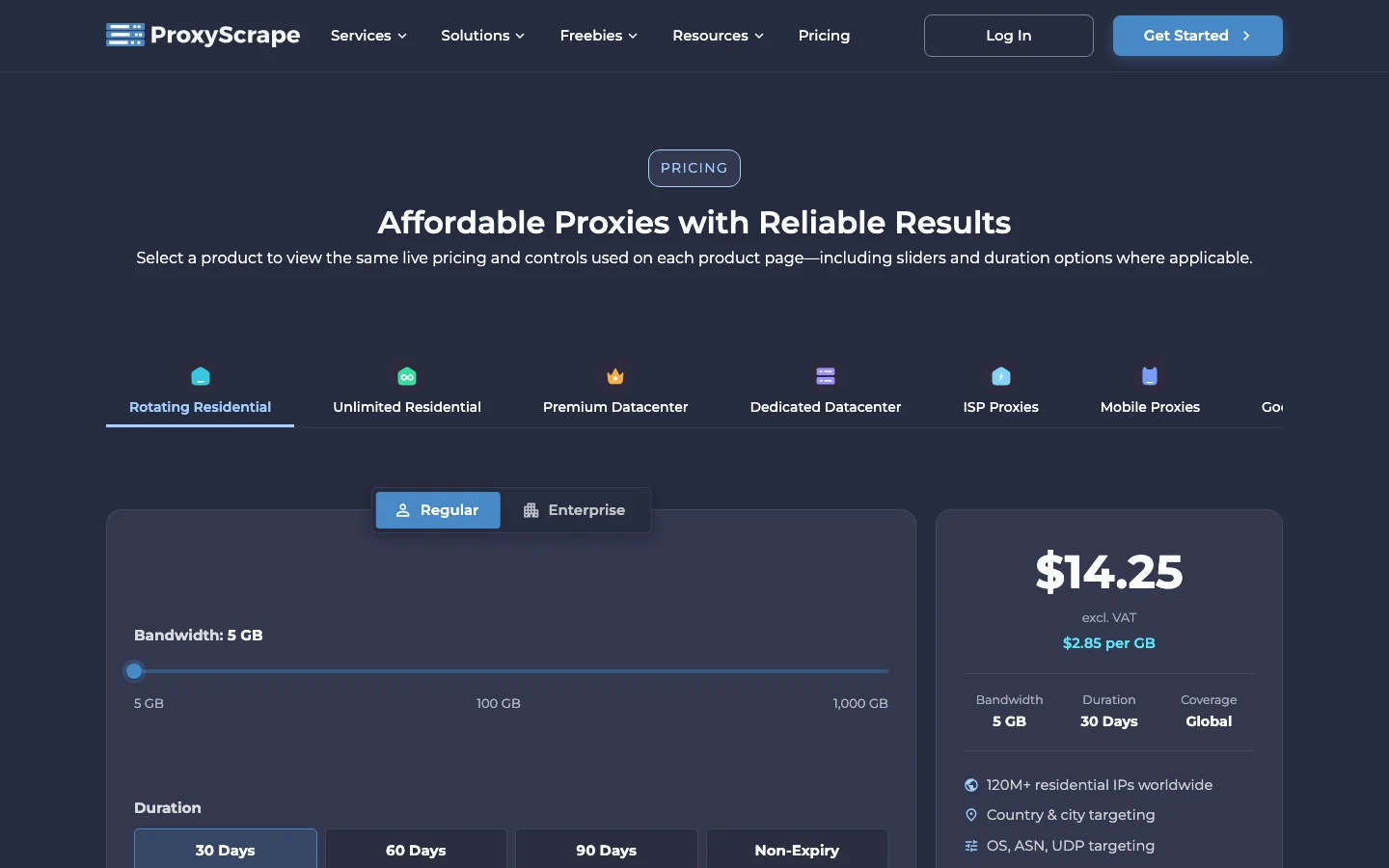
ProxyScrape pricing page. Source: proxyscrape.com/pricing
10. Zyte: Best for paying per successful request across many sites
Zyte sells one API for unblocking, rendering, and extraction across many sites, billed only for successful responses. It suits teams that want one request-based bill instead of managing proxies. Our Zyte alternative page compares it with a credit-based option.
Zyte API homepage. Source: zyte.com/zyte-api
Zyte top features:
- Automatic ban handling, rendering, sessions, and extraction in one API.
- Residential, data centre, and mobile IPs rotated on every request, with KYC verification for residential access.
- Five price tiers for HTTP responses and five for browser-rendered pages, assigned per website and request type.
- Automatic extraction, charged at $0.27 to $1.07 per 1,000 per data type on top of the request cost.
- Standard and extended geolocation, where extended affects cost.
- A Smart Proxy Manager page, now labelled “Part of Zyte API”, with a proxy-mode endpoint.
Zyte pros and cons:
| Pros | Cons |
|---|---|
| Only successful responses are charged. | G2 reviewers say pricing is less accessible for smaller projects and personal use. |
| Pay-as-you-go needs no commitment. | G2 reviewers find it expensive for advanced features and high-volume requests. |
| Structured product extraction is available. | G2 reviewers find the learning curve steep for custom extraction rules. |
Zyte pricing
Zyte bills per 1,000 successful responses, and its pricing lookup puts amazon.com in Tier 2. That is $0.23 per 1,000 HTTP responses and $2.01 per 1,000 browser-rendered pages on pay-as-you-go.
Across all five tiers, pay-as-you-go ranges from $0.13 to $1.27 for HTTP and $1.01 to $16.08 for browser-rendered pages.
The free offer is $5 credit with no commitment, and a seven-day money-back guarantee applies to self-service sign-ups under its conditions.
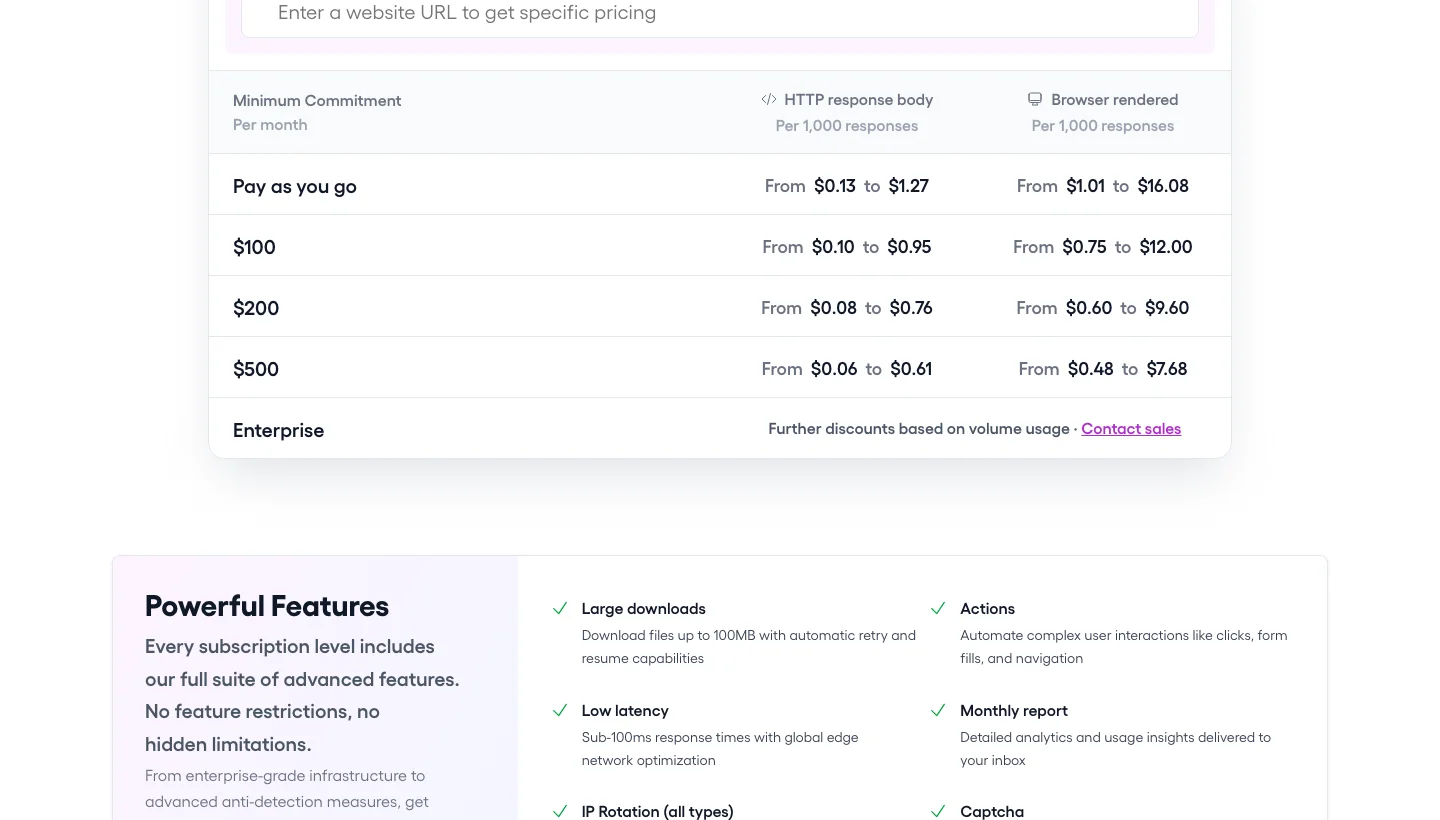
Zyte pricing page. Source: zyte.com/pricing
11. ScraperAPI: Best for teams that want Amazon data without managing proxies
ScraperAPI is web data infrastructure for developers and data teams. One API call handles proxy rotation, retries, CAPTCHAs, and JavaScript rendering, replacing a separate unlocker, SERP API, scraper APIs, browser API, and crawl API, with an MCP server included. It fits teams that want Amazon product, search, and offer data as JSON instead of running proxies and parsers. Half of ScraperAPI’s engineering goes on maintenance, so unblocking and parsers are fixed when a site changes.
ScraperAPI homepage. Source: scraperapi.com
ScraperAPI top features:
- The Amazon Product Scraper, Amazon Search Scraper, and Amazon Offers Scraper return structured JSON, with CSV as an option, an async version of each, and a
tldparameter that picks the marketplace. - Plain requests to Amazon product pages work without extra parameters, and
render=true,premium=true, andultra_premium=trueadd JavaScript rendering, residential and mobile IPs, or advanced bypass for harder pages. - The
country_codeparameter routes a request through an IP in that country at no extra cost, and thezipparameter sets an Amazon US delivery ZIP code (in proxy mode,scraperapi.zip=92223). - Sticky sessions with
session_numberexpire 15 minutes after the last request and cannot be combined withpremiumorultra_premium, and proxy mode atproxy-server.scraperapi.com:8001serves scrapers that already expect a proxy. - The
device_typeparameter switches between desktop and mobile user agents,output_formatreturns markdown or text for LLM pipelines, andautoparsereturns JSON for selected sites, all at no extra cost. - Async Scraper takes up to 50,000 URLs per batch and retries for up to 24 hours, and DataPipeline runs scheduled projects of up to 100,000 URLs, ASINs, or keywords.
- The Crawler follows links from a start URL up to a depth or credit budget and can send results to a webhook, and the AI Parser builds a custom parser from up to three example URLs, with the first parser free.
- An MCP server, a CLI, a plugin for AI agents, and integrations for n8n, Zapier, LangChain, and LlamaIndex.
ScraperAPI pros and cons:
| Pros | Cons |
|---|---|
| No proxy management, and JSON for Amazon product, search, and offers data. | No standalone proxies or per-GB plans. |
| Country routing adds no extra cost, and Amazon US ZIP targeting is available. | Country-level geotargeting needs the Business plan ($299) or above, because Hobby and Startup are US and EU only, and there is no city or state targeting. |
| One credit pool covers Amazon, Google, ChatGPT, Walmart, eBay, Redfin, and more. | Sticky sessions cannot be combined with premium or ultra_premium proxies. |
ScraperAPI pricing
ScraperAPI plans are a monthly credit pool, and only successful requests (200 and 404 status codes) are charged.
Hobby is $49 for 100,000 credits, Startup is $149 for 1,000,000, Business is $299 for 3,000,000, Scaling is $475 for 5,000,000, Professional is $975 for 10,500,000, and Advanced is $1,975 for 21,500,000. Enterprise is custom. Annual billing takes 10% off, bringing Hobby to $44.10 a month, Startup to $134.10, Business to $269.10, Scaling to $427.50, Professional to $877.50, and Advanced to $1,777.50.
Amazon, Walmart, and eBay requests cost five credits. render=true and premium=true cost 10 credits each, 25 together, and ultra_premium=true costs 30 credits, or 75 with render=true (see the credit costs page).
Pay-as-you-go starts after the monthly credits are used up, from the Scaling plan ($475) and above. A seven-day trial includes 5,000 API credits with no credit card, which is about 1,000 Amazon requests, and the free plan then gives 1,000 credits a month.
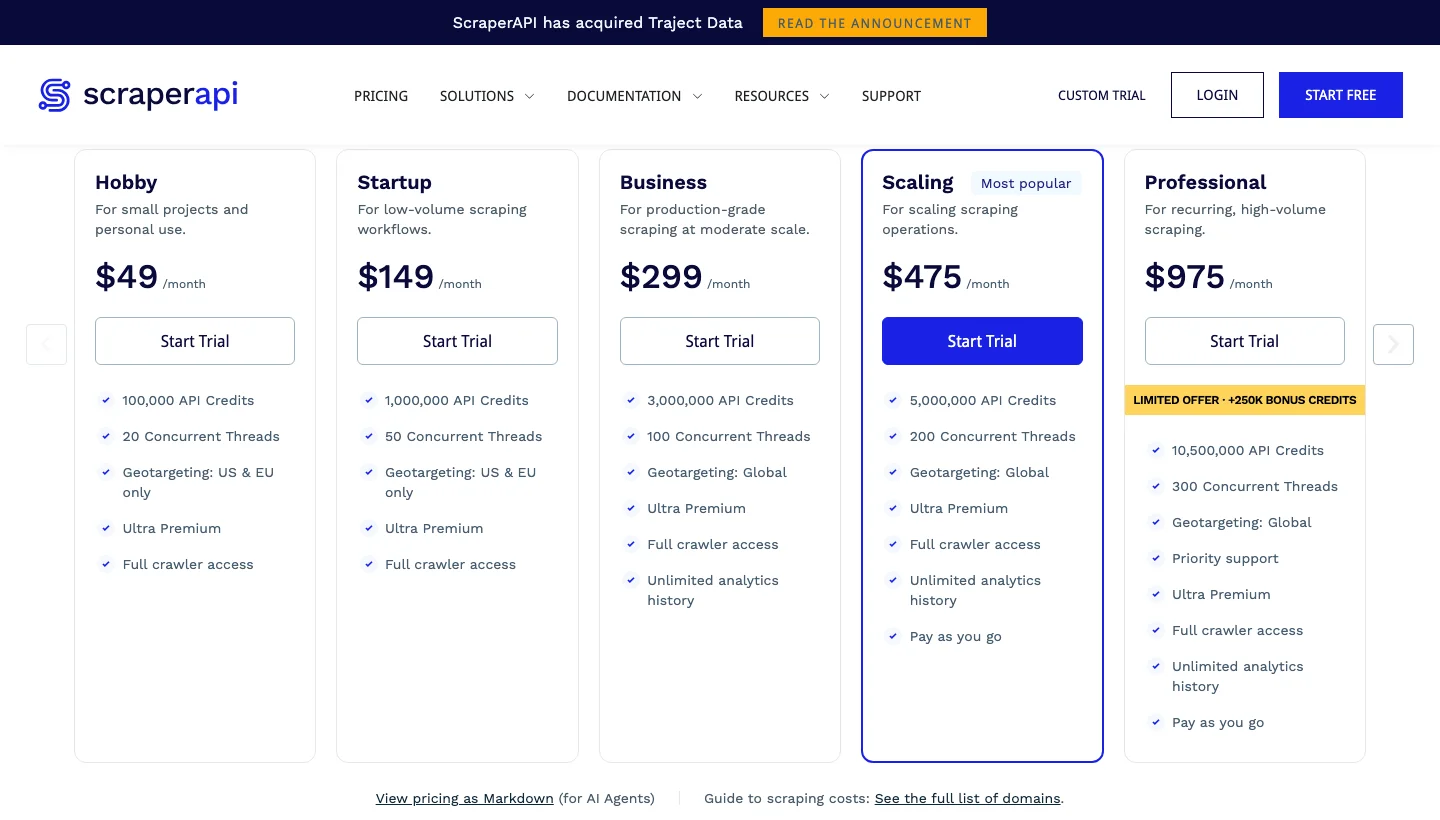
ScraperAPI pricing page. Source: scraperapi.com/pricing
12. Rainforest API: Best for parsed Amazon data across 24 marketplaces with a delivery ZIP
Rainforest API is a real-time Amazon product data API from Traject Data. ScraperAPI has acquired Traject Data, so Rainforest API is now part of the ScraperAPI portfolio. One endpoint returns parsed JSON or CSV for products, offers, search results, bestsellers, seller profiles, and more across 24 Amazon domains, with requests that can run in the context of a ZIP or postal code you set up. It fits teams that want Amazon fields they can load straight into a database and would rather not touch proxies or parsers.
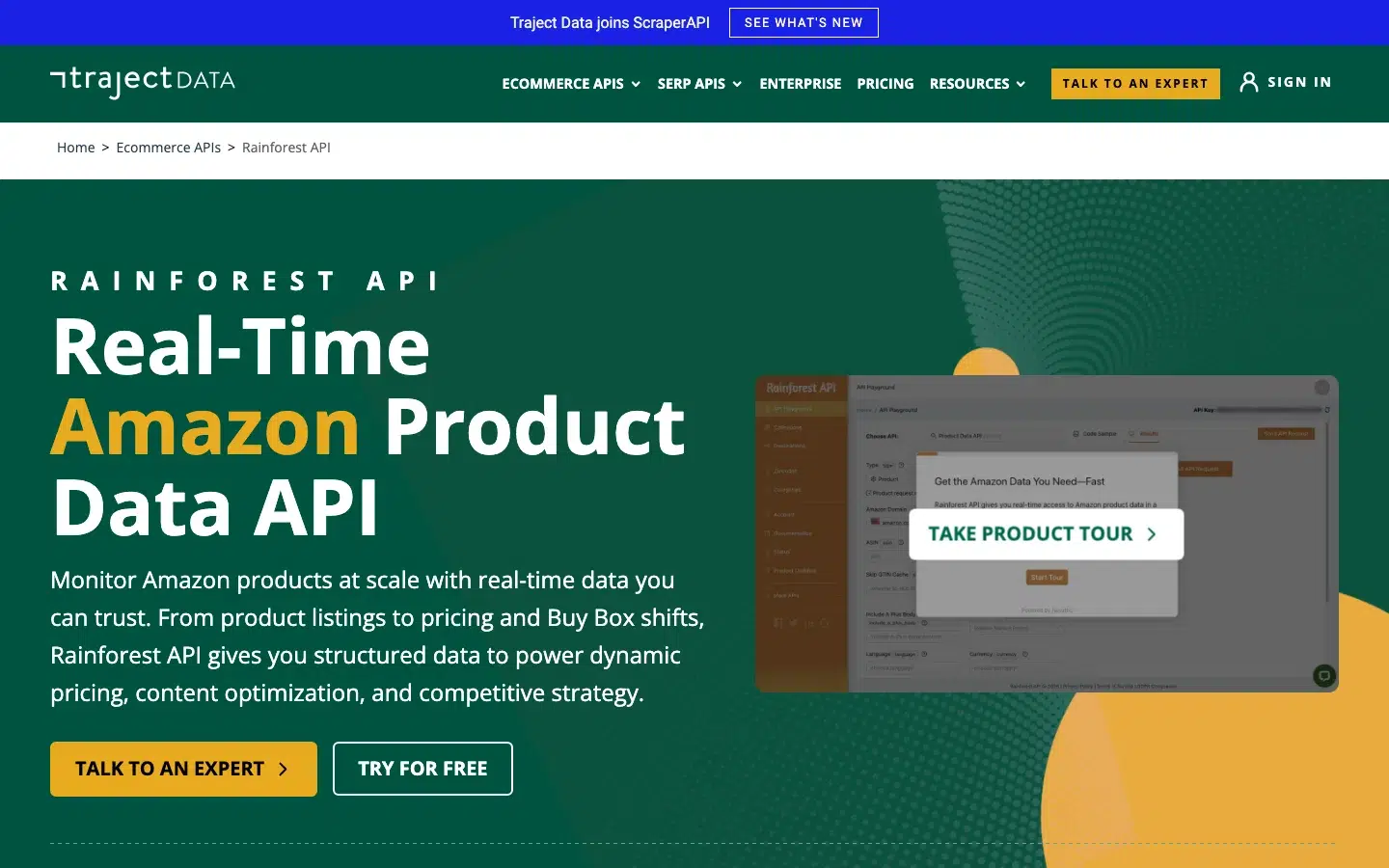
Rainforest API homepage. Source: trajectdata.com
Rainforest API top features:
- The
typeparameter picks the data: products, offers, lightning deals, category results, search results, also-bought products, seller profiles, seller feedback, seller products, reviewer profiles, questions, and bestsellers. - The
amazon_domainparameter, or a full Amazonurl, targets any of 24 Amazon domains, from amazon.com and amazon.co.uk to amazon.sa and amazon.com.au. - The
customer_zipcodeparameter runs a request in the context of a ZIP or postal code you added to your account in the dashboard or through the Zipcodes API, which is useful for listings that change by area, such as Amazon Fresh. Fifteen of the 24 domains support it, and a new code takes a couple of minutes to become available. - Lookups by GTIN, ISBN, UPC, or EAN return the product for the matching ASIN, and the mapping is cached for two months unless you set
skip_gtin_cache=true, which costs two credits instead of one. - Requests run in real time and typically return in one to six seconds, and the Collections API queues up to 15,000 requests, runs them on a schedule or on demand, and sends results by webhook or to S3, GCS, or Azure.
Rainforest API pros and cons:
| Pros | Cons |
|---|---|
| Parsed JSON or CSV for products, offers, search results, bestsellers, sellers, and reviewers. | Covers Amazon and Audible only, and does not replace a proxy pool for other sites. |
| 24 Amazon domains, and 15 of them accept a custom ZIP or postal code. | ZIP and postal codes are capped by plan, from 1 on Hobbyist and Starter to 15 on Volume, and each one needs a couple of minutes to activate. |
| Collections run up to 15,000 queued requests on a schedule, delivered by webhook or to cloud storage. |
Rainforest API pricing
Rainforest API plans are a monthly credit pool, and a standard request uses one credit.
Billed monthly, Hobbyist is $23 for 500 credits, Starter is $83 for 10,000, Production is $375 for 250,000, BigData is $1,000 for 1,000,000, ScaleUp is $2,200 for 2,500,000, Platform is $4,000 for 5,000,000, and Volume is $9,000 for 20,000,000. Annual billing takes 20% off, bringing them to $18, $66, $300, $800, $1,760, $3,200, and $7,200 a month. Extra credits cost from $0.06 on Hobbyist down to $0.0009 on Volume, and custom plans are available for enterprise volumes.
The free trial includes 100 requests with no credit card, and you can cancel at any time. See Rainforest API pricing for current plans.
How do you set up rotating proxies for Amazon scraping?
Rotate the IP between work units, keep it fixed inside one flow, set the marketplace and delivery location on purpose, and judge success by page content. That is how Amazon scraping with proxies holds up beyond the first few hundred requests. For background, see what rotating proxies are.
A static proxy keeps one IP, which is fast and stable but easy for Amazon to block once it is flagged.
A rotating proxy changes IP on every request or on a timer, so your traffic looks like many customers, and Proxyway notes that data centre subnets are the easiest to lose, since one ban can take a whole subnet of up to 264 IPs with it. The trade-off is that rotating proxies are slower and cost more.
| Amazon job | Proxy type | Session |
|---|---|---|
| Catalogue and search crawling | Rotating residential | Rotate per request |
| Price tracking by delivery ZIP | Residential | Sticky, with the ZIP set and checked |
| Logged-in or multi-step flows | ISP or sticky residential | Same IP for the whole flow |
| Bulk image or asset fetching | Data centre | Rotate per request, low-risk targets only |
Three settings are easy to mix up: the Amazon marketplace (amazon.com or amazon.de), the proxy’s exit country, and the delivery ZIP code.
Proxyway argues that city-level targeting does not matter for Amazon because local sites operate country-wide. The ZIP features at Oxylabs, Bright Data, and Decodo exist because delivery location can change the price and the offer.
Country is enough for catalogue data, and a ZIP code matters when you track price and availability.
The check below counts a response only when real product elements are present, the lesson from the Reddit test above.
import requests

PROXY_URL = None  # for example "http://USER:PASS@gateway.example.com:8000"
HEADERS = {
    "User-Agent": "Mozilla/5.0 (Macintosh; Intel Mac OS X 14_0) AppleWebKit/537.36 (KHTML, like Gecko) Chrome/128 Safari/537.36",
    "Accept-Language": "en-US,en;q=0.9",
}
BLOCK_MARKERS = (
    "Enter the characters you see below",
    "Type the characters you see in this image",
    "To discuss automated access to Amazon data",
)

def is_product_page(html):
    """A 200 is not a success: count a response only if real product elements are present."""
    if any(marker in html for marker in BLOCK_MARKERS):
        return False
    return 'id="productTitle"' in html and "a-price" in html

def fetch(asin, proxy=PROXY_URL):
    proxies = {"http": proxy, "https": proxy} if proxy else None
    url = "https://www.amazon.com/dp/" + asin
    response = requests.get(url, headers=HEADERS, proxies=proxies, timeout=30)
    return response.status_code, is_product_page(response.text), len(response.text)

if __name__ == "__main__":
    for asin in ["B003GEBGA0"]:
        status, ok, size = fetch(asin)
        print("%s status=%s product_page=%s bytes=%s" % (asin, status, ok, size))
Log every failure by ASIN, and read our guides on how to bypass Amazon CAPTCHAs and how to scrape Amazon product data with Python for the rest of the scraper.
Cost per successful page is the number that matters, and it is harder to compare than the per-GB price. The table shows what the best Amazon proxy providers charge per 1,000 Amazon requests, in each vendor’s own unit.
| Option | Unit as the vendor words it | Price per 1,000 |
|---|---|---|
| Oxylabs Web Scraper API | Results | From $0.50 for up to 10,000, down to $0.25 at 10 million or more |
| Bright Data Amazon scraper API | Records | $1.5 pay-as-you-go, $1.3 extra on the Scale plan |
| Decodo Amazon scraper | Requests | From $0.15 |
| Zyte API, amazon.com (Tier 2) | Successful responses | $0.23 HTTP and $2.01 browser-rendered on pay-as-you-go |
| Infatica Web Scraper API (general, no Amazon price listed) | Requests | From $0.28 on Basic and $0.78 on Pro at the smallest plans |
| ScraperAPI, computed at 5 credits per Amazon request | Credits | About $2.45 on Hobby, $0.745 on Startup, $0.498 on Business, and $0.475 on Scaling, or $2.21, $0.67, $0.45, and $0.43 with annual billing (10% off) |
| Rainforest API, computed at 1 credit per request | Credits | About $36 on Hobbyist, $6.60 on Starter, $1.20 on Production, and $0.80 on BigData with annual billing (20% off), or $46, $8.30, $1.50, and $1.00 billed monthly |
The units differ (results, records, requests, and credits), proxy-only plans are billed per GB and are not comparable, and none of these figures is a success rate.
The ScraperAPI figures are plan price divided by credits, times five credits, times 1,000. The Rainforest API figures are plan price divided by credits, times 1,000. The annual figures use each plan’s discounted monthly price.
For more on when each approach pays off, see our comparison of proxy providers and ScraperAPI, and for review work specifically, our guide to proxies for Amazon review tracking.
When should you choose which tool?
Match the best Amazon proxies to your volume, your budget, and how much of the scraper you want to maintain.
| Situation | Pick | Why |
|---|---|---|
| Side project, a few hundred Amazon pages a day | DataImpulse or Webshare | $1/GB pay-as-you-go; Webshare lists $7.00/GB and gives 10 free proxies. ScraperAPI’s free plan covers about 200 Amazon requests a month. |
| You need ZIP-level delivery location | Bright Data, Oxylabs, or Decodo; ScraperAPI for Amazon US | DataImpulse bills ZIP targeting at double the rate, and Webshare does not state a surcharge. |
| Long multi-page sessions | IPRoyal (up to seven days) or Oxylabs (up to 24 hours) | ScraperAPI sticky sessions expire 15 minutes after the last request. |
| No engineers to maintain parsers | An Amazon scraper API from Oxylabs, Bright Data, Decodo, or ScraperAPI, or ScraperAPI’s Rainforest API | Compare the cost table above, and remember the units differ. |
| A budget with no per-GB maths | A credit plan such as ScraperAPI, or an API plan | One monthly credit pool covers Amazon and other sites. |
| Scheduled feeds of thousands of ASINs | ScraperAPI DataPipeline or Async Scraper, Rainforest API Collections, or a vendor batch API | 100,000 inputs per DataPipeline project; 50,000 URLs per async batch; 15,000 queued requests per Rainforest collection. |
| Parsed Amazon data across many marketplaces, with seller, bestseller, and reviewer data | ScraperAPI’s Rainforest API | 24 Amazon domains and 12 request types, with custom ZIP or postal codes on 15 domains. |
| Many different sites, pay only for successful requests | Zyte | Five price tiers by site, with amazon.com in Tier 2. |
| Residential proxies and a scraper API in one account | Infatica or Decodo | Compare the cost table above. |
| Cheap data centre proxies with unlimited bandwidth for low-risk fetches | ProxyScrape or Webshare | Fair-use limits apply, and data centre IPs are easily blocked on Amazon, according to Proxyway. |
On a small budget, the best proxies for Amazon scraping are a residential pay-as-you-go plan plus a check that validates every page by content. At volume, the best proxy for scraping Amazon depends on whether you maintain the scraper yourself, so price the managed APIs against the proxies before you commit.
Rotating proxies FAQs
Is it legal to scrape data from Amazon?
It is a legal grey area, not a simple yes or no. Amazon’s Conditions of Use, last updated 14 August 2026, exclude product listings, prices, and “any use of data mining, robots, or similar data gathering and extraction tools” from the licence. Our guide explains whether scraping Amazon is legal for public data, but this is not legal advice, so ask a lawyer.
Which rotating proxy is the best?
There is no single best, because no neutral Amazon benchmark exists, and the one independent test we found put four paid residential providers within about three points of each other (88.1% to 91.1% usable pages, in a single Reddit run). Choose by job, billing unit, and targeting needs, using the decision table above.
Which proxies are best for web scraping?
For Amazon, rotating residential proxies are the usual choice, and Proxyway rates residential proxies best and data centre proxies as easily blocked. ISP proxies suit long sessions, and data centre proxies suit low-risk bulk fetches only.
Which is better for scraping data, a proxy or a VPN?
A proxy. Proxies work at the application layer with IP rotation and per-request handling, while a VPN sends your traffic through one server and one IP, as our guide to web scraping proxies explains.
Can I use residential proxies for Amazon scraping in the United States?
Yes. Residential proxies work for Amazon.com, and Oxylabs, Bright Data, and Decodo let you target a US ZIP code. Set the marketplace to amazon.com, choose a US exit country, and check the delivery location shown on the page.
Do free proxies work for scraping Amazon?
Rarely. In the Reddit test above, a free proxy list returned usable Amazon pages 12.6% of the time against 88% to 91% for paid residential proxies, and commenters on r/webscraping say free and reliable rarely go together.
Do I need rotating proxies, or should I use a scraping API for Amazon?
Use a scraping API when you do not want to maintain retries, session handling, and parsers, and rotating proxies when you already run your own scraper and want control. Compare the cost-per-1,000 table above, because proxy plans bill per GB and APIs bill per result, record, request, or credit.
Ready to collect Amazon data without running the proxy layer? Start a free trial with 5,000 API credits and no credit card.